Trusted SSH hosts
Pinned SSH host-key fingerprints — review and revoke trust.
When you connect to an SSH server for the first time, infrawrench shows its host-key fingerprint and asks you to verify it. Confirming pins the fingerprint to your organization. Future connections to the same host:port are silently allowed only if the key still matches; a changed key triggers a second prompt that calls out the mismatch as a possible MITM.
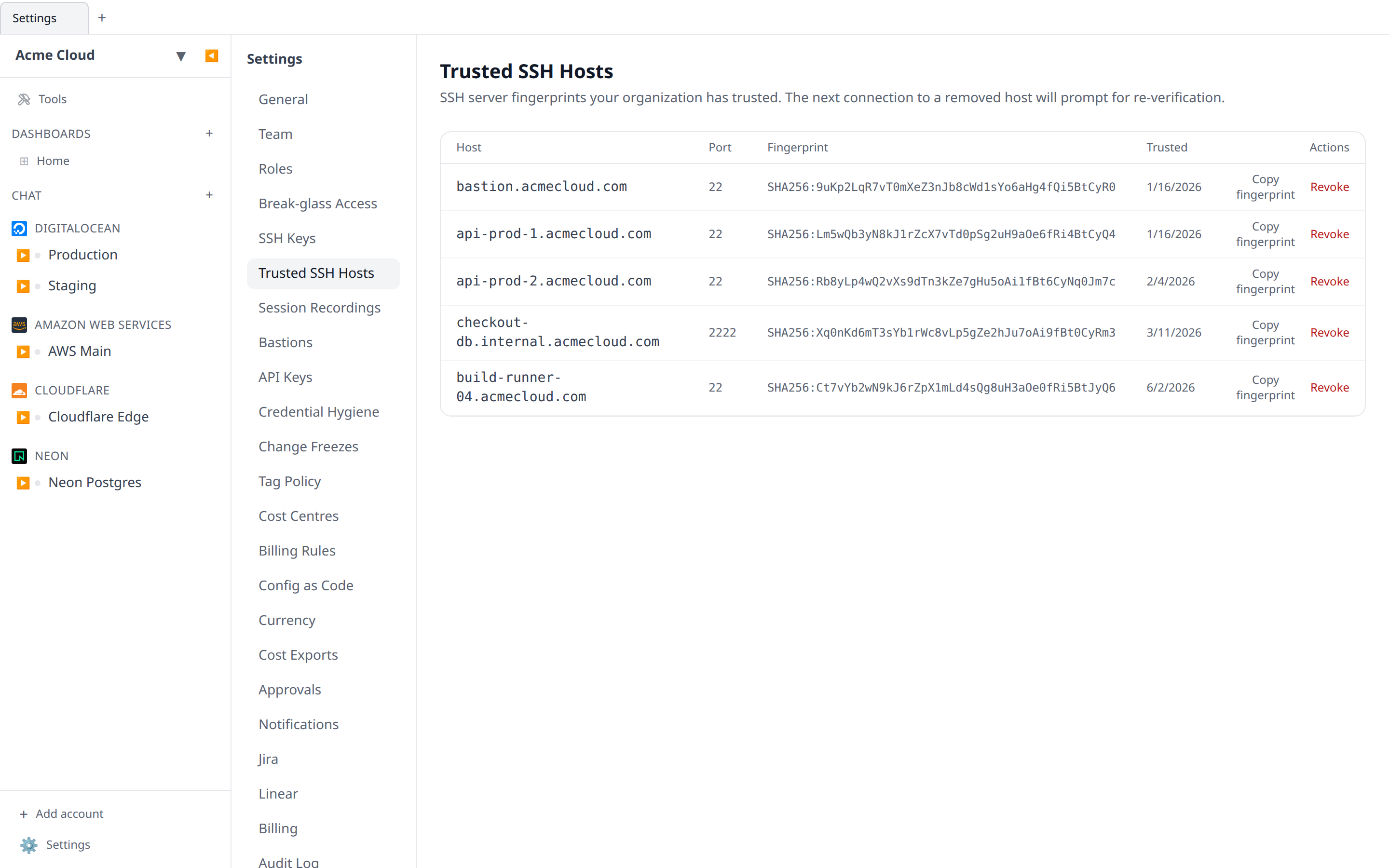
Where pins live
Each pin is one row of (organization, host, port, fingerprint). Pins are stored alongside your organization data — they apply to every member, not just the user who first accepted the key.
Verifying before you trust
The prompt shows the SHA-256 fingerprint of the server’s host key. Compare it against the fingerprint you got from the server operator (ssh-keygen -lf /etc/ssh/ssh_host_*_key.pub on the server). If they don’t match, don’t trust — the connection is being intercepted.
When a host key changes
If you reach a server whose fingerprint differs from the pin, you’ll see a red Host key has changed prompt with both the old and new fingerprints. This is expected when:
- The server was rebuilt or its OS was reinstalled.
- The administrator rotated host keys.
It is not expected during normal operation. If you weren’t told to expect a change, treat it as suspicious and don’t accept.
Revoking a pin
Settings → Trusted SSH Hosts → Revoke removes the pin. The next connection to that host will prompt for verification again.
Revoke when:
- A server was decommissioned (cleanup).
- You accepted a key by mistake and want to start over.
- The host’s fingerprint legitimately changed and you want users to re-verify.
From MCP and chat
The MCP server and the AI chat expose the same pin store as tools: list_trusted_ssh_hosts, trust_ssh_host, and remove_ssh_host_trust. When the agent’s ssh_exec hits an untrusted host, the error carries the presented fingerprint and tells the model to ask you to verify it before calling trust_ssh_host. Trusting and revoking are destructive-tier, so in chat they always stop at an Approve/Reject card — verify the fingerprint out-of-band (provider console, ssh-keygen -lf) before approving, exactly as you would in the UI prompt.
API and audit
GET /api/org/{orgId}/ssh-host-keys— list pins.POST /api/org/{orgId}/ssh-host-keys/trust— pin a fingerprint after user consent.DELETE /api/org/{orgId}/ssh-host-keys/{id}— revoke a pin.
Every trust and revoke event lands in the audit log as ssh_host_key.trusted, ssh_host_key.replaced, or ssh_host_key.removed — tool-driven changes included.