Credential preflight
Verify what a credential can actually do — per capability — and generate a least-privilege policy to paste into the provider console.
A pasted credential can be valid and still be the wrong credential: an AWS key without ce:GetCostAndUsage connects fine, lists resources fine, and then the cost graphs silently stay empty forever. Credential preflight closes that gap. For plugins that support it, infrawrench probes the provider with your credential and shows a per-capability checklist — before you save the account, and again any time from account settings.
The checklist
In the Add account form, once the credential fields are filled, a Check credentials button appears for supported plugins. Running it shows one row per capability:
- ✓ Ready — the probe confirmed the credential grants what this capability needs.
- ✗ Missing permissions — with the exact provider permission strings to grant (e.g.
ce:GetCostAndUsage,monitoring.timeSeries.list,Billing Read) and, where possible, a deep link to the provider console page that fixes it. - ? Couldn’t verify — the probe couldn’t decide (provider unreachable, probe not permitted); the account still works, the checklist just can’t vouch for it.
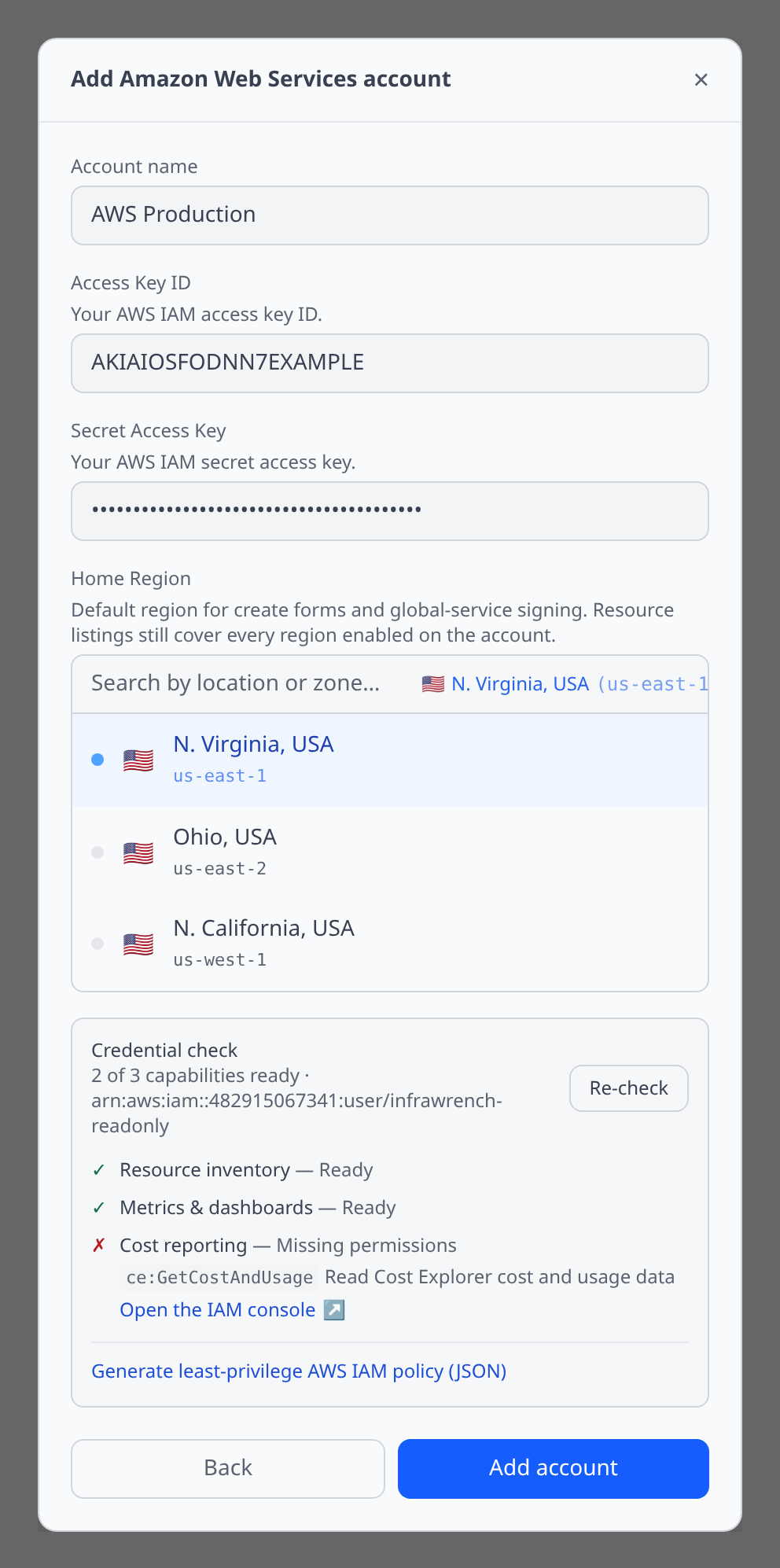
Preflight never blocks saving. A missing non-essential capability (costs, metrics) just means that feature stays dark until you grant the permission — the checklist is there so you find out now instead of from an empty graph next week.
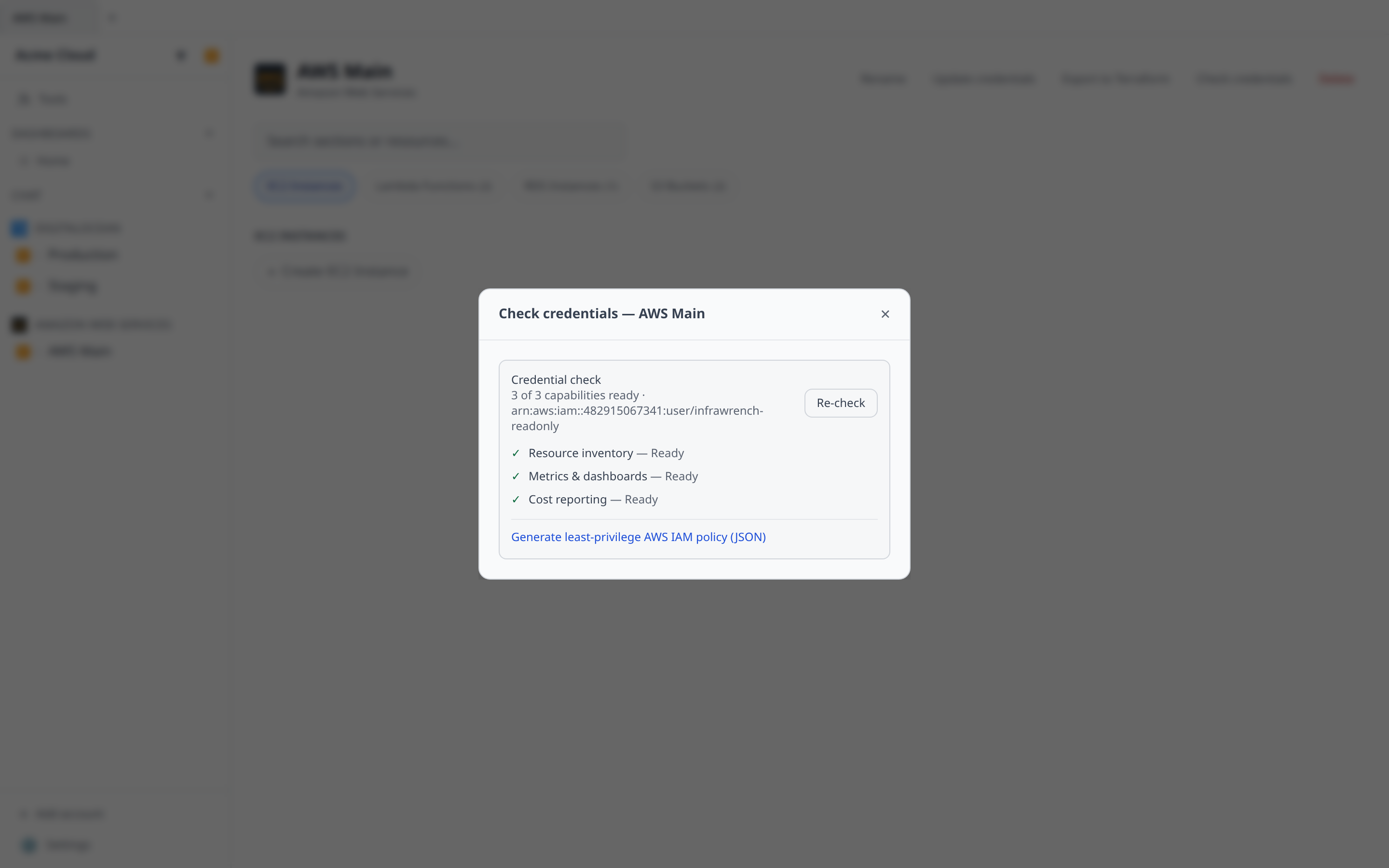
To re-run it later — after rotating a token or tightening a policy — open the account page and click Check credentials next to Update credentials.
The least-privilege policy generator
The same panel generates the exact credential template for the capabilities you want, ready to paste into the provider console. Tick the capabilities the account should have and copy the result:
- AWS — an IAM policy JSON document. Attach it as an inline policy on the IAM user or role whose keys you entered.
- GCP — a custom role definition in YAML for
gcloud iam roles create --file, then grant the role to the service account. (Cost reporting also needs the role, or BigQuery Data Viewer, on the billing export dataset.) - Cloudflare — a token template: the permission-group list plus a link that opens Cloudflare’s token creator with those scopes pre-filled.
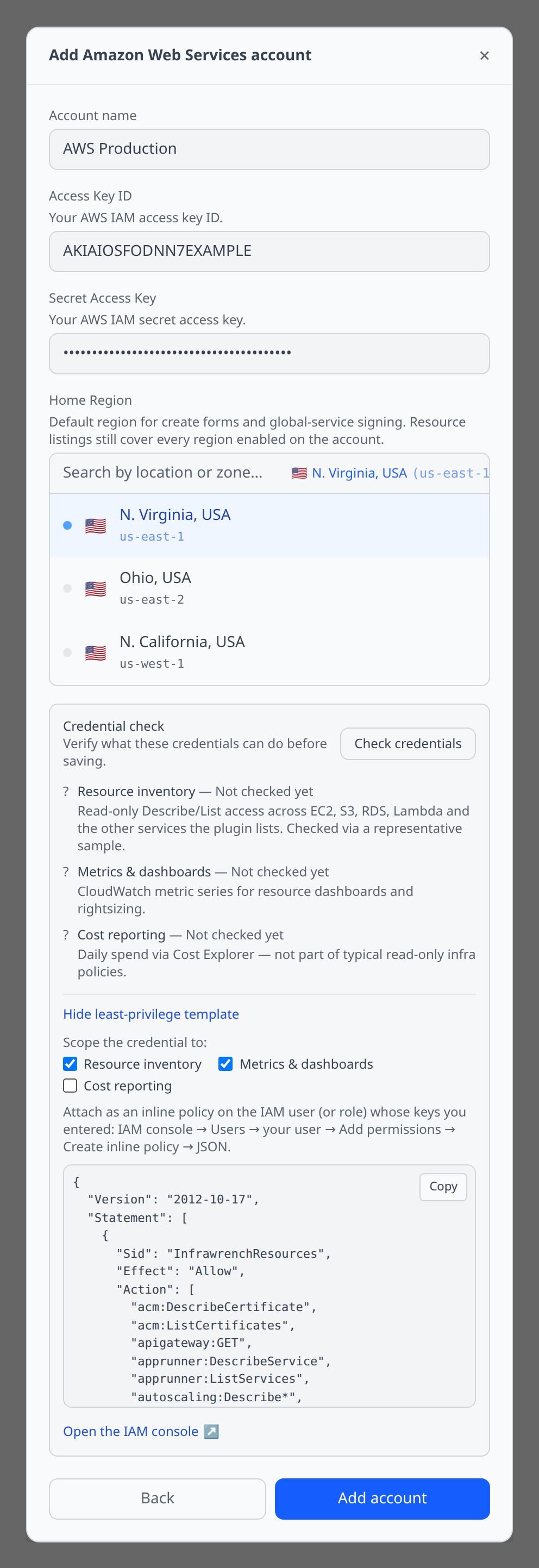
Deselecting a capability removes its permissions from the template — least privilege is about what you leave out. The generated AWS template also includes iam:SimulatePrincipalPolicy so future preflights can report exact per-permission results instead of falling back to sample probes.
Which plugins support it
AWS, Google Cloud, and Cloudflare ship full support (checklist + generator) today. Each plugin page lists the exact permissions behind every capability. Other plugins simply don’t show the panel — nothing changes for them until they declare their permission metadata.
How it works
- Probes are read-only: AWS uses
sts:GetCallerIdentityplusiam:SimulatePrincipalPolicy(falling back to cheap sample reads when the simulator isn’t allowed), GCP usesprojects.testIamPermissions, Cloudflare verifies the token and issues one minimal read per capability. - On the web app the probe runs server-side against the submitted or stored credentials — credentials never round-trip back to the browser. On desktop it runs locally, in-process, exactly like resource listing does.
- Preflight results are computed on demand and not stored.