Resource leases
Put an expiry on any resource — "a test cluster for 3 days" — get nagged through the expiry radar as it approaches, and optionally have the resource auto-deleted when the lease runs out.
Test clusters, demo droplets, load-test databases — the resources you spin up “just for a few days” are the ones still billing three months later. A lease puts an explicit expiry on any resource: pick a deadline, optionally say why, and Infrawrench keeps the countdown for you. When the deadline approaches, the lease shows up in the expiry radar alongside your certificates and domains, so the same alerts that warn you about a lapsing TLS cert warn you about the cluster you promised to tear down.
Leases come in two strengths:
- Nag-only (the default) — the lease is purely a reminder. It rides the expiry radar and its alerts; nothing is ever deleted automatically.
- Auto-delete — opt-in, per lease. When the lease expires, Infrawrench deletes the resource through the same plugin delete the UI uses. The resource will be deleted when the lease expires, you’ll be warned twice first, and change freezes pause deletion.
Setting a lease
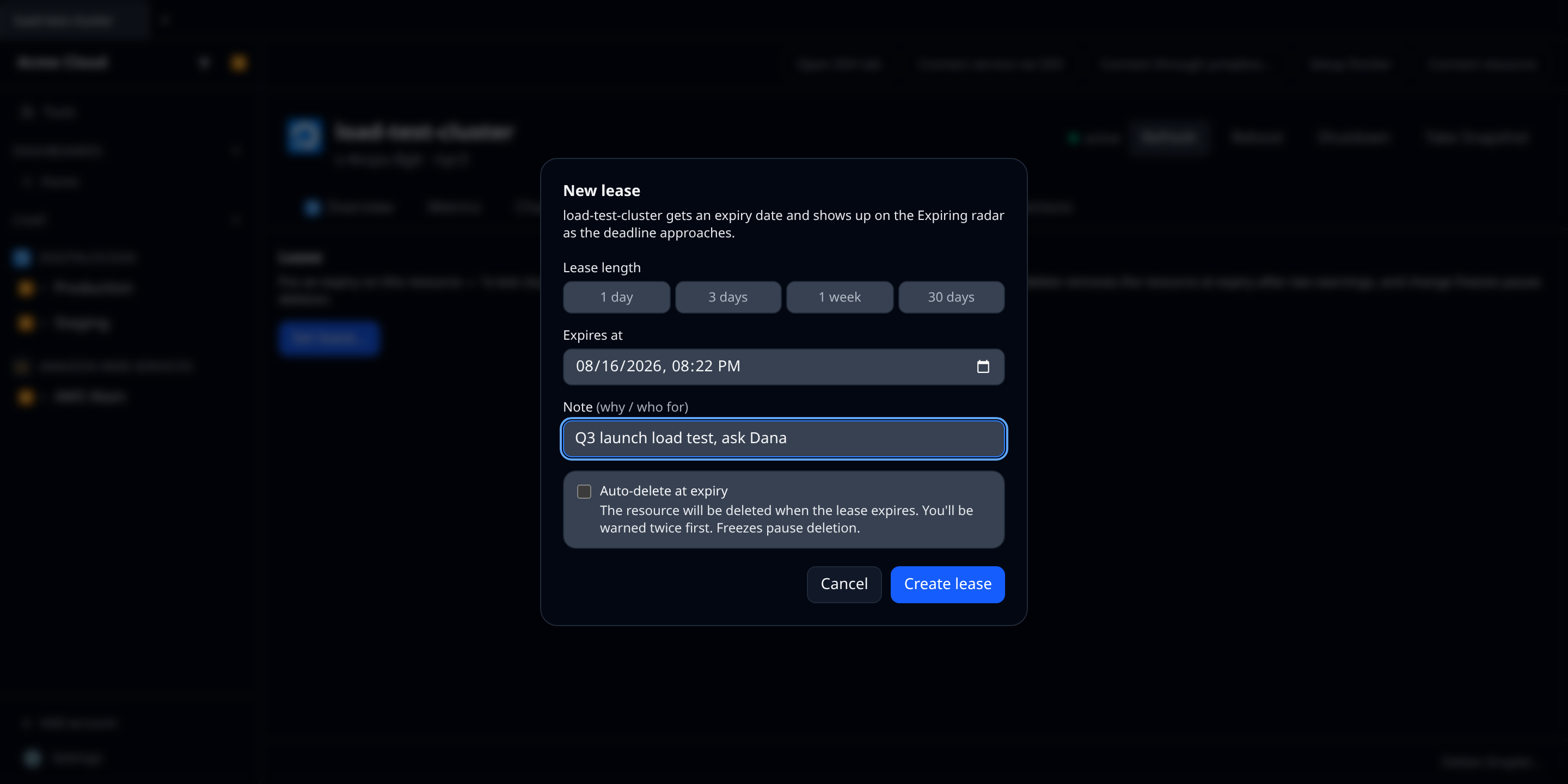
Every resource’s detail page has a Lease tab (web, and desktop when signed into Infrawrench Cloud). Pick a quick preset — 1 day, 3 days, 1 week, 30 days — or a custom date and time, add a note (“Q3 launch load test, ask Dana”), and optionally tick auto-delete. One lease per resource; edit or cancel it from the same tab at any time. Leases reach at most 365 days out.
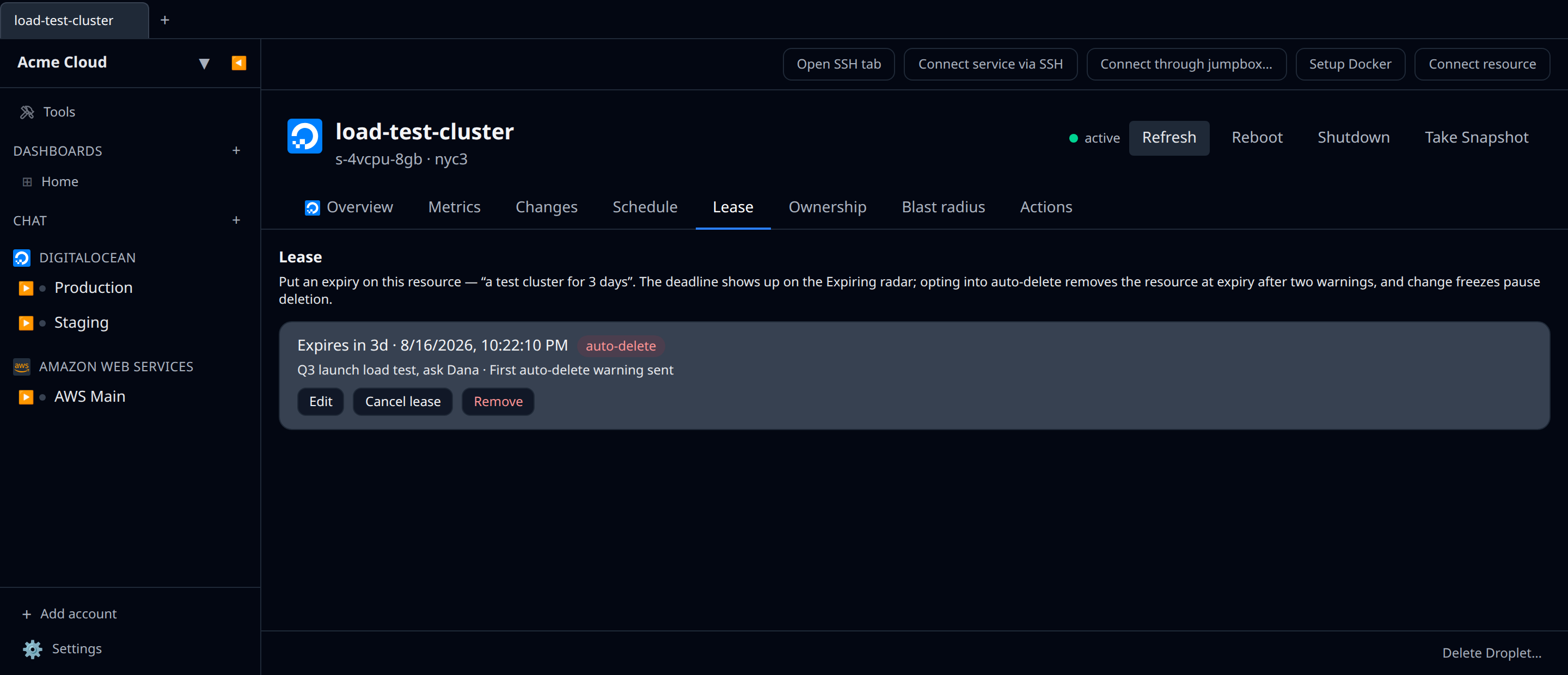
An active lease shows how long is left, its note, warning progress for auto-delete leases, and an auto-delete badge where it applies.
The nag
Active leases appear on the Expiring screen (web, desktop, mobile) under their own Leases group, sorted into the same severity buckets as everything else, with auto-delete leases badged distinctly. They ride the daily expiry alert to Slack, Microsoft Teams and mobile push, and they show up in the weekly digest’s “Expiring soon” line — everything the expiry radar does, leases inherit.

Auto-delete: announced twice, then executed
An auto-delete lease is never a surprise. The poller announces it twice before doing anything:
- First warning, about 72 hours before expiry — “auto-delete is approaching”.
- Final warning, about 24 hours before expiry — “will be auto-deleted in ~24h”.
Shorter leases compress the schedule proportionally (a 12-hour lease is warned about immediately and again at its half-life), but the contract never bends: both warnings always go out before any delete, even if that means the delete happens later than the lease’s nominal expiry. Both warnings fan out over the same channels as expiry alerts.
At expiry, with both warnings on record:
- If an org change freeze is in effect, the delete is deferred — checked again after the freeze lifts, with the deferral recorded on the lease. Nothing is ever deleted during a freeze, and nothing is silently skipped.
- Otherwise the resource is deleted through its plugin, and a final notification confirms it (“Lease expired: name was deleted”).
- If the provider call keeps failing, it is retried for about an hour and then given up on: the lease is marked failed with the error preserved, and the org is told — a failed auto-delete is never silent.
Deletes performed by a lease are recorded in the audit log.
Permissions
Reading leases needs resources:read; creating, editing and canceling them needs resources:write. Turning auto-delete on additionally requires resources:delete — an auto-delete lease is a standing instruction to delete the resource, so it demands the same permission as deleting it directly.
The CLI
infrawrench leases lists every lease in the organization — deadline, auto-delete flag, status and note — with --output json for scripts. Lease deadlines also appear inside infrawrench expiring with everything else on the clock.
$ infrawrench leases
Acme Corp · 3 leases (2 active)

resource            account     expires                     auto-delete  status              note
load-test-cluster   Prod DO     in 2d (2026-08-06 17:00Z)   yes          first warning sent  Q3 launch load test
demo-droplet        Prod DO     in 6d (2026-08-10 09:00Z)   no           active              sales demo
old-staging-db      Legacy AWS  2026-07-28 12:00Z           yes          deleted             —
Caveats
- Leases live in Infrawrench Cloud — the desktop app shows the Lease tab when signed in; local-only mode has no lease store.
- Mobile shows leases in the Expiring screen but has no lease editor — setting and editing leases is a web/desktop task.
- Auto-delete uses the plugin’s delete. A resource type whose plugin doesn’t support deletion can still carry a nag-only lease, but its auto-delete would fail and tell you so.