Cloudflare
Manage zones, DNS, Workers, R2, KV, D1, Tunnels, Access, and more.
The Cloudflare plugin is broad — 31 resource types across DNS, edge compute, storage, AI, security, and zero-trust.
What you can manage
- DNS & zones — zones, DNS records (with proxy status toggle), email routing, custom hostnames, health checks.
- Edge compute — Workers (script editor plus an editable Settings tab), Workers KV, D1 (SQLite), Hyperdrive, Durable Object namespaces.
- AI — the Workers AI text-generation model catalog (each with a chat Playground), Vectorize vector-database indexes, AI Gateway gateways, and AI Search (AutoRAG) instances.
- Storage — R2 buckets (with the file browser).
- Zero Trust — Access applications and policies, Tunnels.
- Security & traffic — WAF custom rules, rate limiting rules, redirect rules, cache rules, IP access rules, load balancers, waiting rooms, Spectrum applications, and Turnstile widgets.
- Account — notification (alerting) policies, Logpush jobs.
- Zone settings — cache, security, SSL, and performance options edited via a settings form (toggles, dropdowns, numbers) on the zone’s Zone Settings tab. DNSSEC can be enabled or disabled from the zone header.
Editing resources
Most Cloudflare resources show an Edit button on their detail page that opens a settings form over the resource’s own fields — no raw JSON. Infrawrench diffs your changes against the current values and sends only what changed, merging in the rest of the resource state so a partial edit never clobbers untouched settings. Identity and provider-managed fields (a rule’s matched expression target, a custom hostname’s name, a health check’s protocol, etc.) are shown read-only. Editable resources include DNS records, all five rule types (WAF custom, rate limiting, redirect, cache, IP access), page rules, email routing rules, waiting rooms, load balancers, Hyperdrive configs, custom hostnames, Spectrum applications, Logpush jobs, Access applications and policies, Turnstile widgets, health checks, notification policies, and AI Gateways. Editing uses the same token permission that grants write access to that resource.
Turnstile, Health Checks, and Notifications
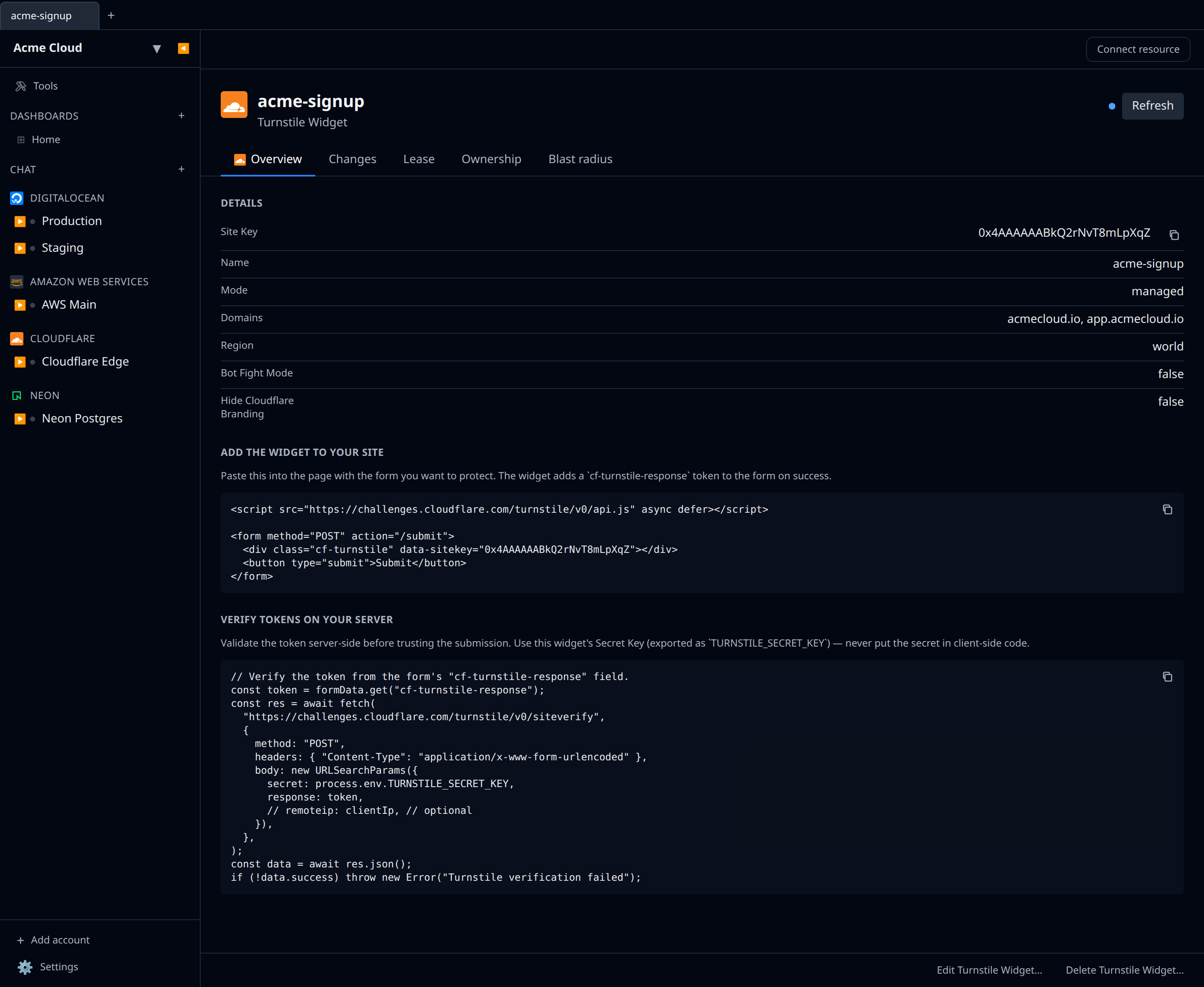
- Turnstile widgets — create, edit, and delete Cloudflare Turnstile (CAPTCHA alternative) widgets. Each widget exposes its public Site Key and a sensitive Secret Key as output references, plus a one-click credentials export (
TURNSTILE_SITE_KEY/TURNSTILE_SECRET_KEY) for your client embed and server-sidesiteverifycall. The create form takes a name, allowed domains, and a widget mode (Managed / Non-interactive / Invisible). The widget detail page also gives you ready-to-paste embed code: a copyable HTML snippet (theapi.jsscript +cf-turnstilediv wired into a form) to drop into your site, and a copyable server-side verification snippet that posts the token tositeverifyusing yourTURNSTILE_SECRET_KEY(the secret itself never appears in the snippet). Needs the Turnstile:Edit permission.
- Health checks — standalone active origin monitors (independent of load-balancer pools). Create an HTTP/HTTPS/TCP check against an address; the detail page shows status, consecutive fails/successes, and interval/timeout/retries (all editable). Needs the Health Checks:Edit permission.
- Notification policies — account-level alerting policies. Pick an alert type (SSL events, health-check status, origin/edge error rates, DDoS, billing, expiring tokens, failing Logpush, …) and a comma-separated list of recipient emails; toggle enabled/disabled and edit recipients later. Needs the Notifications:Edit permission.
- Vectorize indexes — create and delete Cloudflare Vectorize vector-database indexes for Workers AI / RAG. The create form takes a name, vector dimensionality (must match your embedding model), and a distance metric (cosine / euclidean / dot product). The index name is exposed as an output reference and a Worker-binding credentials export. Needs the Vectorize:Edit permission.
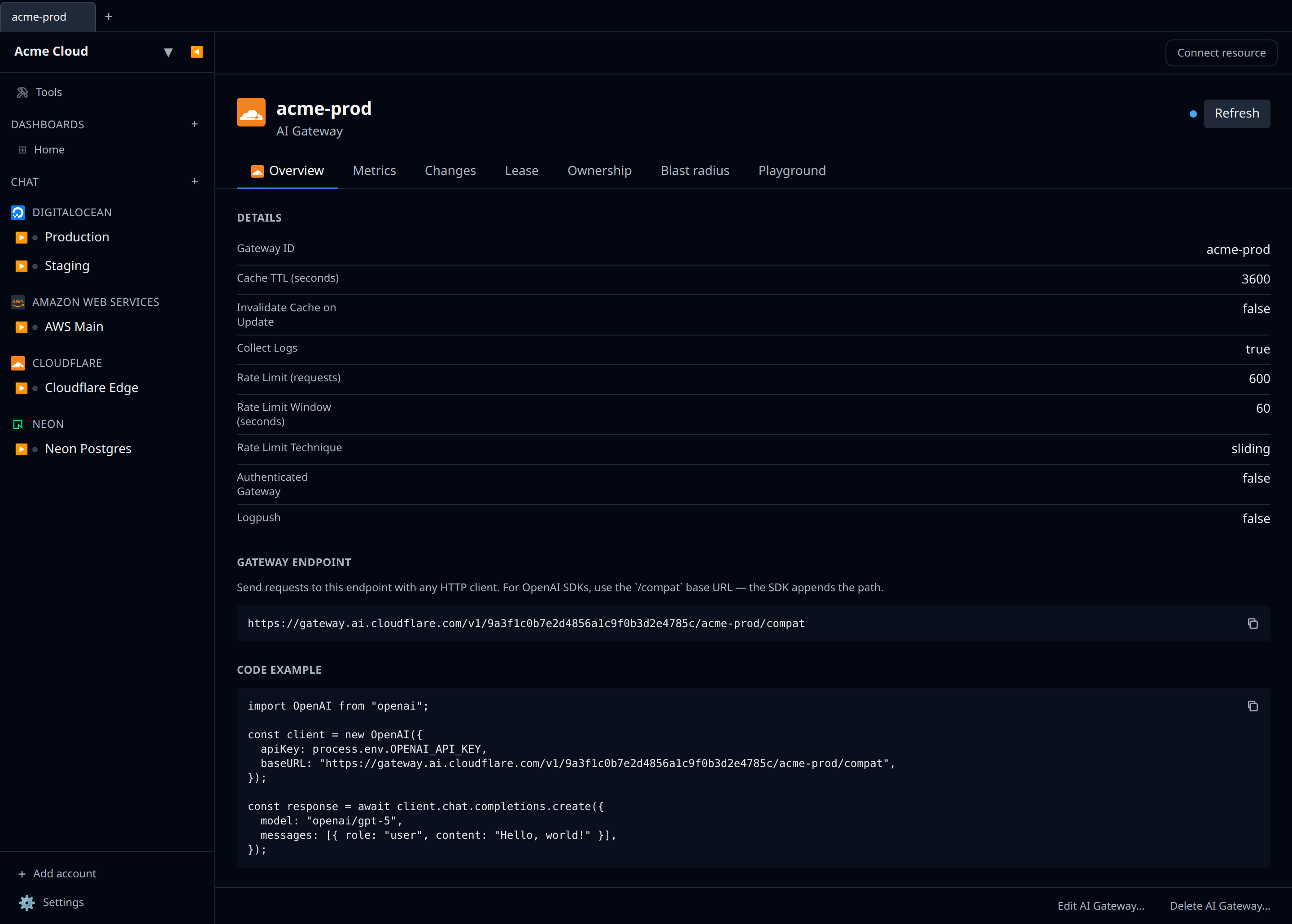
- AI Gateway — create, edit, and delete AI Gateways, the proxy that adds caching, rate limiting, logging, and analytics in front of your model providers (Workers AI, OpenAI, Anthropic, …). The create form takes a gateway id (the slug used in the gateway URL) plus toggles for log collection, a cache TTL, a rate limit (requests + window + fixed/sliding technique), authenticated-gateway enforcement, and Logpush. The gateway id is exposed as an output reference and an
AI_GATEWAY_IDcredentials export. The detail page mirrors the Cloudflare dashboard: the copyable gateway endpoint URL (the OpenAI-SDK/compatbase URL), a copyable code example, a Metrics tab (requests, tokens in/out, cost, errors, cache hits via theaiGatewayRequestsAdaptiveGroupsanalytics dataset), and a Playground tab. The Playground streams a chat with any Workers AI text-generation model through this gateway — it authenticates with your Cloudflare token (no provider keys needed) and the traffic shows up in the gateway’s own logs and analytics. Pick the model from the dropdown at the top of the chat. Needs the AI Gateway:Edit permission, plus Workers AI:Read to run the Playground (without it the model list and chat both return an authentication error). If the gateway has Authenticated Gateway enabled, the Playground is disabled — it can’t supply the gateway token — so turn that off to chat here or call it from your own code with acf-aig-authorizationheader.
- AI Search — list and delete AI Search (formerly AutoRAG) instances — managed retrieval-augmented-generation pipelines over an R2 bucket or web-crawler source. The detail page shows the source type, generation and embedding models, backing Vectorize index, status, paused state, and last activity. Creation is a multi-step pipeline (pick a source, embedding model, and chunking, then run the first index sync), so new instances are set up in the Cloudflare dashboard wizard; Infrawrench lists and removes them. Needs the AI Search:Read permission to list (and write access to delete).
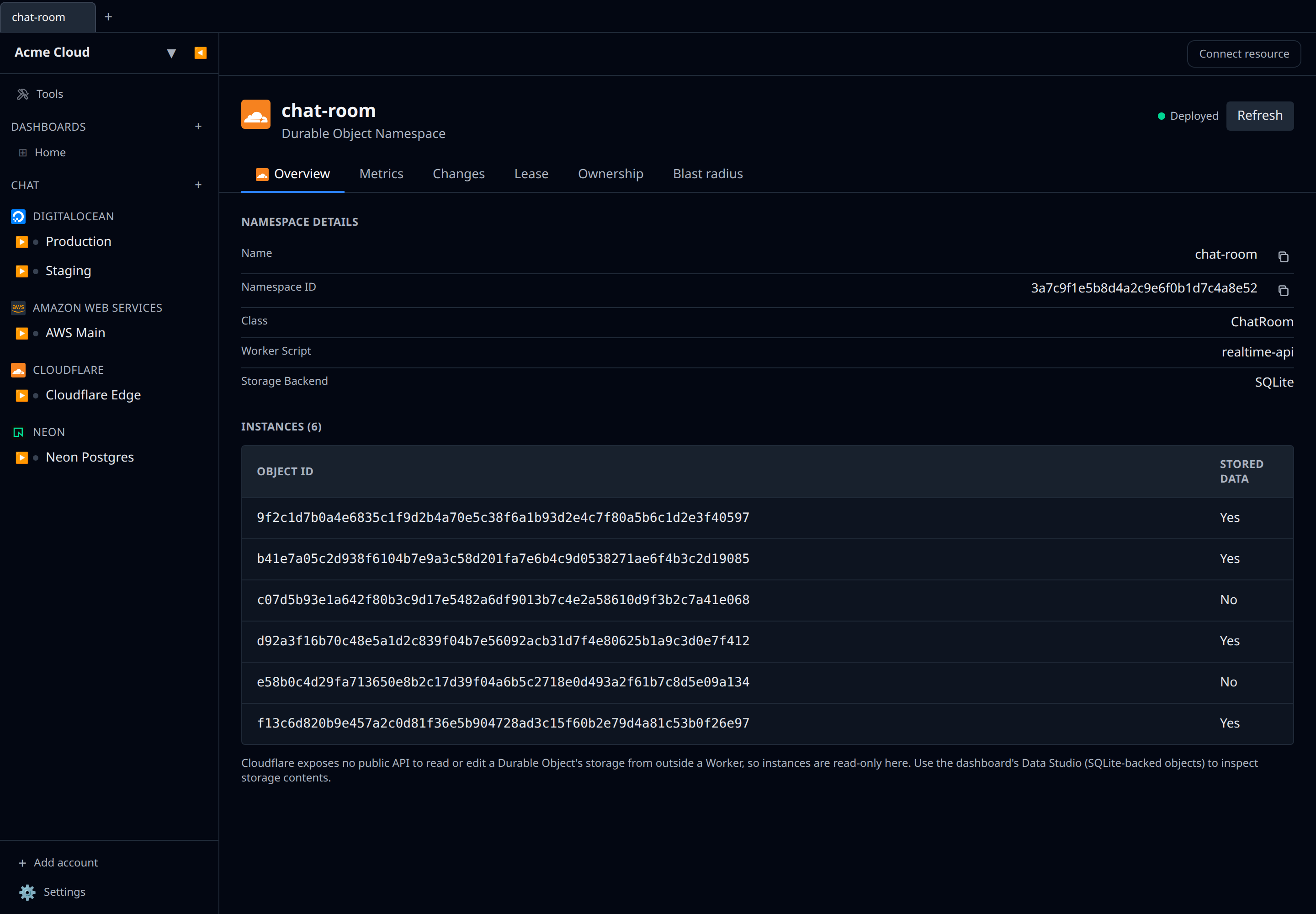
- Durable Object namespaces — a read-only listing of the Durable Object namespaces your deployed Workers declare (name, exported class, owning script, SQLite-storage flag). You create or remove them by redeploying the Worker, so there’s no create/edit/delete here. The detail page also includes an Instances browser — the live objects in the namespace and whether each holds stored data — and a Metrics tab. Cloudflare exposes no public API to read or edit a Durable Object’s storage from outside a Worker, so storage contents aren’t editable here; use the Cloudflare dashboard’s Data Studio (for SQLite-backed objects) to inspect them. Uses the Workers Scripts:Read permission.
Credentials
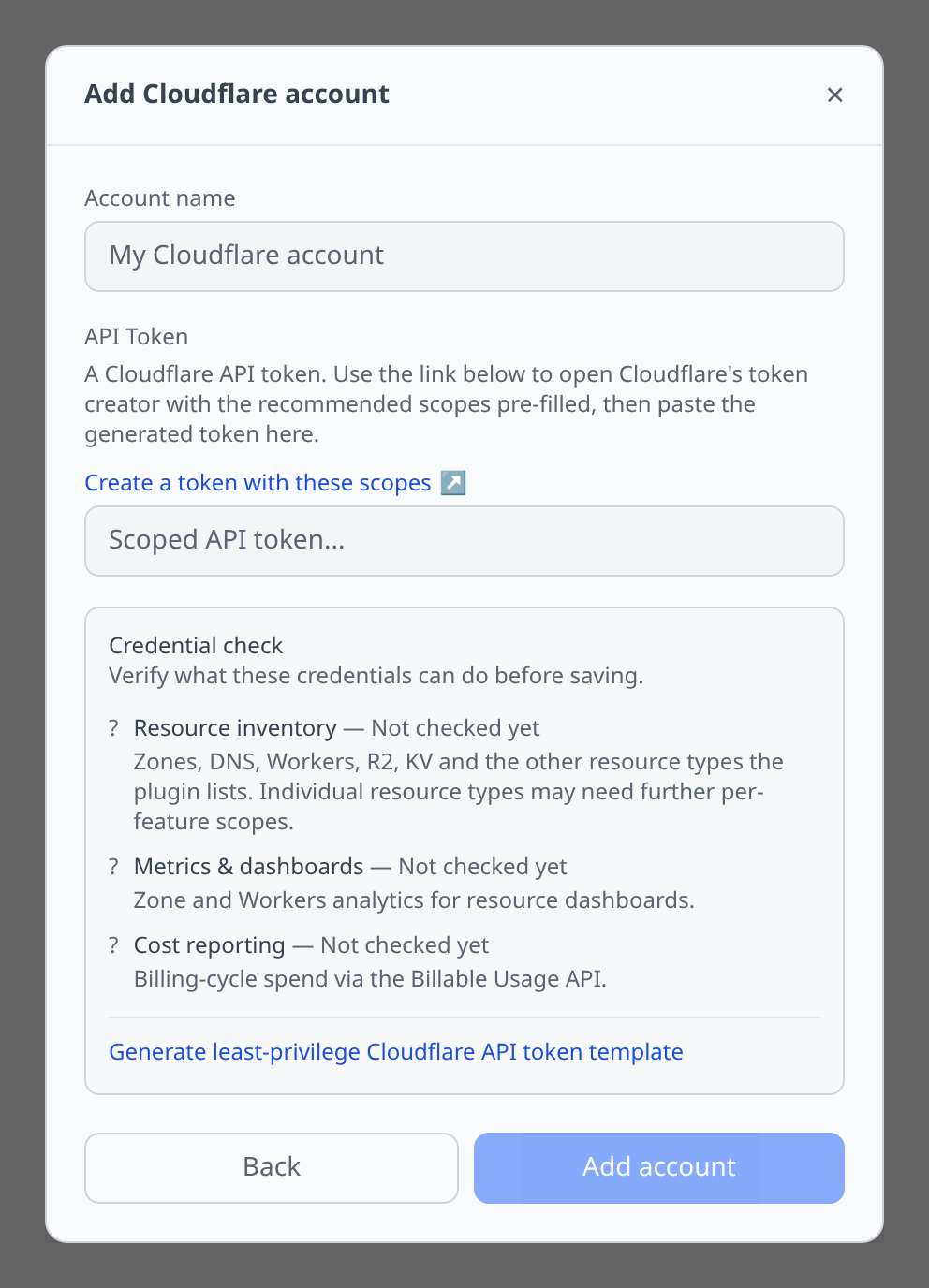
The API token field in the Add account and Update credentials forms shows a “Create a token with these scopes” link. Click it to open Cloudflare’s token creator with the scopes this plugin uses already selected — review them, create the token, and paste it back into the field. (Cloudflare only ever shows the token value once, at creation time.)
If you’d rather scope a token by hand, go to the Cloudflare dashboard → My Profile → API Tokens → Create Token and grant the permissions matching the resources you plan to manage.
Credential preflight & token template
The add-account form (and Check credentials on the account page) verifies the token and probes what it can reach, per capability — see Credential preflight:
- Resource inventory — Zone Read (zone listing underpins every zone-scoped resource) and Account Settings Read (account-scoped resources: Workers, R2, KV, D1…). Individual resource types may need further per-feature scopes; the resource tab tells you which when one is missing.
- Metrics & dashboards — Analytics Read and Account Analytics Read.
- Cost reporting — Billing Read, checked against the Billable Usage API.
An expired or disabled token is flagged across every row. The generator produces a token template scoped to the capabilities you tick: the permission-group list plus a link that opens Cloudflare’s token creator with exactly those scopes pre-filled.
Notable flows
- DNS records table — a zone’s records render as a Cloudflare-style table (type, name, content, proxy, TTL) with inline create and delete. See DNS records.
- DNS record editor with type-aware fields (A, AAAA, CNAME, MX, TXT, SRV, CAA). A/AAAA/CNAME values can be pointed at another resource (e.g. an AWS Elastic IP) and tracked live.
- Worker script editing in Monaco with deploy, plus an editable Settings tab — see Worker settings below.
- R2 file browser and secret export to K8s for bucket credentials.
- KV namespace browser — open any Workers KV namespace and use the Keys tab to list keys (cursor-paginated, with optional prefix filter), view stored values, add or overwrite a key, and delete keys. Backed by Cloudflare’s
/storage/kv/namespaces/{id}/keysand/values/{key}REST endpoints. Values are treated as UTF-8 text. - D1 SQL editor — open any D1 database and use the SQL Editor tab to run queries. The default query lists tables via
sqlite_master. - Hyperdrive connection editing — a Hyperdrive config’s Edit form lets you change the origin connection (host, port, protocol, database, user) as well as the name and caching toggle. Because Cloudflare never returns the origin password, the Password field stays blank — leave it empty to keep the current password, or type a new one to rotate it. Infrawrench only sends an
originpatch when a connection field actually changed, so renaming or toggling caching won’t touch your credentials. Needs the Hyperdrive:Edit permission. The detail page also shows query/cache/latency metrics (see below), and the config exposes its Hyperdrive ID as an output reference and aHYPERDRIVE_IDcredentials export for a Worker[[hyperdrive]]binding. There’s no SQL/PostgreSQL tab: a Hyperdrive endpoint is only reachable from inside a Worker, so there’s no connection string an external client could use. - Zone settings form — each setting renders as a toggle / dropdown / number control on the Zone Settings tab; Apply patches only the changed settings.
- Purge cache — a zone’s detail header has a Purge Everything button that clears all of Cloudflare’s cached content for the zone. See Cache below.
- Expose a service over a tunnel — drag a Tunnel onto a server (any account/provider) to expose HTTP, HTTPS, SSH, or TCP through Cloudflare’s edge: infrawrench sets the tunnel ingress + DNS and installs
cloudflaredon the host. See Expose a service over a Cloudflare Tunnel.
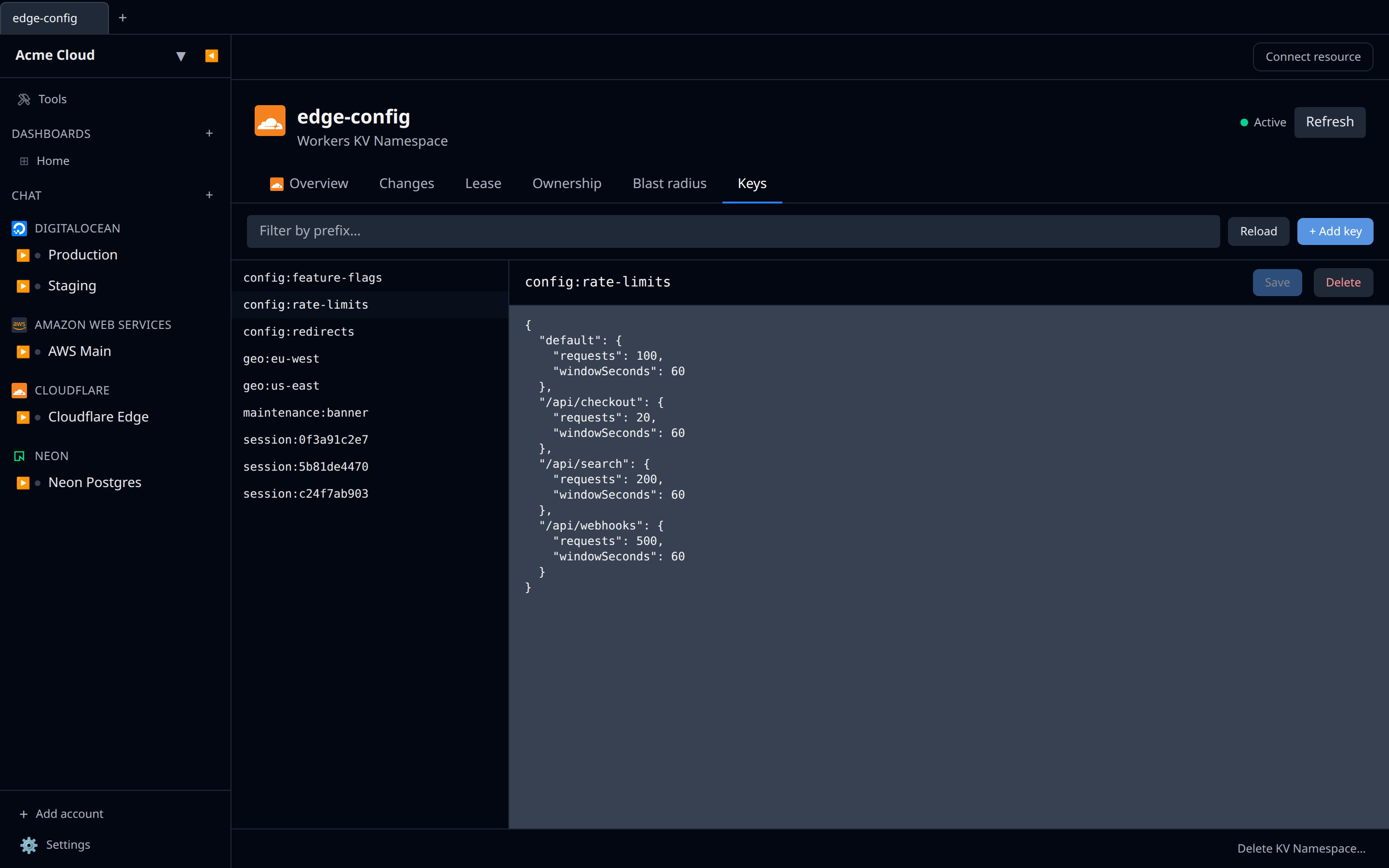
- Workers AI Playground — open any model under Workers AI Models and use the Playground tab to chat with it. Responses stream token-by-token through Cloudflare’s OpenAI-compatible chat endpoint (
/ai/v1/chat/completions), authorized with the account’s API token. The whole conversation history is sent on each turn, and per-turn token usage is shown under each assistant reply when Cloudflare returns it. The token needs the Workers AI:Read permission to list models and run completions.
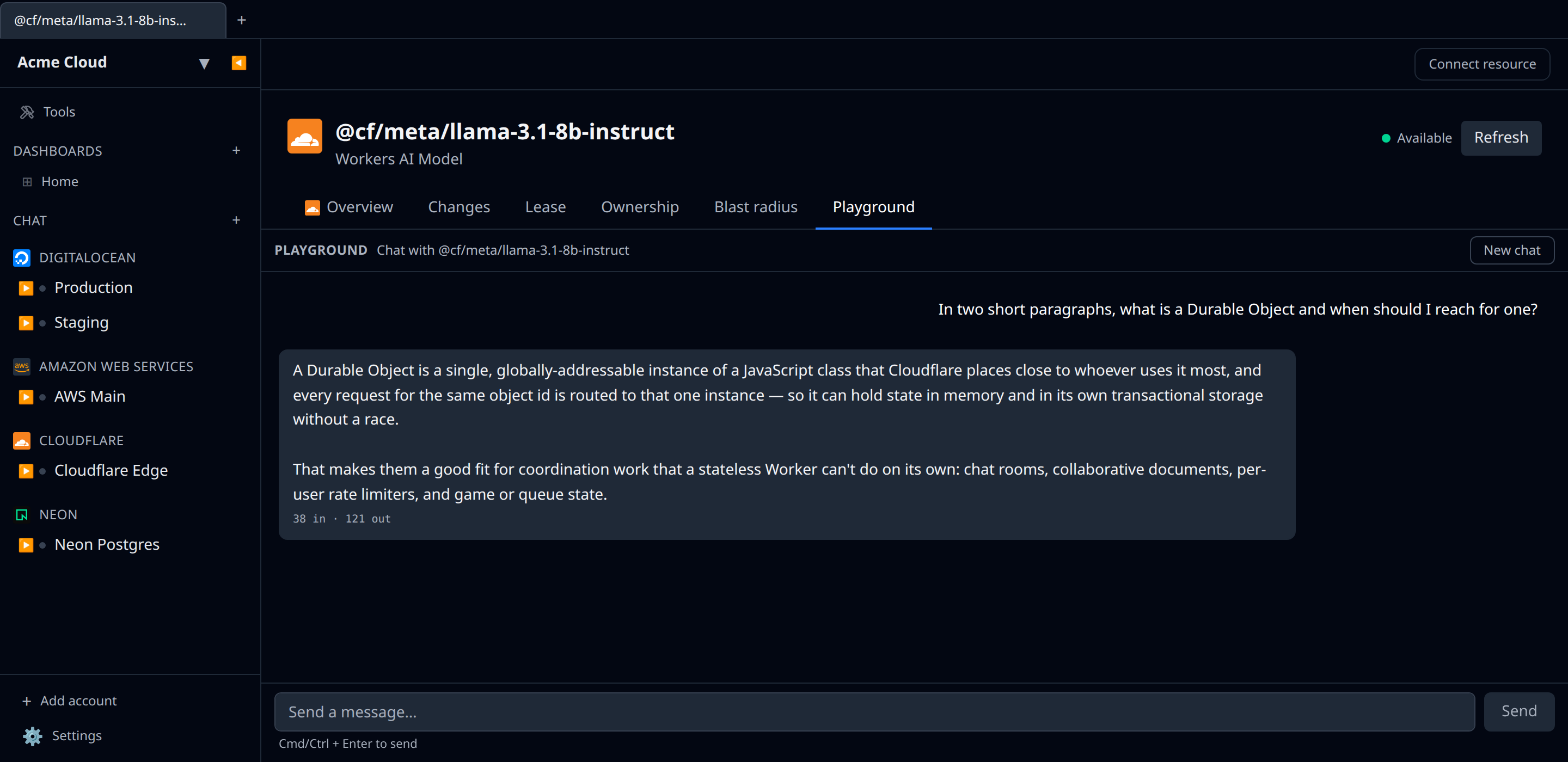
- Queue detail page — opens with the queue’s settings (delivery delay, retention period, pause state) inline, a Consumers tab listing every bound Worker or pull consumer with its batch size, retry policy, and dead-letter queue, and a Publish tab for pushing a one-off test message into the queue. Backed by the Cloudflare Queues HTTP API (
GET /queues/{id},GET /queues/{id}/consumers,POST /queues/{id}/messages). The token needs the Queues:Edit permission to publish.
Worker settings
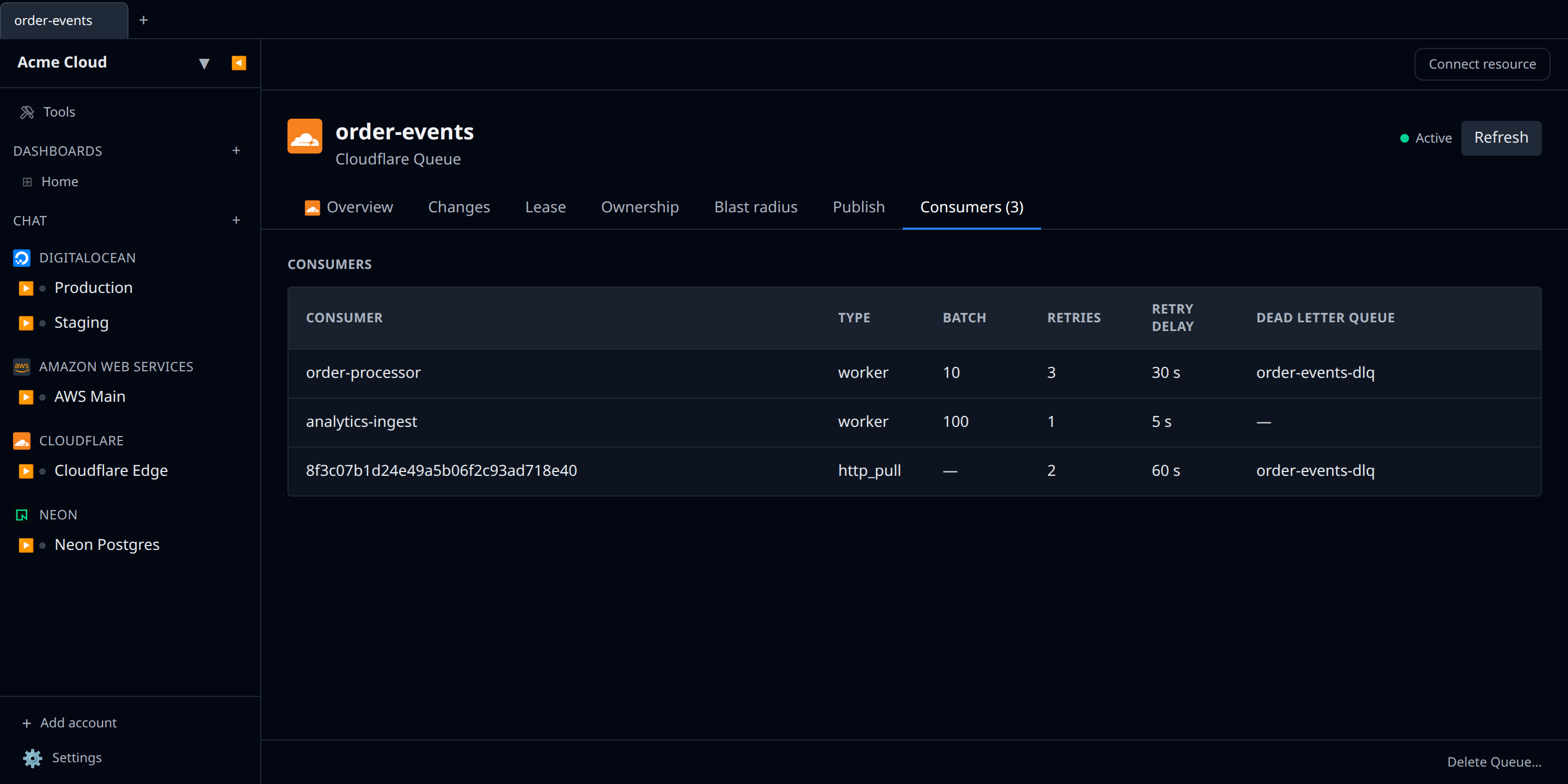
Open a Worker and switch to the Settings tab for a labeled form — no raw JSON. Settings are grouped:
- General — usage model (read-only), Logpush, the
workers.devsubdomain toggle, and tags. - Observability — invocation logging on/off and the head sampling rate (0–1).
- Compatibility — compatibility date and flags (read-only; change them by redeploying the Worker).
- Placement — Smart Placement mode (read-only).
- Limits — the per-invocation CPU limit (read-only).
- Triggers — cron expressions, plus a read-only view of tail consumers.
- Bindings — a read-only count of the Worker’s bindings.
Editable rows are saved per setting and routed to the right Cloudflare endpoint — the worker script settings (logpush, observability, tags), the workers.dev subdomain, or the cron-trigger schedule. The read-only rows surface deploy-time configuration that Cloudflare doesn’t expose to a simple settings patch. Editing needs the Workers Scripts:Edit permission.
Cache
Open a zone and use the Purge Everything button in the detail header to clear all of Cloudflare’s cached content for that zone — the equivalent of the dashboard’s Caching → Configuration → Purge Everything. Infrawrench asks for confirmation first, then issues a single purge_everything request. Visitors may briefly reach your origin while the cache refills. Purging needs the Cache Purge permission, which the “Create a token with these scopes” link now includes.
Rules engine
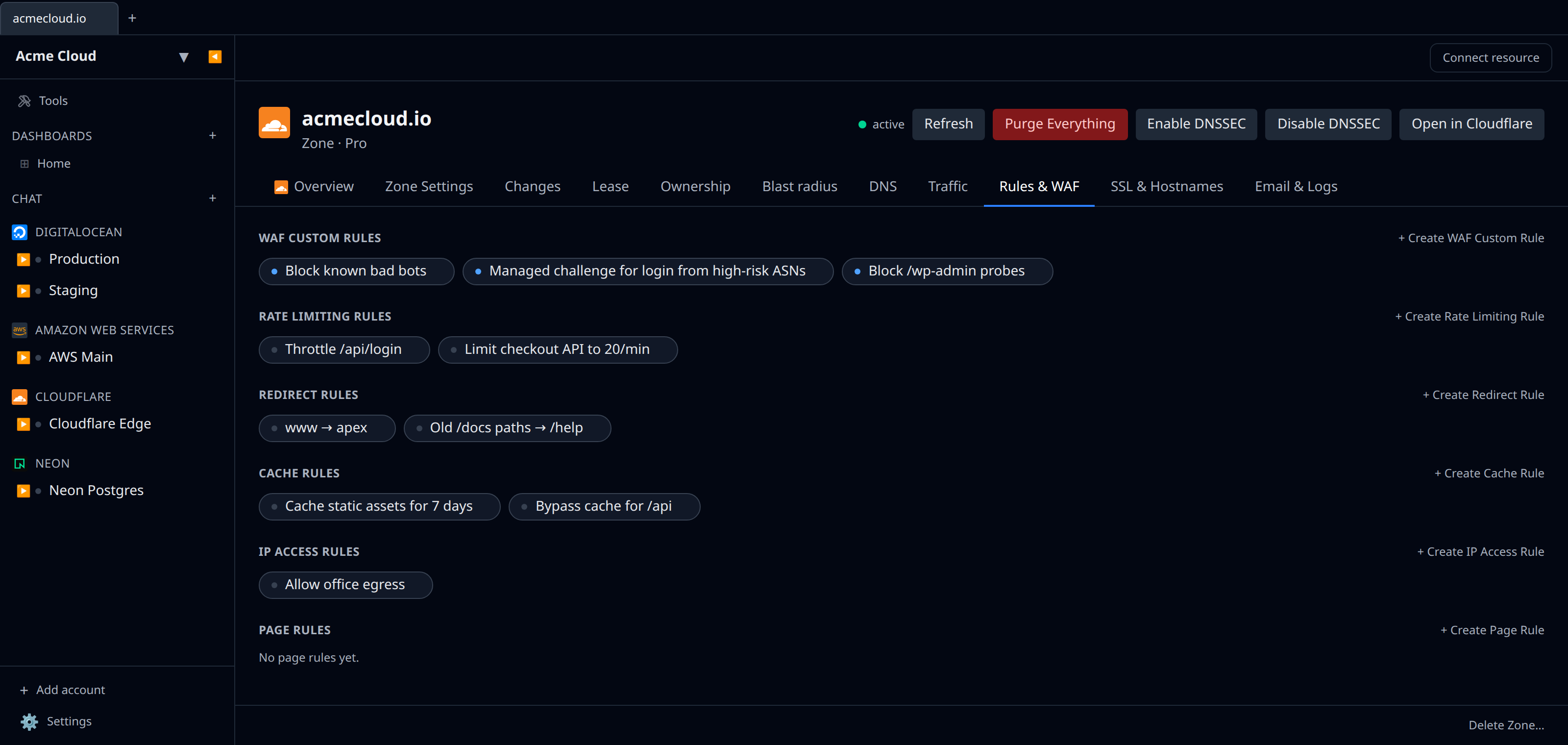
A zone’s Rules & WAF tab lists every rule type Cloudflare’s modern rules engine exposes, each created from a form that starts with a zone picker (no zone IDs to copy):
- WAF custom rules — match an expression and
block/challenge/js_challenge/managed_challenge/skip/logthe request (http_request_firewall_customphase). - Rate limiting rules — match an expression, then limit to N requests per period (with counting characteristics) before the action fires (
http_ratelimitphase). - Redirect rules — single redirects: match an expression and send the visitor to a target URL with a 301/302/307/308 and optional query-string preservation (
http_request_dynamic_redirectphase). - Cache rules — match an expression and mark matching requests cacheable (with an optional edge TTL override) or bypass the cache (
http_request_cache_settingsphase). - IP access rules — allow, block, or challenge by IP, CIDR range, ASN, or country (
/firewall/access_rules).
Each rule renders its expression, action, and status on its own detail page, and can be created and deleted in place. WAF and rate limiting rules need the WAF permission; cache rules need Cache Settings; redirect rules need Transform Rules; IP access rules use the existing Firewall Services permission. The “Create a token with these scopes” link now requests the WAF, Cache Settings, and Transform Rules permissions alongside the originals.
DNSSEC
Open a zone and use the Enable DNSSEC / Disable DNSSEC buttons in the detail header to turn DNSSEC on or off (PATCH /zones/{id}/dns_dnssec). After enabling, add the DS record Cloudflare generates at your domain registrar to complete activation. This uses the existing DNS:Edit permission.
Metrics
The detail page surfaces a Metrics tab whenever Cloudflare’s GraphQL Analytics API exposes useful time-series data for a resource. The plugin pulls from the relevant adaptive-groups datasets so you can see traffic and health without leaving Infrawrench:
- Zone — requests, bandwidth, cached requests, threats, unique visitors (
httpRequests1mGroups/httpRequests1hGroups). - Worker — invocations, errors, subrequests, CPU time p50/p99 (
workersInvocationsAdaptiveGroups). - R2 bucket — Class A and Class B operations, object count, stored bytes (
r2OperationsAdaptiveGroups,r2StorageAdaptiveGroups). - Spectrum application — events, ingress/egress bytes, connections (
spectrumNetworkAnalyticsAdaptiveGroups). - D1 database — read/write queries, rows read/written, response bytes, query batch latency p90 (
d1AnalyticsAdaptiveGroups, daily granularity). - KV namespace — reads, writes, deletes, lists, key count and stored bytes (
kvOperationsAdaptiveGroups,kvStorageAdaptiveGroups, daily granularity). - Queue — messages produced, consumed, acknowledged, retried, bytes transferred, backlog (
queueMessageOperationsAdaptiveGroups,queuesBacklogAdaptiveGroups). - Hyperdrive — total queries, cache hits/misses, errors, query and result bytes, query and connection latency (
hyperdriveQueriesAdaptiveGroups). - Load balancer — total request count and per-pool breakdown (
loadBalancingRequestsAdaptiveGroups). - Waiting room — active users, queued users, new users/minute, time-on-origin p50, time-waited p90 (
waitingRoomAnalyticsAdaptiveGroups). - Turnstile widget — challenge volume in fifteen-minute buckets (
turnstileAdaptiveGroups, filtered by site key). - Durable Object namespace — invocation requests and response body size (
durableObjectsInvocationsAdaptiveGroups), CPU time (durableObjectsPeriodicGroups), and stored bytes (durableObjectsStorageGroups) — all filtered by namespace.
The token needs the Account Analytics:Read permission for account-scoped datasets and Zone Analytics:Read for zone-scoped ones — the “Create a token with these scopes” link includes both. Resources with no traffic in the selected window show an empty Metrics tab, which is expected.
Tips & limits
- Cloudflare’s API returns paginated lists; very large zones (1000s of records) load in chunks.
- Tokens can be scoped to specific zones. If you only see some zones, check the token scope.
- GraphQL Analytics datasets retain the last 31 days of data; older ranges return no points.
Cost graphs
Cloudflare accounts feed cost graphs & budgets via Cloudflare’s Billable Usage API — per-product costs across the usage-based products (Workers, R2, D1, Workers AI, Vectorize, Images, Stream, …), with zone attribution as the zone tag, on billing-period boundaries.
- The token needs the Billing Read permission — the “Create a token with these scopes” link now includes it. Tokens created before this permission was added will show a clear “missing Billing Read” error on the cost card; re-create the token from the link and update the account’s credentials.
- The API is generally available for self-serve accounts; Enterprise coverage is still rolling out. If your account isn’t covered yet the cost card says so and collection backs off until it is.
- Amounts are contracted costs per billing period, so daily-binned graphs show them as period steps. Cloudflare refreshes the data daily.