Deepgram
Manage Deepgram projects, API keys, members, invites and prepaid balances, chart usage, and round-trip audio through Nova transcription and Aura voices.
What you can manage
- Projects — the workspace that owns everything else. Rename it, chart its usage, and run the Speech tab from it.
- API keys — create one with a scope, tags and an optional expiry, and delete it. The secret is shown once, on the create response.
- Members — the users with access to a project. Change a member’s role between
member,adminandowner, or remove them. - Invites — send one to an email address with a scope, or revoke it. Invites are addressed by email rather than by an id.
- Balances — prepaid credit on the project. Read-only; top-ups happen in Deepgram’s billing console.
- Models — the project’s entitled speech-to-text models and Aura voices in one list. TTS entries carry the full voice metadata: accent, age, characteristics, use cases and a preview clip.
Credentials
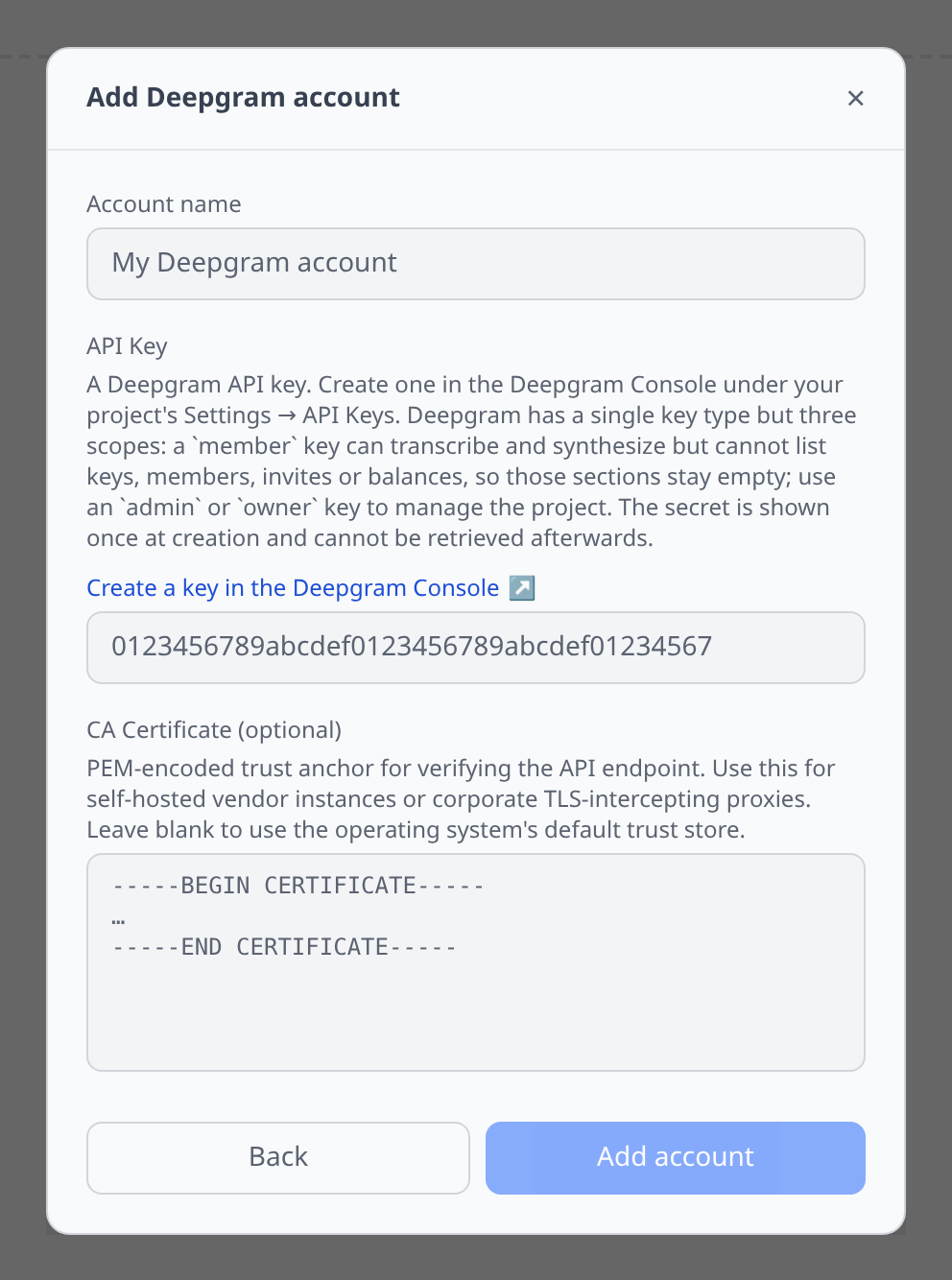
One field. Deepgram Console → your project’s Settings → API Keys.
Deepgram has a single key type but three scopes, and the scope decides how much of this plugin works:
- a member key can transcribe and synthesize, but cannot list keys, members, invites or balances — those sections stay empty,
- an admin or owner key sees the whole project.
The secret is shown once at creation and cannot be retrieved afterwards, so if you no longer have it, create a replacement rather than hunting for the old one.
The Speech tab
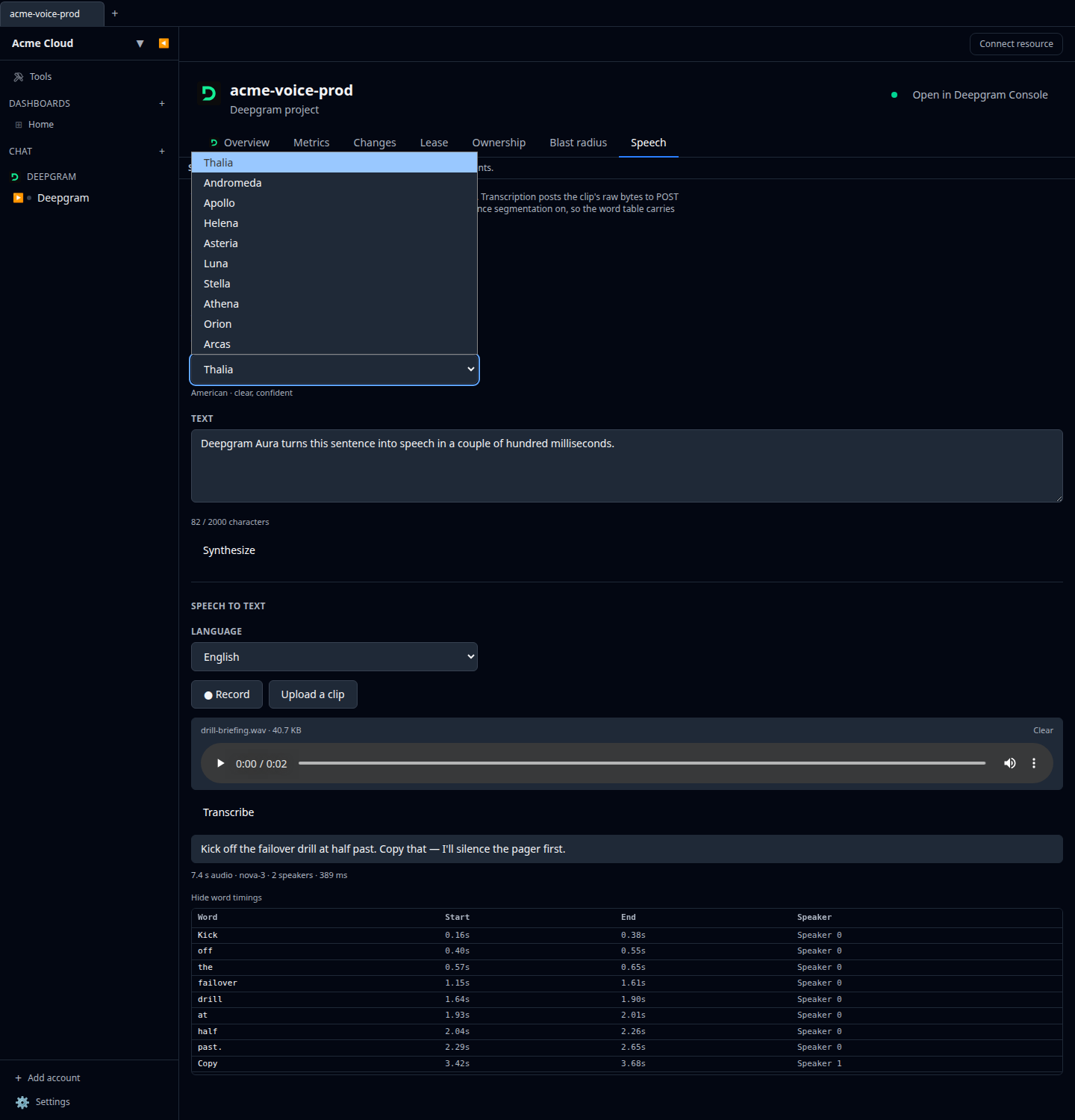
Open a project for a Speech tab with both halves. See Speech testing for the panel in general.
- Synthesize posts to
POST /v1/speakand returns mp3. The voice picker is filled from your project’s own Aura entitlements, so you only ever see voices you can actually call. - Transcribe posts the clip’s raw bytes to
POST /v1/listenwith punctuation, smart formatting, diarisation and utterance segmentation all on — so the word table under the transcript carries speaker labels.
If the key cannot read the project’s model catalogue, the tab explains that a member-scope key or better is needed instead of failing silently.
Metrics
Projects get a Metrics tab over the last 30 days, charting requests, audio hours and TTS characters. Deepgram can return several rows per interval — one per grouping key — so the plugin sums them per bucket rather than assuming one row per point.
Cost graphs
Deepgram accounts feed cost graphs & budgets from the billing breakdown (GET /v1/projects/{project_id}/billing/breakdown) — real billed USD at daily granularity, no estimating from a rate card. Spend is broken down by line item, Deepgram’s billed product/model pair such as streaming::nova-3, and every account the key can see is collected: one request per project, with the project id attached to each row as a tag. Any tags you attach to your own requests come through as a tag too, joined into one value per bucket, because Deepgram bills the combination rather than each label separately.
A year of history is requested on the first sync and the most recent three days are re-fetched afterwards, so late-arriving usage lands where it belongs.
- Billing needs an admin or owner key. A member-scope key is refused, and the account says so rather than quietly graphing nothing.
- Enterprise contracts may not price usage through the API. When the breakdown comes back with activity but no dollar amounts, nothing is recorded and the account explains why — a confident $0 for an account that is genuinely spending would be the worse answer. Check the balance and invoices in the Deepgram Console in that case.
Tips & limits
- Synthesis is capped at 2,000 characters per request. That is Deepgram’s own limit on
/v1/speak, and the counter enforces it before the call goes out. - The Speech tab caps clips at 25 MB, well below what Deepgram itself accepts (2 GB). The panel sends audio base64-encoded inside a JSON request, and base64 inflates by a third — 25 MB is what survives that round trip. Send anything larger through Deepgram’s own API directly.
- A new key’s secret exists in exactly one place: the create response. The plugin shows it once with a warning. Deepgram only stores the key id and a truncated prefix, so there is genuinely no way to read it back.
- Deleting a member revokes every API key they own inside that project, not just their access.
- Renaming is the only project edit.
nameis the sole documented mutable attribute. - Balances are read-only by design. There is no billing mutation in the API — top-ups go through Deepgram’s console.