AssemblyAI
Browse the account's transcripts and run a full upload-submit-poll transcription from the Speech tab in one step.
AssemblyAI’s v2 API is async-only and deliberately narrow: GET /v2/transcript is the single listing endpoint it exposes. There is no REST surface for API keys, usage, billing or team members, so transcripts are the whole of this plugin’s inventory — and that is the API’s shape, not a gap in the plugin.
What you can manage
- Account — one per added account, always present. It shows which regional host the key talks to and counts the transcripts still inside the 90-day retention window, and it is where the Speech tab lives. Because transcripts only exist once the key has been used, this is the resource that makes the plugin usable on a brand-new account.
- Transcripts — every speech-to-text job the key can see, with its status, the model that produced it, audio duration, detected language, overall confidence, word count and whether diarisation was on. Delete one to purge it early.
Credentials
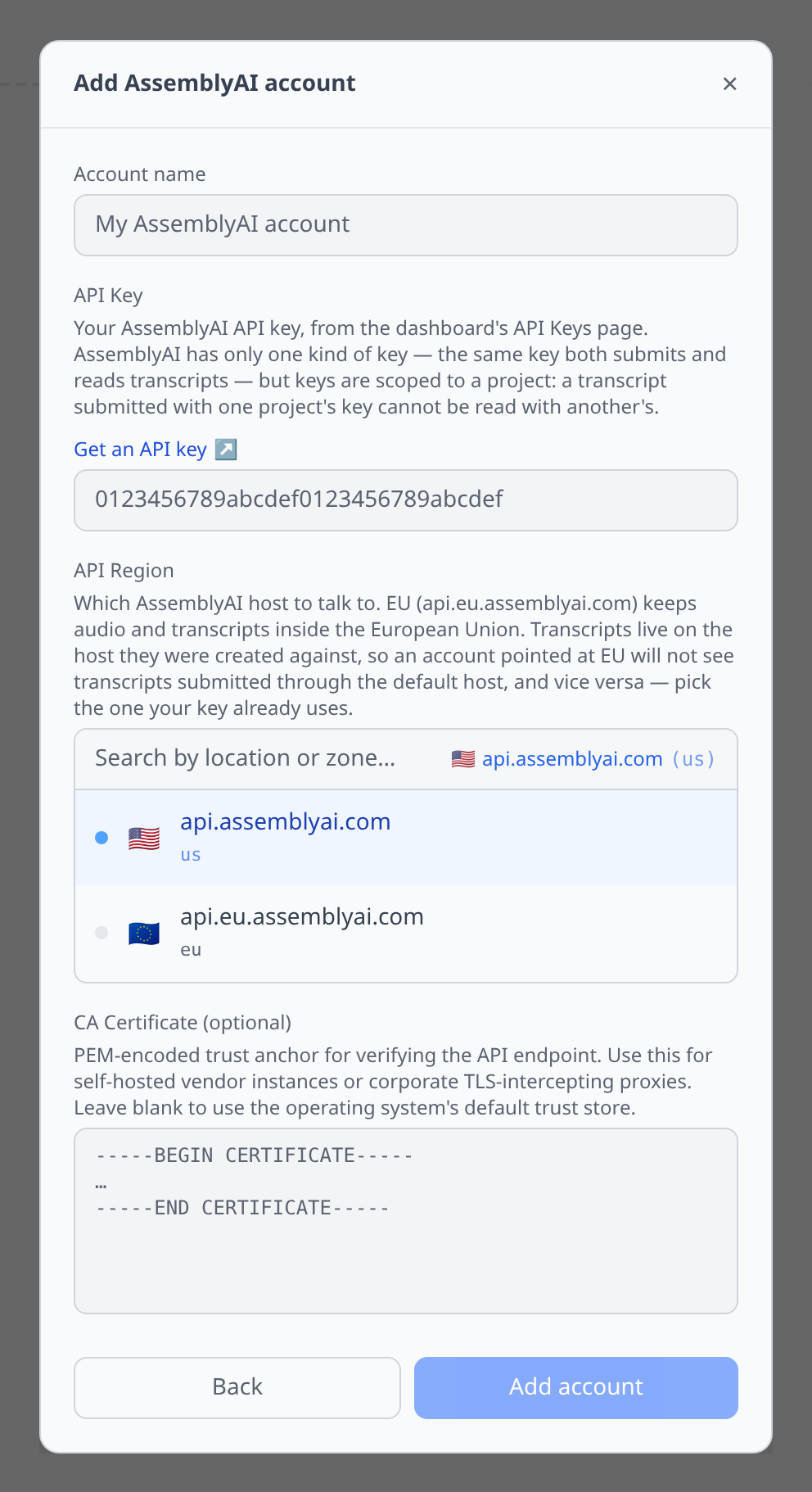
API Key (required) — the AssemblyAI dashboard’s API Keys page. There is only one kind of key; the same key both submits and reads transcripts. Keys are scoped to a project, so a transcript submitted with one project’s key cannot be read with another’s.
API Region (optional, defaults to North America) — which host to talk to. The EU option (api.eu.assemblyai.com) keeps audio and transcripts inside the European Union.
The Speech tab
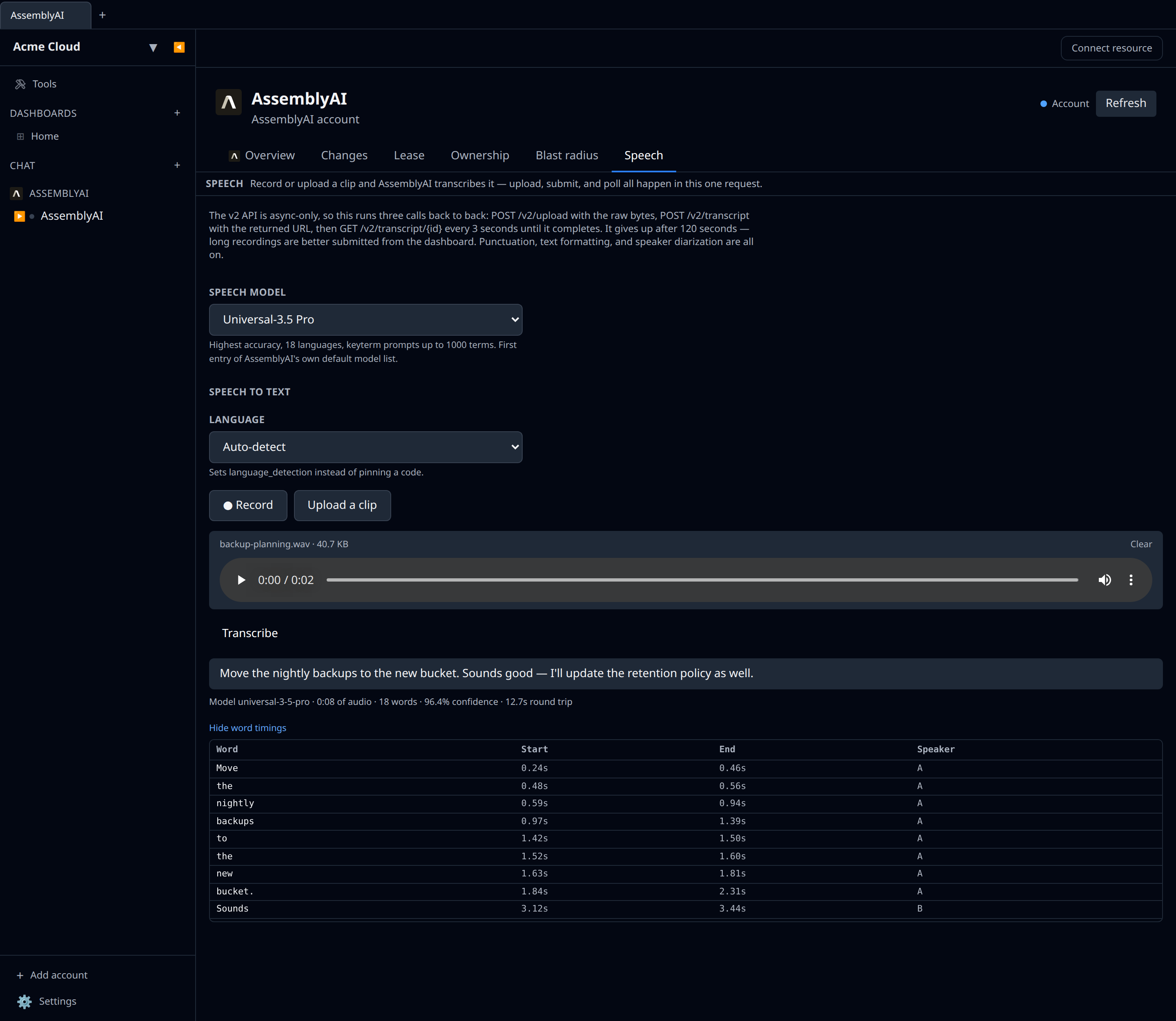
Open the Account resource for a Speech tab. It is transcription only — AssemblyAI has no synthesis endpoint. See Speech testing for the panel in general.
The same tab is offered on any individual transcript, where it doubles as “run this one again with different settings” — but the account is the copy that is always there, including on an account that has never transcribed anything.
One press runs the whole async lifecycle: POST /v2/upload with the raw bytes, POST /v2/transcript with the returned URL, then GET /v2/transcript/{id} every three seconds until it finishes. Punctuation, text formatting and speaker diarization are all on.
Two models are offered, which are the only two the v2 API still accepts:
- Universal-3.5 Pro — highest accuracy, 18 languages, keyterm prompts up to 1,000 terms. The first entry of AssemblyAI’s own default model list.
- Universal-2 — the broadest coverage at 99 languages, and what AssemblyAI falls back to when Universal-3.5 Pro cannot serve a request.
Tips & limits
- Transcripts are deleted after 90 days. The list is a rolling 90-day window, not a complete inventory of everything the account has ever transcribed — anything older is already gone from AssemblyAI’s side. The Account resource does not expire with them, so the Speech tab is still there once it has.
- The Speech tab gives up after 120 seconds. The API accepts files up to 2.2 GB, but this panel is for clips: submit long recordings from the AssemblyAI dashboard and read them back from the Transcripts list here.
- Uploads are capped at 25 MB in the panel, because the clip travels base64-encoded inside a JSON request.
- There is no usage, billing or quota API. The account and transcript detail pages carry a Recent activity panel counting completed, failed and queued jobs inside the retention window — that is a job count, not billed usage, and it says so. Spend is dashboard-only.
- Language codes are ISO-639-1 with an underscored region (
en_us), not the hyphenated BCP-47 tag most other providers want. Picking Auto-detect sendslanguage_detection: trueinstead of a code, because the two are mutually exclusive. - Regions do not share data. An account pointed at EU will not see transcripts submitted through the default host, and vice versa. Pick the one your key already uses.
- Rate-limit violations come back as
403, not429— indistinguishable from an auth failure at the transport layer. The background poller is deliberately kept well under any plausible ceiling so a403never has to be guessed at. - Only the first audio track is transcribed on media that carries several.