Mistral AI
Manage Mistral models, voices, files, fine-tuning and batch jobs, plus Voxtral transcription and speech synthesis from the Speech tab.
What you can manage
- Models — base and fine-tuned checkpoints, with the full
capabilitiesflag table and max context length - Voices — TTS presets and workspace clones (rename, retag, delete clones)
- Fine-tuning jobs — status, datasets, trained tokens, and the resulting model id
- Batch jobs — progress counters and output/error files, with cancel and delete
- Files — fine-tuning datasets, batch JSONL, and OCR inputs (delete)
- API keys — Enterprise plans only, via the Admin API
Credentials
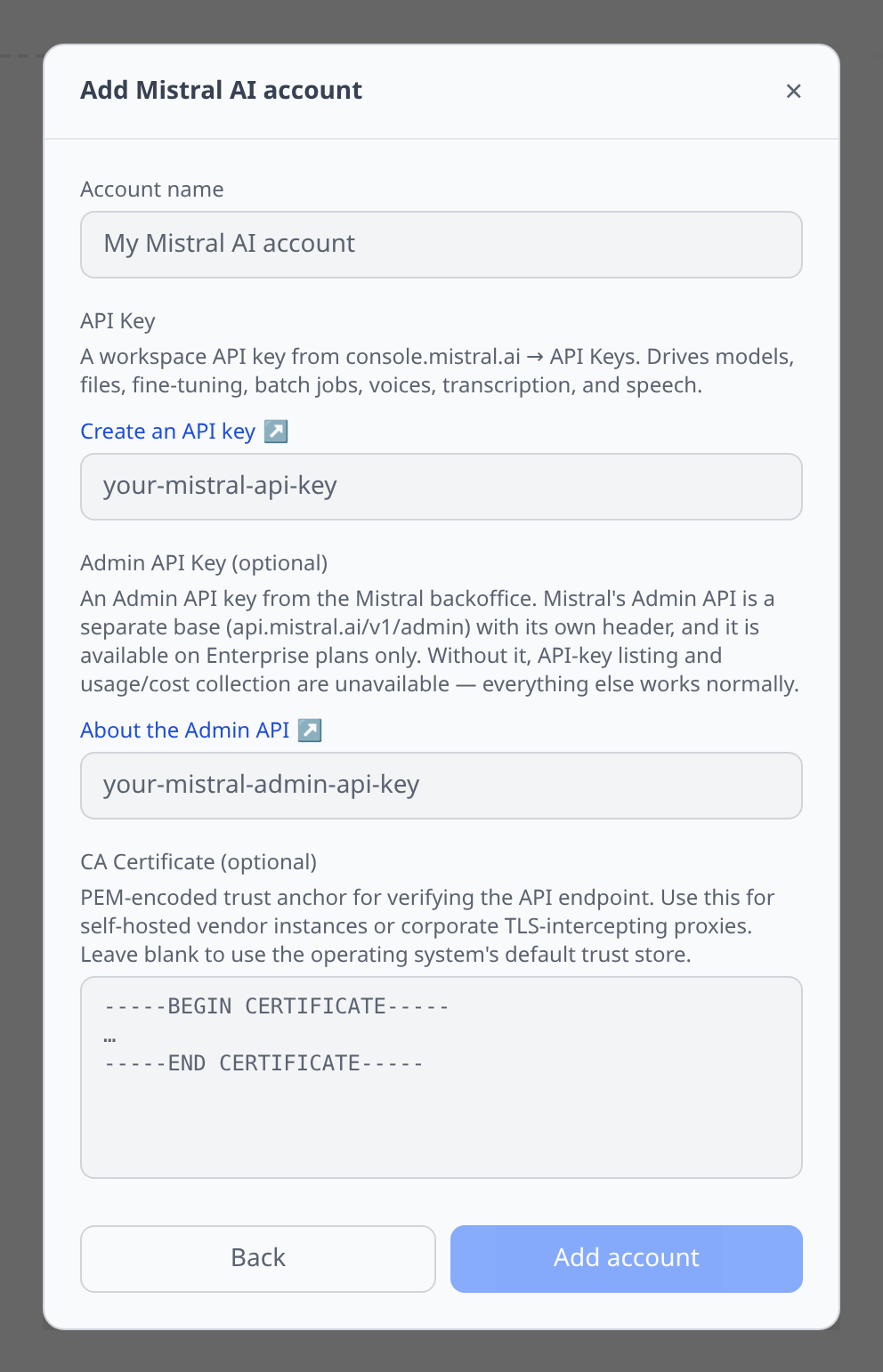
Mistral console → API Keys. Paste the workspace key.
The Admin API key field is optional and separate. Mistral’s Admin API lives on a different base (api.mistral.ai/v1/admin) with its own auth header, and it is Enterprise-plan only. Without it:
- the API-key listing is empty rather than broken, and
- cost collection is disabled with a message explaining why.
Everything else — models, voices, files, jobs, transcription, synthesis — works on the workspace key alone.
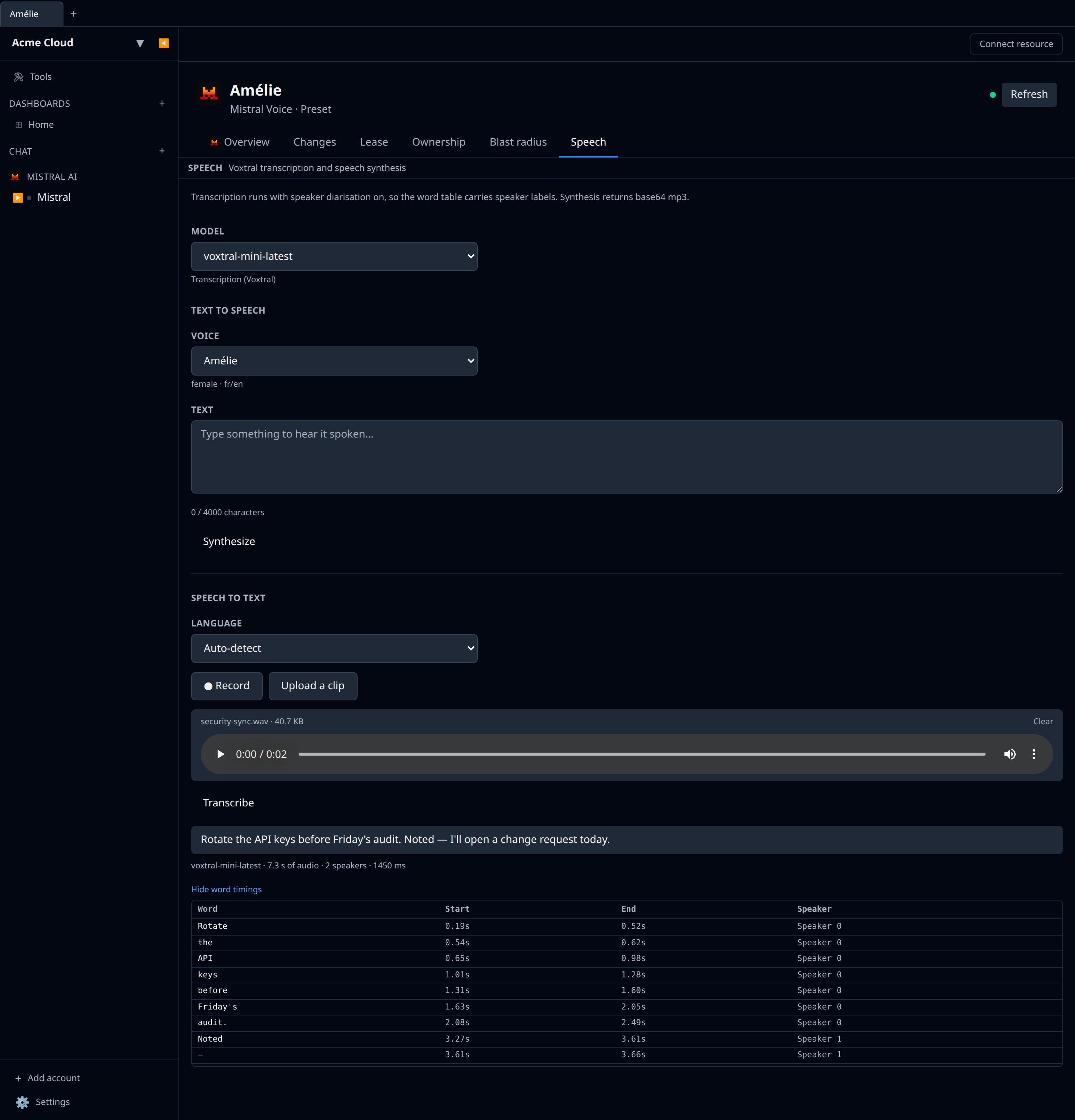
The Speech tab
Open a voice (or any model) for a Speech tab:
- Synthesize posts JSON to
/v1/audio/speechand asks for mp3. Mistral returns base64 audio inside a JSON envelope rather than raw bytes; the app decodes it for you. The voice picker is populated live fromGET /v1/audio/voices, so workspace clones show up alongside the presets with their gender, languages, and description. - Transcribe posts multipart to
/v1/audio/transcriptionswith speaker diarisation enabled, so the word table under the transcript carries speaker labels and the summary tells you how many speakers were detected.
Costs
With an Admin API key attached, GET /v1/admin/usage feeds the cost dashboards. Mistral reports usage monthly, broken down by service (chat, completion, OCR, audio, fine-tuning, connectors), so charts label the series as monthly-native.
Each month’s spend is recorded on the first day of that month — the whole month’s total, on one date, the way an invoice is one line. A month in progress is re-collected every day and its figure is replaced in place, so what you see is month-to-date until the month closes. Two things follow:
- A short date range can look empty. “Last 7 days” mid-month contains no 1st, so it shows no Mistral spend even though the month has plenty. Look at a range that includes the 1st, or at the month view.
- The in-progress month and the one before it are re-fetched daily, so late usage and credits settle into the right month without you doing anything.
If you collected Mistral costs before August 2026, an earlier version dated the running monthly total to a date that moved with each collection, which made a month sum to several times its real value. The next collection after upgrading rewrites the month on its first day and clears the stale dates automatically — no manual step, and nothing to delete.
Tips & limits
- Pagination is genuinely inconsistent across Mistral’s API and the plugin handles each case separately:
/modelstakes no pagination parameters at all, files, batch jobs, and fine-tuning jobs usepage/page_size, and voices and admin API keys uselimit/offset. - Preset voices belong to Mistral — they can be used but not renamed or deleted. Only workspace clones are editable.
- API keys are listed, not created. New keys are minted in the Mistral backoffice, which is the only place the plaintext value is ever shown. The plugin can revoke a key but deliberately does not create one.
- Uploads through the Speech tab are capped at 25 MB. The transcription API itself accepts far longer recordings — use a file id or URL through the API directly for those.
- OCR is available at
POST /v1/ocrbut is a one-shot action rather than a listable resource, so it has no resource type here.