Speechmatics
Batch transcription jobs on a regional endpoint, plus workspace projects and API keys through the Management API, and a Speech tab that transcribes in one request.
What you can manage
- Account — one per added account, always present. It shows the region and batch endpoint, a 30-day usage summary read from
GET /v2/usage, and the language packs the batch engine currently offers — and it is where the Speech tab lives. Jobs are purged after seven days and projects need a management token, so this is the only resource guaranteed to exist. - Transcription jobs — the batch jobs on this account’s region, with status, audio file, duration, language pack and model. Each job’s detail page carries a copyable transcript URL. Delete a job to purge it early.
- Projects — the isolation boundary for API keys, transcripts and usage. Read-only, and only visible with a management token.
- API keys — the keys issued inside a project, as metadata (delete). Only visible with a management token.
Credentials
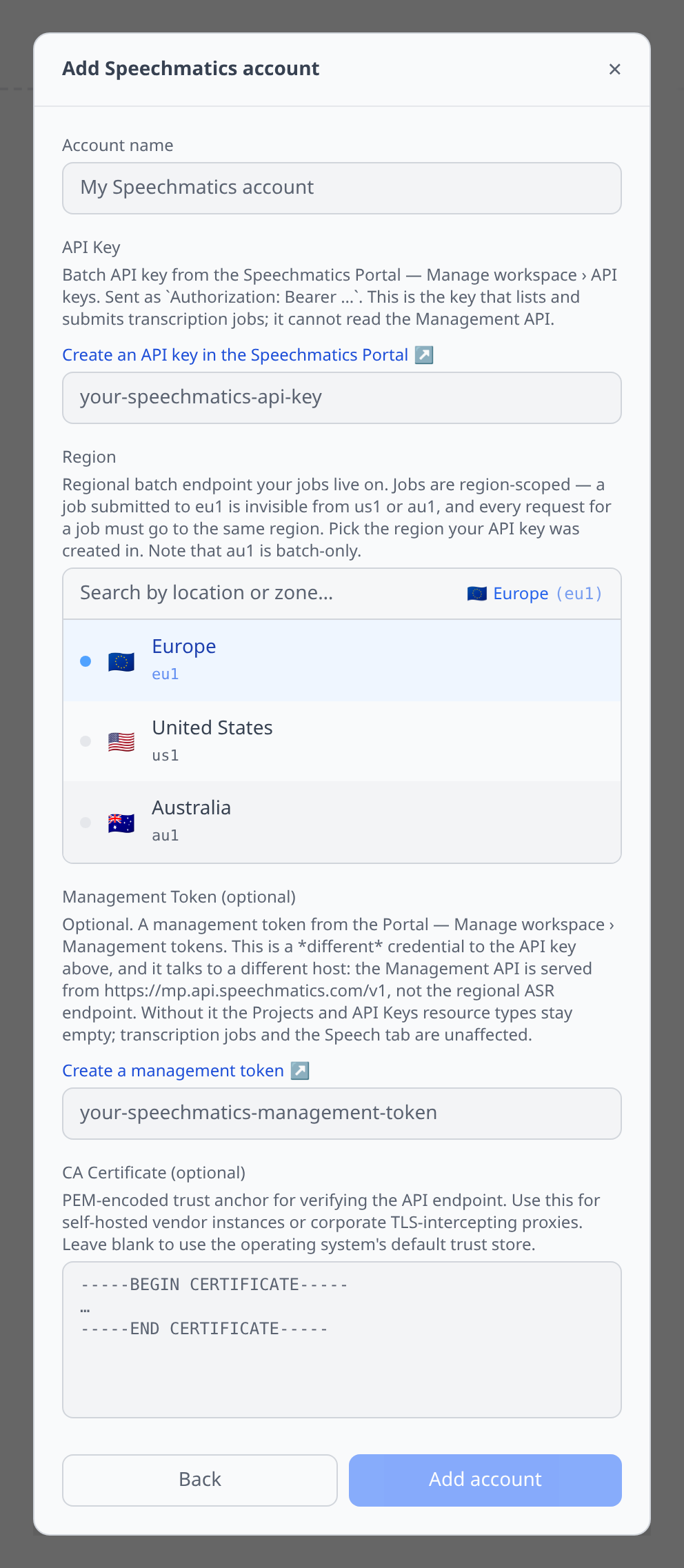
Three fields, because Speechmatics splits its API across two hosts and three regions.
API Key (required) — Speechmatics Portal → Manage workspace › API keys. This is the batch key: it lists and submits transcription jobs and drives the Speech tab. It cannot read the Management API.
Region (required, defaults to eu1) — eu1, us1 or au1. Pick the region your API key was created in.
Management Token (optional) — Portal → Manage workspace › Management tokens. A different credential on a different host: the Management API is served from https://mp.api.speechmatics.com/v1, not the regional ASR endpoint. Without it the Projects and API Keys lists stay empty; transcription jobs, metrics and the Speech tab are entirely unaffected.
The Speech tab
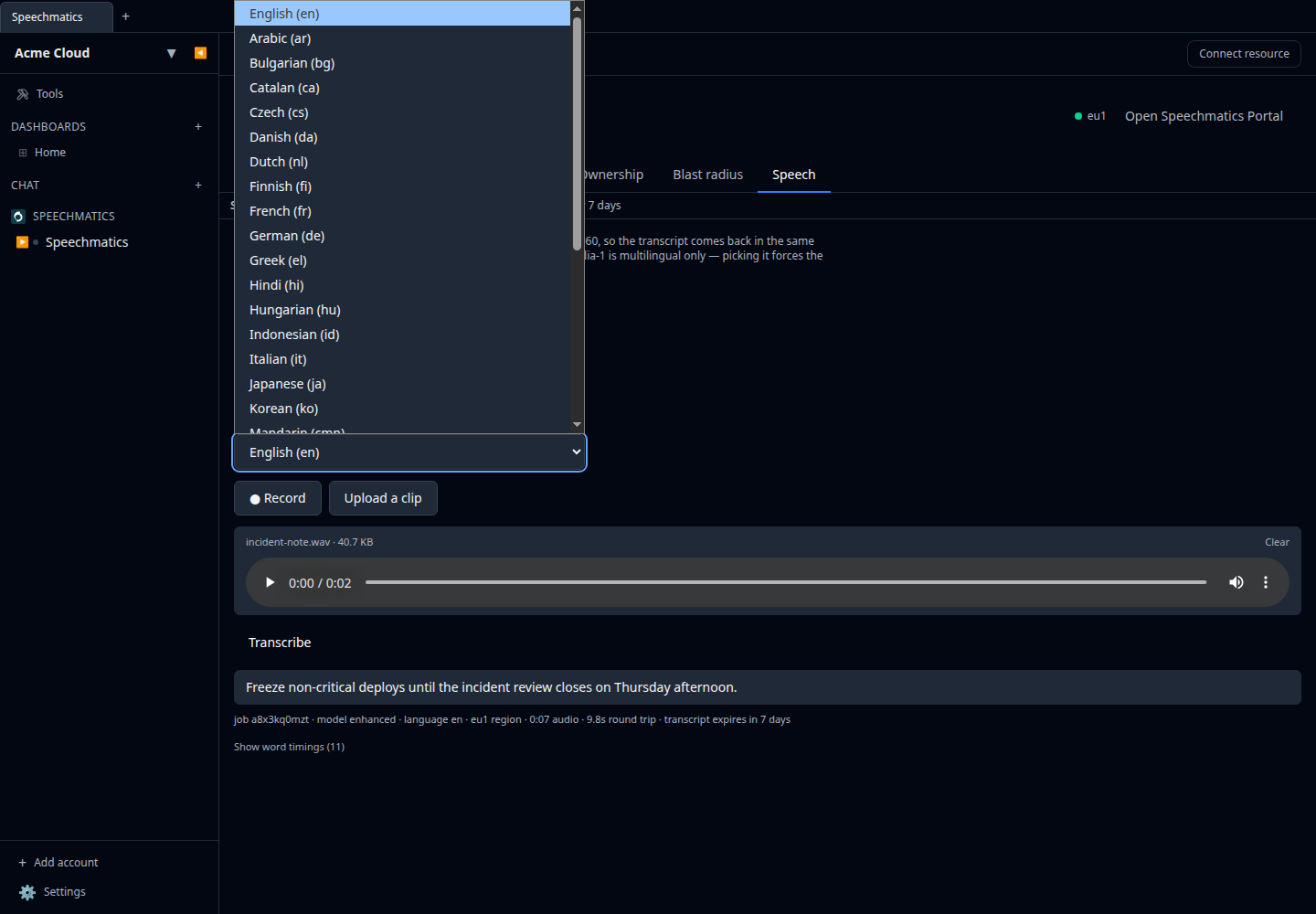
Open the Account resource for a Speech tab. It is transcription only. See Speech testing for the panel in general.
The same tab is offered on an individual job, where it doubles as “run this one again with different settings” — but jobs are purged after seven days, so the account is the copy that is always there.
The happy path is a single request: the clip is submitted as a batch job with ?wait=60, so the transcript comes back in the same response. Longer clips fall back to polling, capped at two minutes total.
Language packs and models are read live from GET /v1/discovery/features on your region — which is unauthenticated, so the pickers are populated even before the key is validated. The default model is enhanced.
Metrics
The account and each job get a Metrics tab over the last 30 days charting transcription hours and billable jobs, read from GET /v2/usage. The endpoint is account-wide rather than per-job, so both tabs show the same series. The window is split into at most ten buckets, each fetched as its own since/until range, because the usage endpoint takes calendar dates rather than a granularity parameter.
Cost
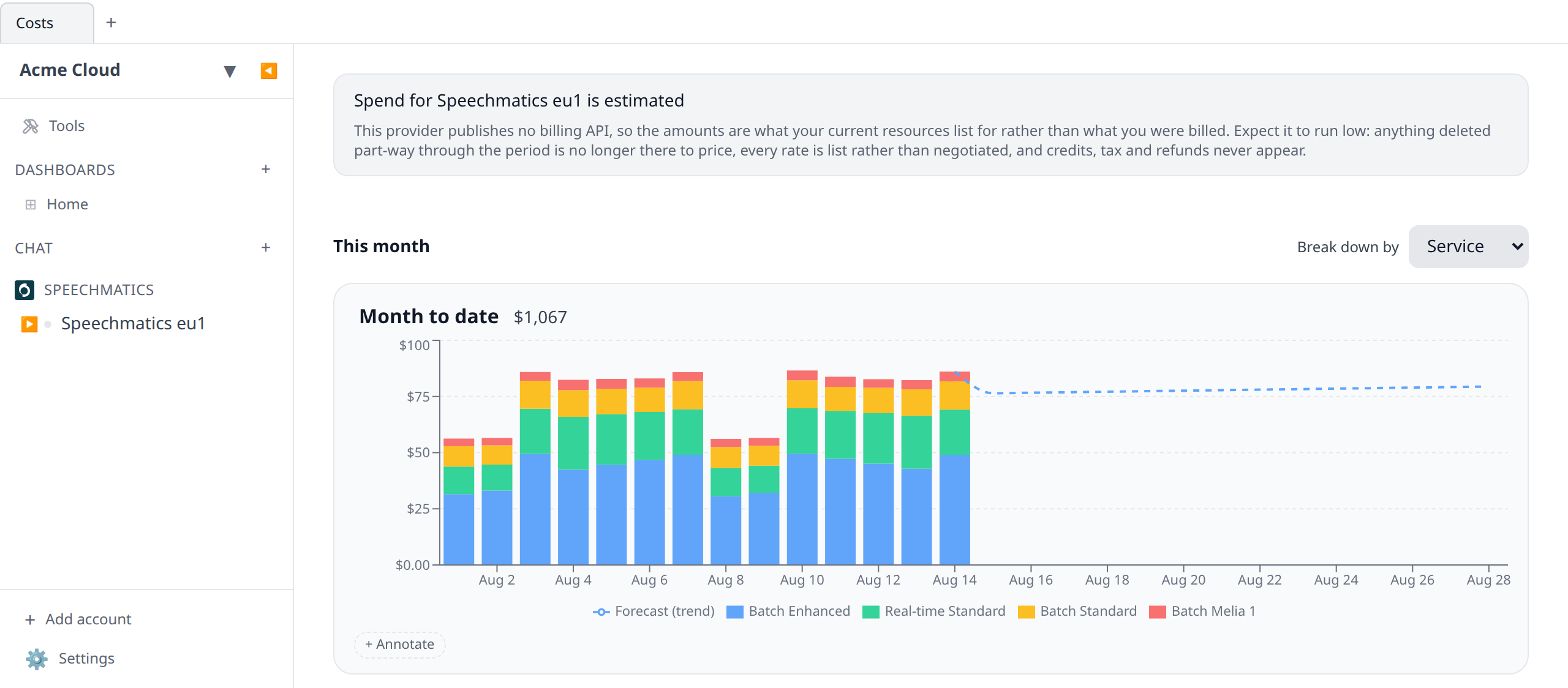
Speechmatics accounts feed cost graphs & budgets, broken down by service — the model and mode pair that Speechmatics prices against: Batch Standard, Batch Enhanced, Batch Melia 1, Real-time Standard and Real-time Enhanced.
The figures are list-price estimates, not billed amounts. Speechmatics has no billing API. The only number available is metered audio duration from GET /v2/usage, so infrawrench multiplies hours by the published per-hour rate for each model:
| Service | Rate |
|---|---|
| Batch Melia 1 | $0.24 / hr |
| Batch Standard | $0.45 / hr |
| Batch Enhanced | $0.75 / hr |
| Real-time Standard | $0.45 / hr |
| Real-time Enhanced | $0.80 / hr |
Rates are the Pro-plan list prices from speechmatics.com/pricing, verified August 2026.
What the estimate misses
- Volume discounts are not modelled, so large accounts read high. Speechmatics automatically discounts any billable usage above 500 hours per month for each type of speech-to-text — currently 20% off the hours beyond that threshold, with further discounts negotiated from 24,000 hours a year. infrawrench prices every hour at the base rate, so once a line item crosses 500 hours in a calendar month the chart over-states what you will actually be invoiced, and over-states it more the bigger the account. Tiering it correctly would need the running monthly total per line item and your negotiated terms, neither of which the daily usage window exposes — a half-modelled tier would be confidently wrong rather than predictably high.
- The opt-in model-training discount (33% off) and sign-up credit are invisible here for the same reason, and push the real bill the other way.
- Consumption with no public rate is omitted rather than guessed — alignment jobs, and any model released after these rates were recorded. That under-reports rather than inventing a number.
- Enterprise contracts are custom-priced, so the list rates above are simply not your rates.
Treat the graph as a shape-of-spend signal and the Speechmatics Portal as the invoice.
How collection works
- The API key does this, not the management token.
GET /v2/usagelives on the regional ASR endpoint and is authenticated with the same batch API key that submits jobs. The Management API has no usage endpoint at all, so adding a management token neither helps nor is required. - One request per day. The usage endpoint takes a
since/untilwindow and aggregates the whole of it — there are no daily buckets and no granularity parameter. A day of cost data is therefore one HTTP call. infrawrench issues them strictly one at a time with a short gap, and backs off (honouringRetry-After) when the endpoint rate-limits. - History is capped at 90 days, rather than the usual year, because history costs requests here: a year of daily rows would be 365 sequential calls on the same key you use to submit real work. Ninety days covers three closed billing cycles.
- Today is never collected. Speechmatics excludes the current UTC day from usage results, so the last two days are re-fetched on every pass and today’s spend appears tomorrow.
- Temporary keys don’t work. A temporary key created with a
client_refis scoped to that client’s jobs and is refused by the usage endpoint with403 Forbidden. If cost collection reports that, swap the account’s API Key for a long-lived one from the Portal — Manage workspace › API keys. - Region is not a cost dimension: an account is bound to one regional endpoint by its credential, so it would be the same value on every row. Usage is account-wide and is not attributed back to individual jobs, so there is no per-job breakdown either.
Tips & limits
- Jobs are region-scoped and not portable. A job created against
eu1is invisible fromus1andau1, and every request about a job has to go to the same region it was created on. The account’s region credential therefore decides which jobs this plugin can see at all — if a job is missing, check the region before checking the key. au1is batch-only.- Audio, transcripts and job config are retained for 7 days. After that the transcript endpoints return
404and the job reports statusexpired. The Speech tab’s subtitle says so, and so does the job list. The Account resource does not expire with them, which is why the Speech tab lives there. - Deleting a running job needs force. The plugin always sends
?force=true, because without it a still-running job answers423 Lockedinstead of being removed — and by that point you have already confirmed the deletion. - Uploads are capped at 1 GB by Speechmatics, and at 25 MB in the Speech tab, because the clip travels base64-encoded inside a JSON request.
- The transcript format is a query parameter, not an
Acceptheader. Append?format=txt,?format=srtor?format=json-v2to the transcript URL. The detail page shows the URL and says this next to it. - Melia-1 is multilingual only — picking it forces the language to
multi. - A
rejectedjob was accepted and then failed to process. It is a distinct state from a failed submission, andGET /v2/jobs/{id}/logusually explains why. - API keys are listed and deleted, never created. The secret is only ever revealed once at creation in the Portal, so only metadata is shown here.