Resources and accounts
How infrawrench organizes what you connect and what you manage.
Two concepts do most of the work.
Account
An account is one set of credentials for one provider. Examples:
- A DigitalOcean API token for your personal projects.
- An AWS access key pair for your employer’s staging account.
- A kubeconfig for a cluster a teammate shared with you.
You can have many accounts per provider (for example, two DigitalOcean accounts: personal and work). Each account lives under the same plugin but is isolated — its resources only show up grouped under that account.
Rotating an account’s credentials
When you regenerate a token upstream (rotation schedule, scope upgrade, leaked secret), open the account detail page and click Update credentials. The form prefills non-sensitive fields and leaves sensitive ones blank with a “leave blank to keep current value” placeholder so you only have to retype the bits you’re changing. Synced resources, pins, dashboards, and SSH-tunnel bindings stay intact.
Resource
A resource is anything the plugin can list or create: a Droplet, an EC2 instance, a DNS record, a Postgres database, a Kubernetes pod. Every resource belongs to exactly one account.
How the sidebar is organized
Providers
├── DigitalOcean
│   ├── personal (account)
│   │   ├── Droplets (6)
│   │   ├── Managed Databases (2)
│   │   └── DNS Zones (3)
│   └── work (account)
│       └── ...
├── AWS
│   └── staging (account)
│       └── ...
└── Kubernetes
    └── my-cluster (account)
        └── ...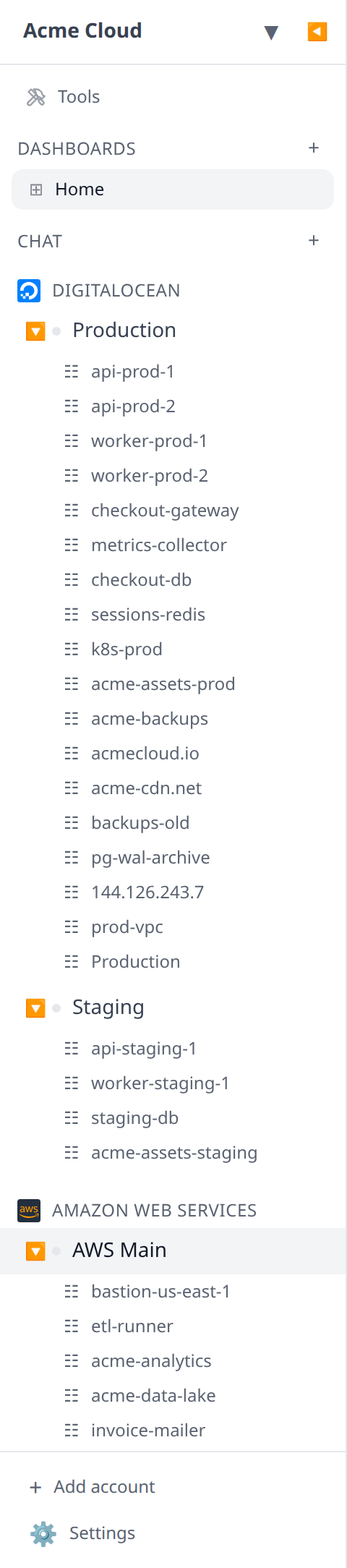
The sidebar auto-refreshes every 30 seconds. You can manually refresh an account or resource group from its context menu.
The sidebar is deliberately shallow — it lists top-level resources so you can reach the common ones quickly. Nested resources like DNS records and database users are reached through their parent, or through the account page below.
Account pages
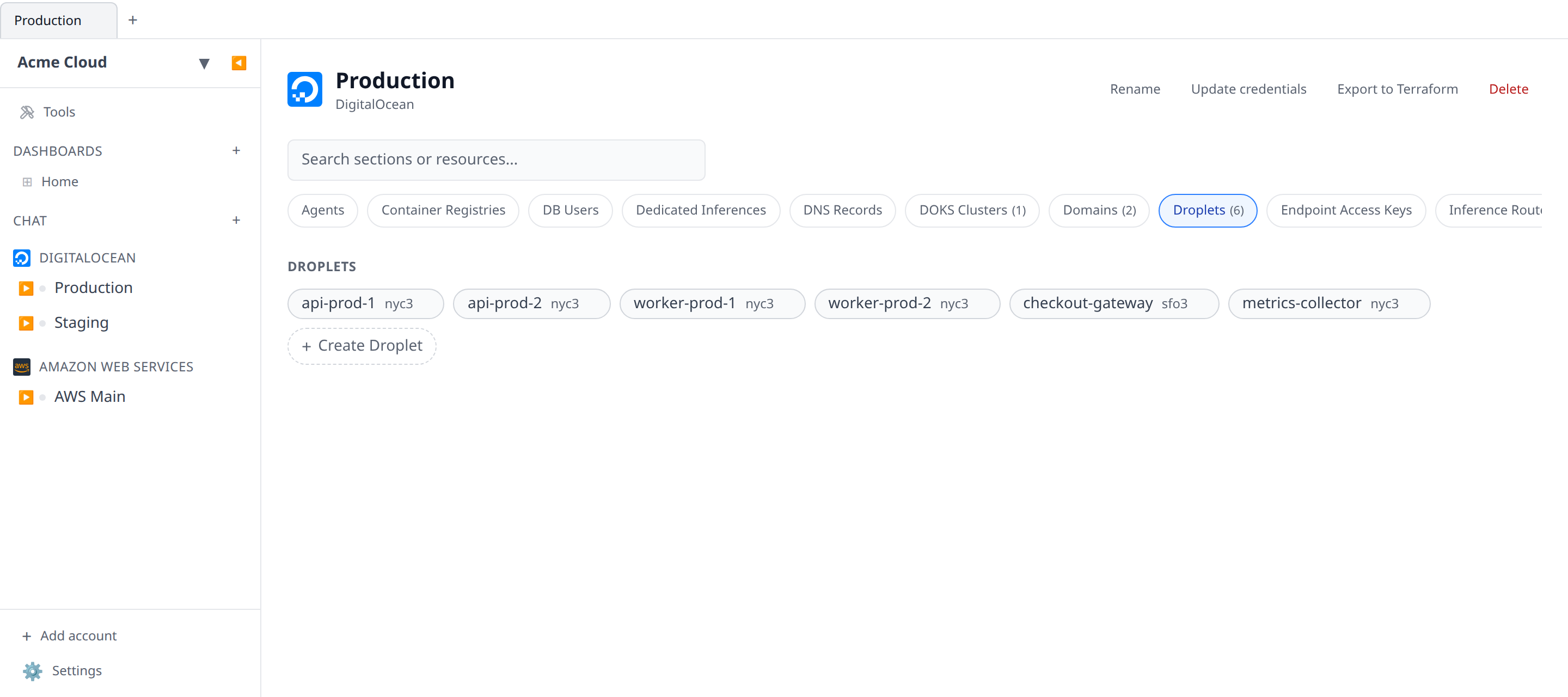
Click an account name to open its account page — the full inventory of everything Infrawrench knows about that account.
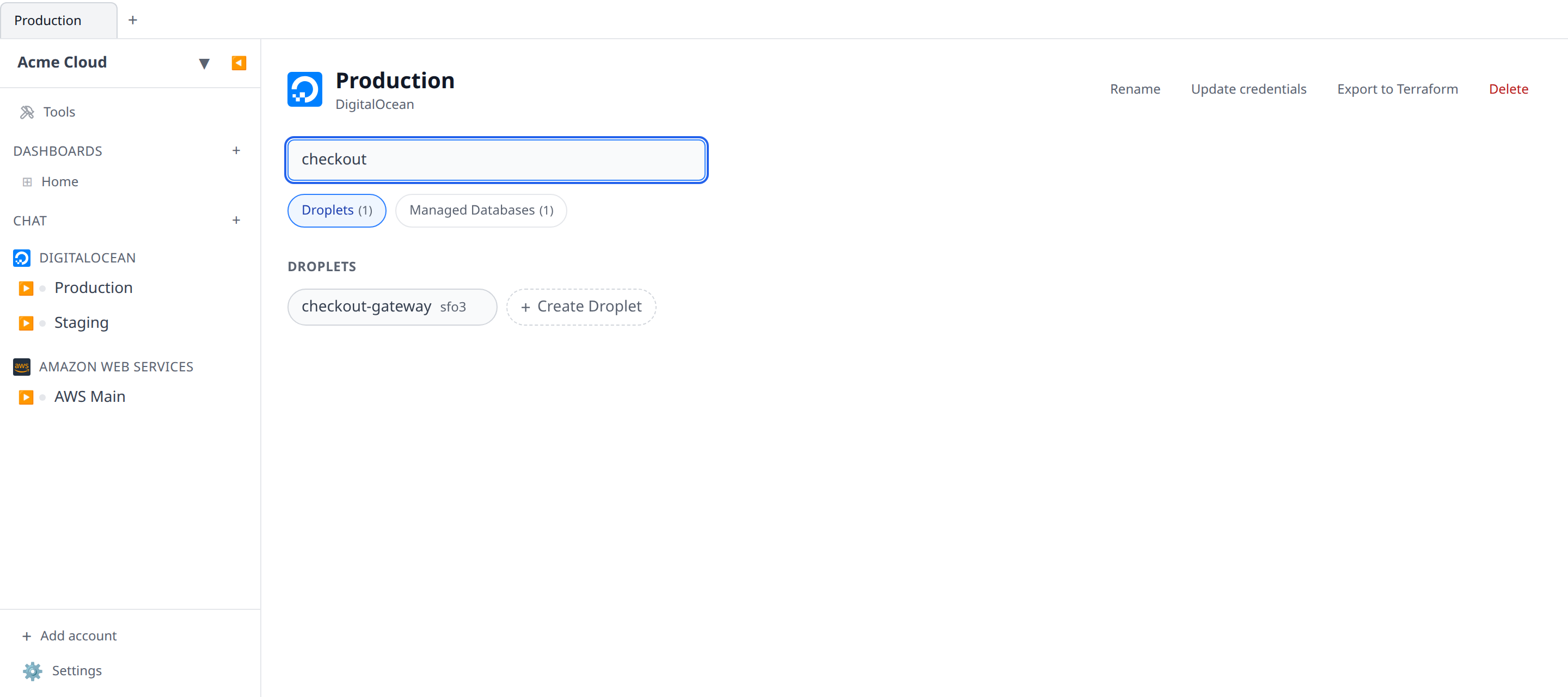
Every resource type the plugin exposes gets its own tab, including nested types like DNS Records and DB Users that the sidebar leaves out. A tab shows its resource count in parentheses; types with nothing in them are still listed if you can create one, so the create button stays reachable. Selecting a tab triggers a fresh provider-side sync for just that type, so a slow-to-list group loads on demand rather than holding up the page.
The search box narrows that same set of tabs. It matches a type’s name as well as individual resource names, hosts, regions, and engines — so typing d keeps every tab whose name or contents match, and typing a droplet’s name jumps you to it. Searching only ever removes tabs; it never reveals ones that were hidden.
The mobile app shows the same sections and the same search, stacked as scrollable cards instead of tabs.
Providers with a single root
A few providers scope a credential so tightly that an account can only ever hold one top-level resource. UploadThing is the clearest case: an API key belongs to one app, and there is no way to reach a second one with it.
For those, the account page is that resource. Opening the account lands you straight on its detail page rather than on an inventory whose only content is a section holding one item, and the sidebar expands the account directly to what lives inside it — for UploadThing, your files. Nothing else changes: it is still a normal resource with its own outputs and its own URL.
This only applies where a second instance is impossible, not merely unusual. A provider where you happen to have one project today still gets the normal inventory, because tomorrow you might have two.
Resource detail pages
Click any resource to open its detail page. Every detail page has:
- Status — provider-reported state (running, stopped, error).
- Outputs — values this resource produces that other resources can reference (see Output references).
- Actions — plugin-specific controls (SSH, SQL editor, start / stop, manifest edit, etc.).
- Raw data — the full API response, collapsed.
Next
- Output references — wire resources together.
- Secret rerolls — reassign a reference when upstream changes.
- Desktop, web, and mobile — what differs between the surfaces.