Work in progressThese docs are still being written and are currently mostly AI-generated. Some details may be inaccurate or incomplete.
SSH
Register a plain SSH host so you can open a terminal from the app.
The SSH plugin is for hosts that are not managed by any of the cloud plugins — a VPS from a provider we do not cover, a home server, a Raspberry Pi. Once registered, you get the same SSH terminal experience as on EC2 or Droplets.
What you can manage
- A named SSH host (host, port, username, key reference).
Credentials
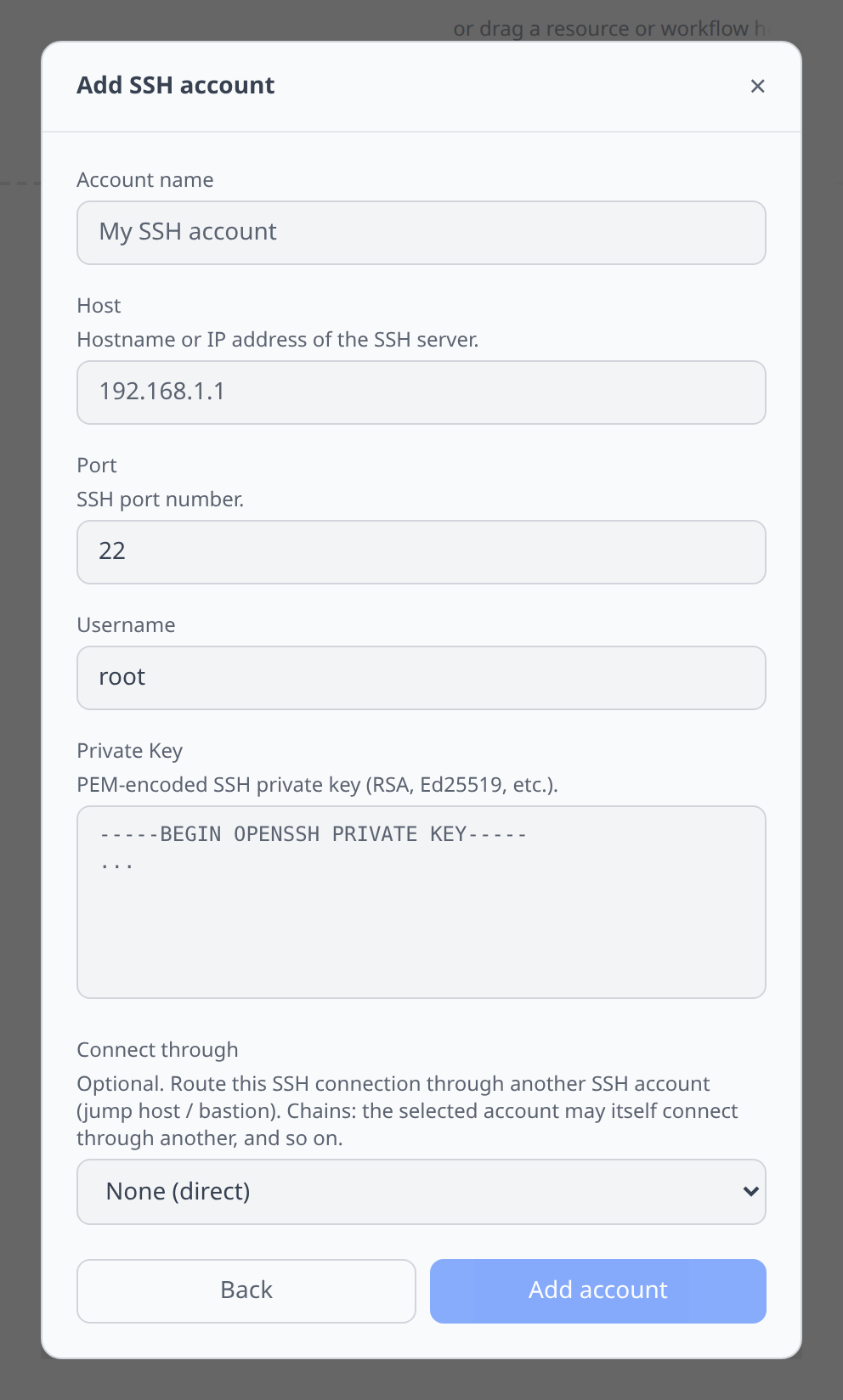
Fill in:
- Host — DNS name or IP.
- Port — default 22.
- Username — defaults from key comment; override as needed.
- Key — pick a saved SSH key or, on desktop, a key from
~/.ssh/. - Connect through — optional. Select another SSH account to use as a jump host (ProxyJump-style). The selected account dials first and the connection to this host is then tunnelled through it. The jump host can itself be configured with a “Connect through” target, so chains of two or more hops fall out for free. See Jumpbox routing.
Notable flows
- SSH terminal.
- SFTP file browser — desktop only; see File browsers.
- Used as a bastion for an SSH tunnel to a private database.
- Used as a jumpbox — any SSH account can be chosen as the “Connect through” target of another SSH account, including the one created by the Connect through jumpbox action on a cloud VM.
Tips & limits
- Host-key pinning is on by default. First connection records the host key; later changes prompt before continuing.
- Jump-host routing is supported natively — set “Connect through” on the credential form, or use the Connect through jumpbox button on any cloud VM.