PostgreSQL
Add a Postgres account and get a live SQL editor with schema introspection.
What you can manage
- Databases, schemas, tables (browse).
- Run arbitrary SQL — see SQL editor.
- Peer integration: managed Postgres from DigitalOcean and Neon can be linked via output reference.
Credentials
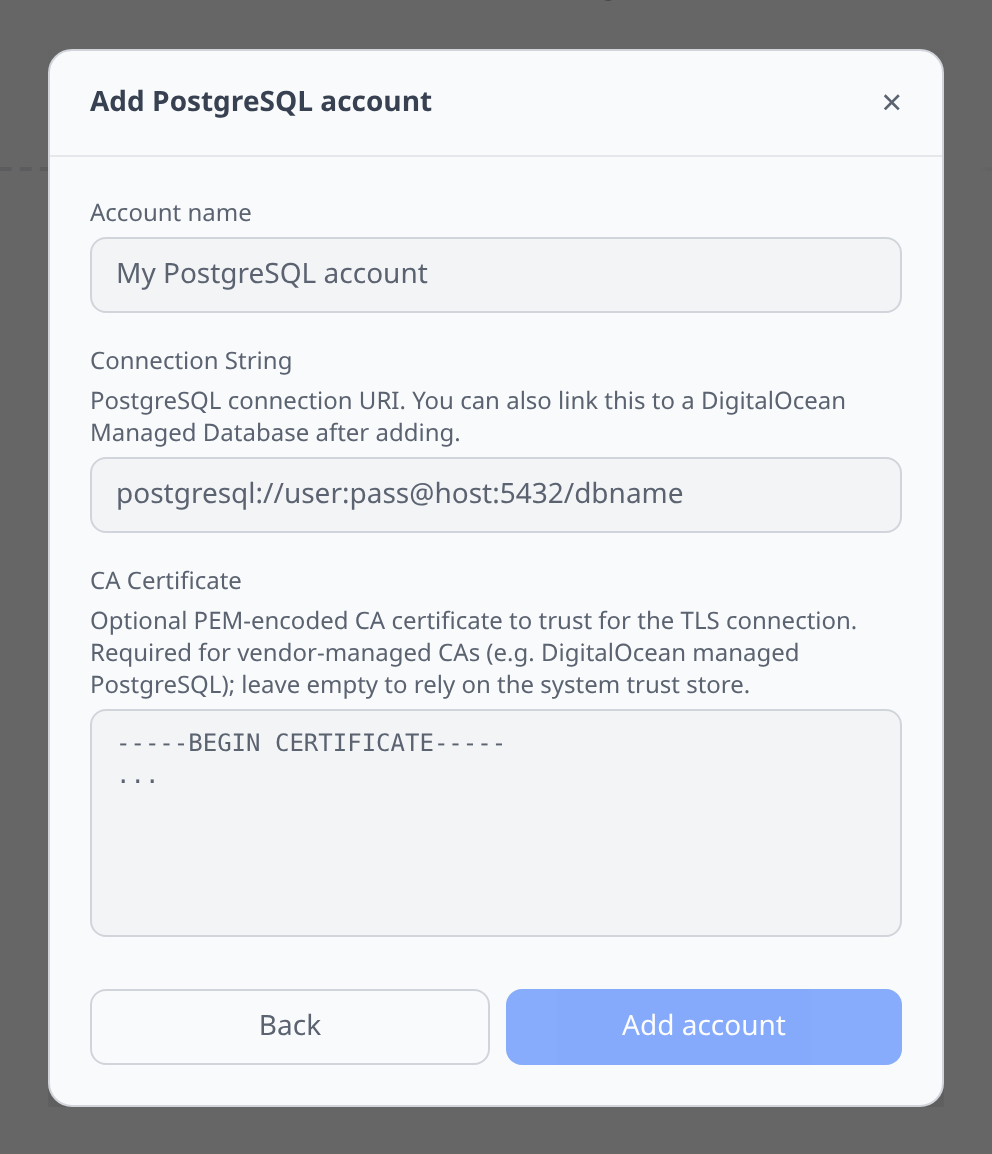
Paste a full connection string:
postgresql://user:password@host:5432/dbnameThere is one other field, CA Certificate — optional, and only needed when the server presents a vendor-managed CA the system trust store doesn’t know about.
For a managed database you already have in Infrawrench, don’t add an account here. Open the database resource and use its PostgreSQL tab: the connection string and CA certificate flow through from the database’s own outputs as an output reference. That covers RDS instances and clusters, Redshift, Cloud SQL, AlloyDB, Azure Database for PostgreSQL, DigitalOcean and Scaleway managed databases, OVH managed DBs, and Neon projects, branches and databases. There is no picker or toggle in this credential form.
Notable flows
- SQL editor with a schema browser introspected from
information_schema. - SSH tunnel support — if the database only listens on a bastion’s loopback, use Connect service via SSH on that bastion instead of adding an account here; it creates the account for you. See SSH tunnels.
Tips & limits
- SSL mode defaults to
requirewhen the URL does not specify. Append?sslmode=disableif you know what you are doing. - Very large result sets are trimmed in the grid at 10k rows. Export to CSV or narrow your
LIMIT.