Work in progressThese docs are still being written and are currently mostly AI-generated. Some details may be inaccurate or incomplete.
Turso
Manage Turso groups, databases, instances, API tokens, members, and edge locations.
What you can manage
- Groups
- Databases within a group
- Database instances
- Platform API tokens
- Organization members
- 30+ edge locations for replica placement
- Auth tokens generated per database when exporting a connection string
Credentials
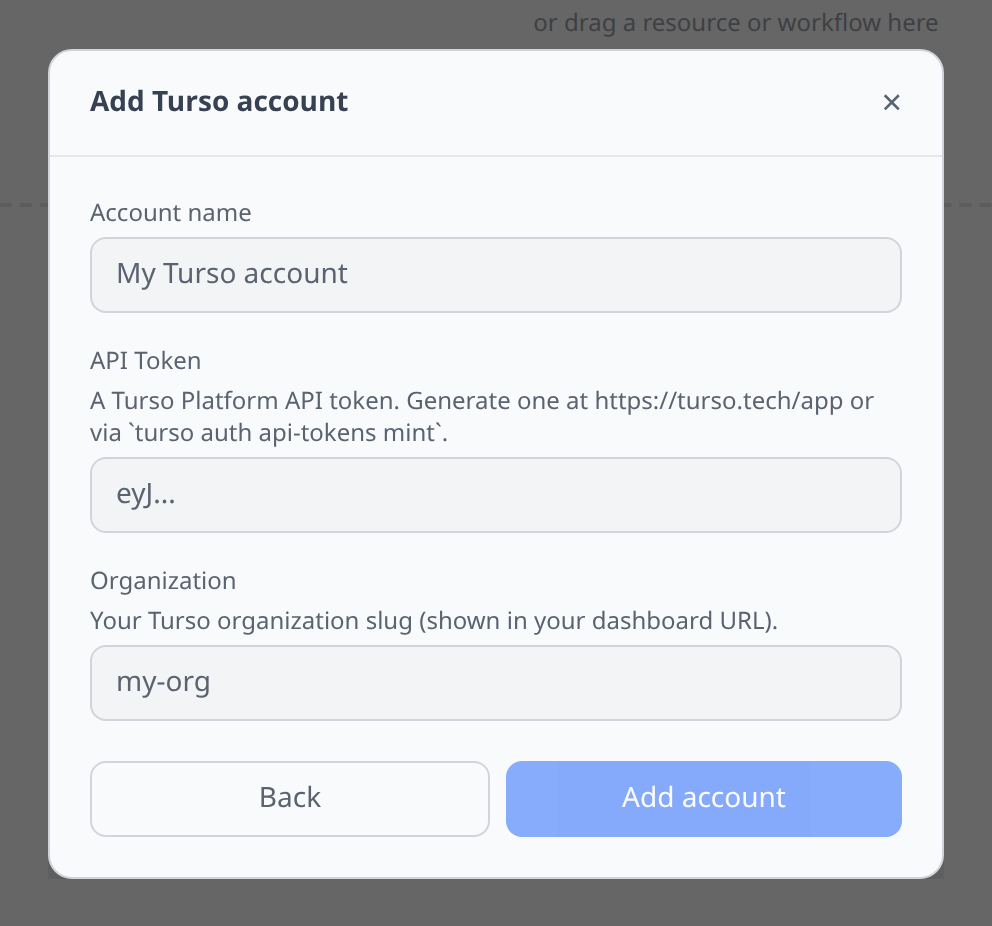
Turso dashboard → Settings → API Tokens → Create Token. You also need to tell infrawrench which Turso organization to use.
- API Token — the token from the Turso dashboard.
- Organization — your Turso organization slug (shown in your dashboard URL).
Notable flows
- Database creation with group and location pickers.
- Auth token generation — per-database; expose as an output for downstream plugins.
- Instance and location inventory for placement and replica inspection.
- API token and organization member inventory for account hygiene.
- SQL editor (libsql protocol) per database.
Tips & limits
- libsql SQL is SQLite-compatible; some Postgres idioms will not work.
- Replicas are eventually consistent. A write committed to the primary can take a moment to appear on a far-away replica.
Cost graphs
Turso organizations feed cost graphs & budgets from issued invoices — monthly org-level totals (Turso’s API does not expose per-database dollar breakdowns), shown on invoice dates.
- The existing platform API token is sufficient.