Expose a service over a Cloudflare Tunnel
Drag a Cloudflare Tunnel onto a server to expose HTTP, SSH, or TCP over Cloudflare's edge — no inbound ports.
You can wire a server’s service — HTTP, HTTPS, SSH, or TCP — through a Cloudflare Tunnel by dragging the tunnel onto the server, across accounts and providers. Infrawrench sets up the tunnel routing and installs cloudflared on the box for you.
How it works
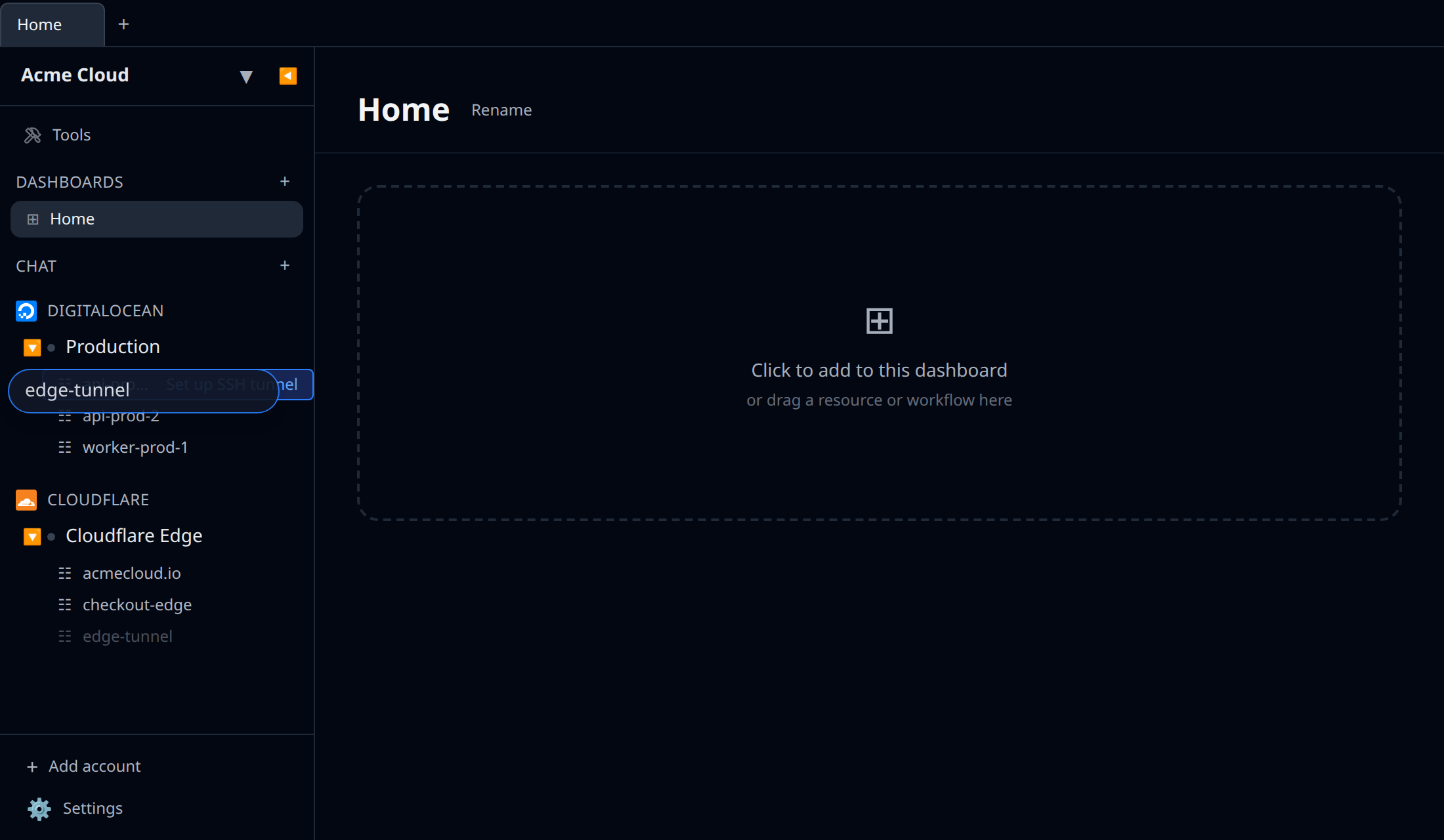
Drag a Tunnel (from your Cloudflare account) onto any server resource that supports SSH — an EC2 instance, a DigitalOcean droplet, a Hetzner server, an Azure VM, a GCE instance, etc. — in the sidebar. The drop is cross-account, so the tunnel and the server can live in completely different accounts. Drop it and a Set up SSH over tunnel form opens.
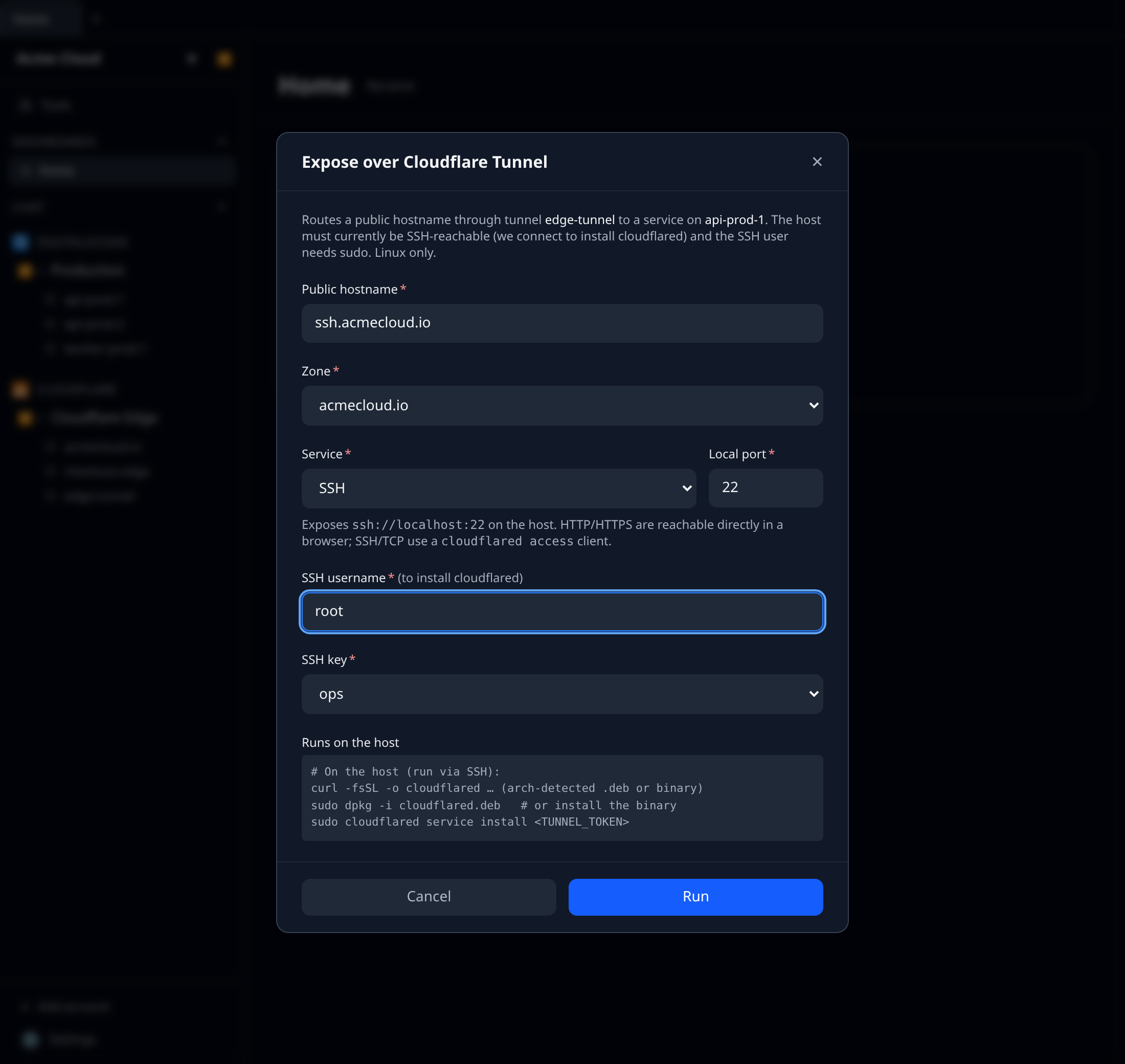
In the form you pick:
- the service to expose — HTTP, HTTPS, SSH, or TCP — and its local port (e.g.
http://localhost:8080,ssh://localhost:22), - a public hostname (e.g.
app.example.com), - the zone it belongs to (your Cloudflare zones), and
- the SSH username + key used to connect for the install (the SSH key authenticates the box so we can install cloudflared — it isn’t necessarily what you’re exposing).
On Run, infrawrench:
- points the tunnel’s ingress at the chosen service (e.g.
http://localhost:8080), - creates a proxied DNS
CNAMErouting the hostname to the tunnel, and - connects to the server over SSH and installs + starts
cloudflaredwith the tunnel token.
When it’s done you get the way to reach it:
- HTTP/HTTPS — just open
https://app.example.comin a browser (Cloudflare terminates TLS; no client needed). - SSH —
ssh -o ProxyCommand="cloudflared access ssh --hostname app.example.com" user@app.example.com - TCP —
cloudflared access tcp --hostname app.example.com --url localhost:<port>
Requirements & caveats
- The server must currently be SSH-reachable — infrawrench connects to it to install
cloudflared. The usual pattern is to set this up while the box still has a public IP / open port 22, then lock it down once the tunnel is up. - Linux + sudo. The install script downloads
cloudflaredand registers a systemd service; the SSH user needs sudo. Windows hosts aren’t supported. - Runs through the cloud. SSH-over-tunnel setup uses your organization’s stored SSH keys, so it runs in cloud mode. In local-only desktop mode the action prompts you to sign in to an organization.
- The tunnel token never leaves the server side — it’s resolved during setup and passed straight to the host, never shown in the browser.
- The install script is shown in the form before you run it, and the per-step result (ingress, DNS, install) is reported back.