Neon
Manage Neon projects, branches, databases, snapshots, object storage, functions, and auth; get connection strings as outputs.
What you can manage
- Projects
- Branches (create, delete, switch primary)
- Databases within a branch
- Connection strings (as outputs, referenceable from the Postgres plugin)
- Snapshots — point-in-time copies of a branch
- Object storage buckets, with a file browser
- Credentials scoped to a branch’s services
- Functions — Node.js compute deployed onto a branch
- AI Gateway endpoints
- Neon Auth, including OAuth providers and trusted domains
Credentials
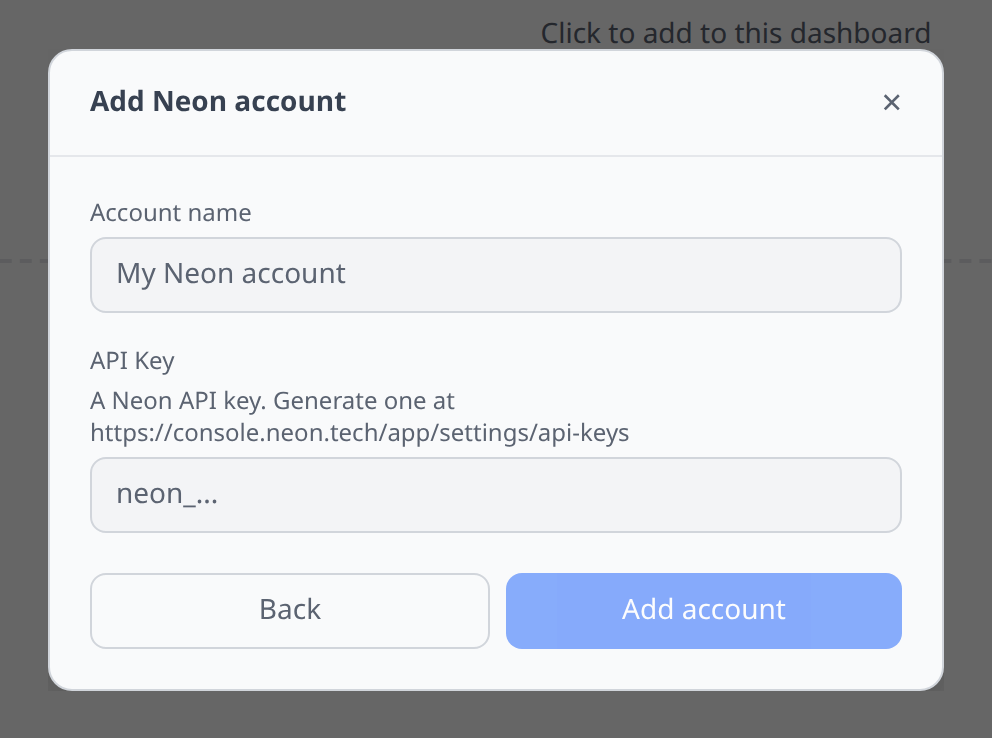
Neon console → Account → API keys → New API key.
Notable flows
- Branch creation — point-and-click; infrawrench shows the parent branch and new branch name.
- Password resolution — infrawrench requests a fresh connection string for a branch when needed.
- Secret export to K8s — branches export their connection strings as K8s secrets.
- SQL editor per-branch (via the Postgres plugin’s output reference).
Beta and Private Beta services
Several Neon services are still pre-GA, and they differ in how you get access:
| Service | Stage | Who can use it |
|---|---|---|
| Snapshots, Data API, Neon Auth | Beta | Anyone with an API key |
| Object Storage, Functions, AI Gateway | Private Beta | Only orgs with the entitlement enabled |
Private Beta services are gated per-organization and limited to certain regions. If your org doesn’t have access, Neon answers those endpoints with a 404 — infrawrench treats that as “not available here” and shows nothing, rather than reporting an error. If your buckets or functions don’t appear, that’s usually why. Request access from the Neon console under Settings → Early Access.
Snapshots
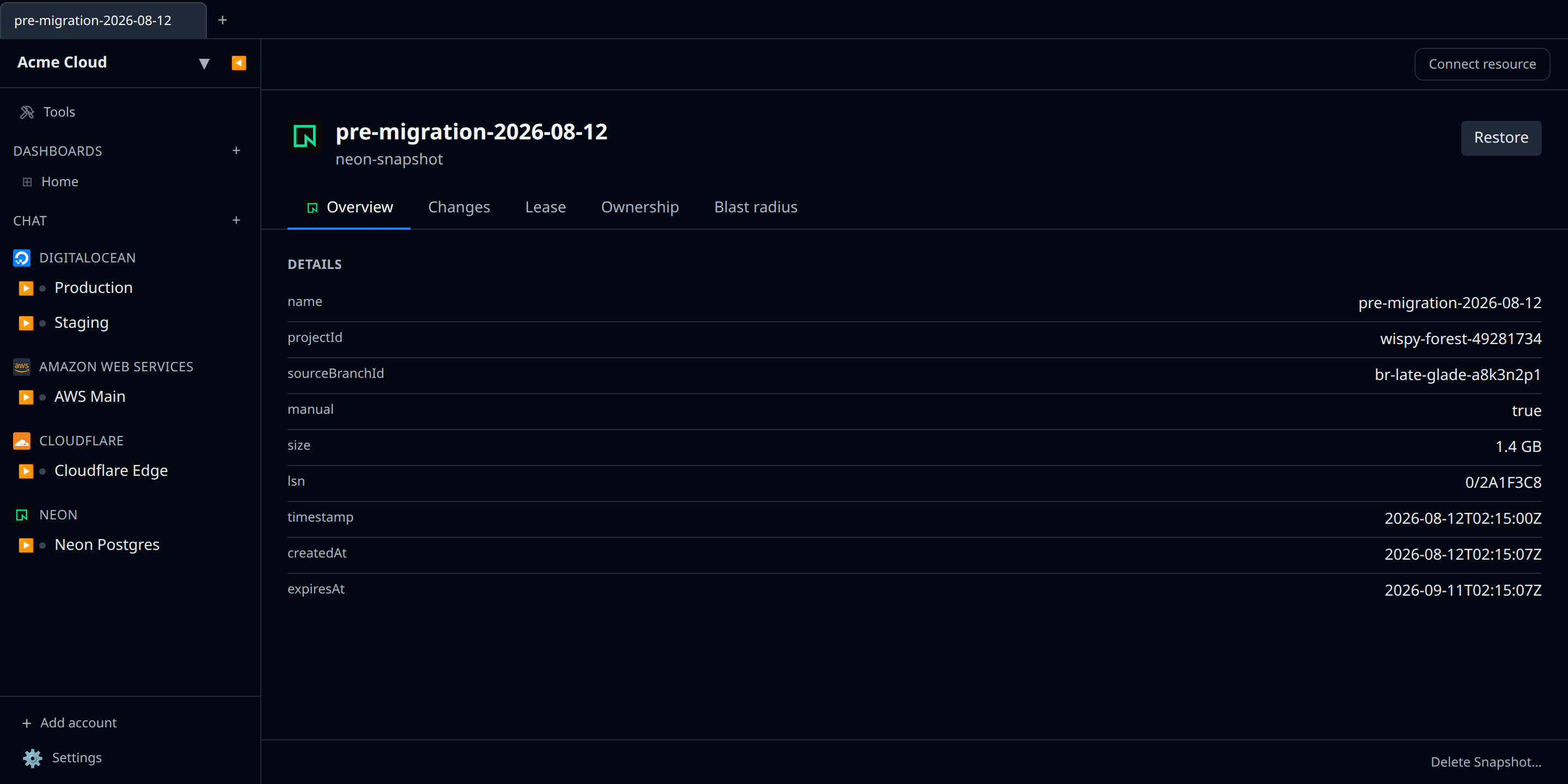
Snapshots are point-in-time copies of a branch. Create one from a branch, and infrawrench lists it with its size, source branch, and expiry.
Restore creates a new branch from the snapshot and deliberately leaves it unfinalized, so you can inspect the restored data before moving any computes onto it. Finalizing is a separate step in the Neon console.
Object storage
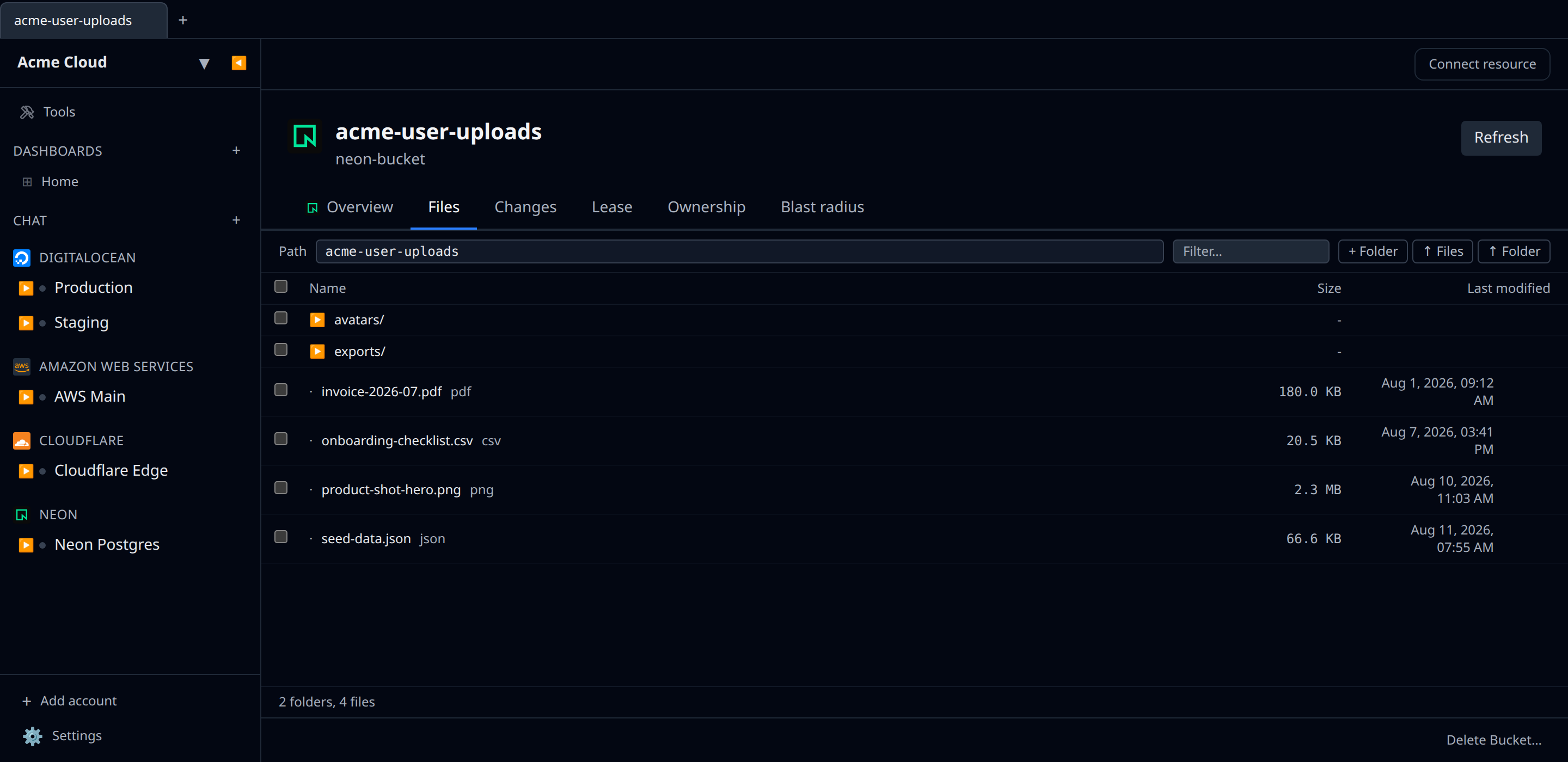
Buckets are scoped to a branch and fork with it — branch your database and its files branch too. Each bucket gets a file browser for uploading, foldering, and deleting objects.
Uploads go through short-lived presigned URLs, so file contents never pass through
infrawrench’s control plane. Neon’s S3 endpoint requires path-style addressing: if you
point an S3 SDK at it yourself, set ForcePathStyle (or your SDK’s equivalent) to true, or
requests will fail.
Service credentials
A Neon API key manages your account; a credential is what your application uses to reach a branch’s storage, functions, or AI gateway at runtime. Rather than asking you to assemble scope strings, infrawrench offers the grant you actually want — “Object Storage — read & write”, “AI Gateway — invoke models”, and so on.
Neon returns a credential’s token and S3 secret exactly once, when you create it. There is no API to read them back. Export or copy them at creation time; if you lose them, create a new credential and revoke the old one.
Deleting a credential in infrawrench revokes it.
Functions
Functions are Node.js compute deployed onto a branch. Neon has no API to create a function
from a form — a function comes into being when you deploy a zip, which is driven by your
neon.ts config and the Neon CLI. So infrawrench lists functions, shows their invocation URL
and latest deployment status, and lets you rename or delete them, but you deploy them from
your repo.
AI Gateway
The AI Gateway gives you one OpenAI-compatible API for models from Anthropic, OpenAI, Google,
and others. Neon exposes no management API for it — no model routing, logging, or cost
controls — so infrawrench shows it read-only: the base URL to point an SDK at. Enable it with
aiGateway: true in your neon.ts.
Pair the base URL with a credential scoped to AI Gateway — invoke models for the API key.
Neon Auth
Neon Auth is managed Better Auth backed by your branch’s own
database. Enabling it from infrawrench provisions the neon_auth schema; disabling it leaves
your auth tables in place.
You can manage:
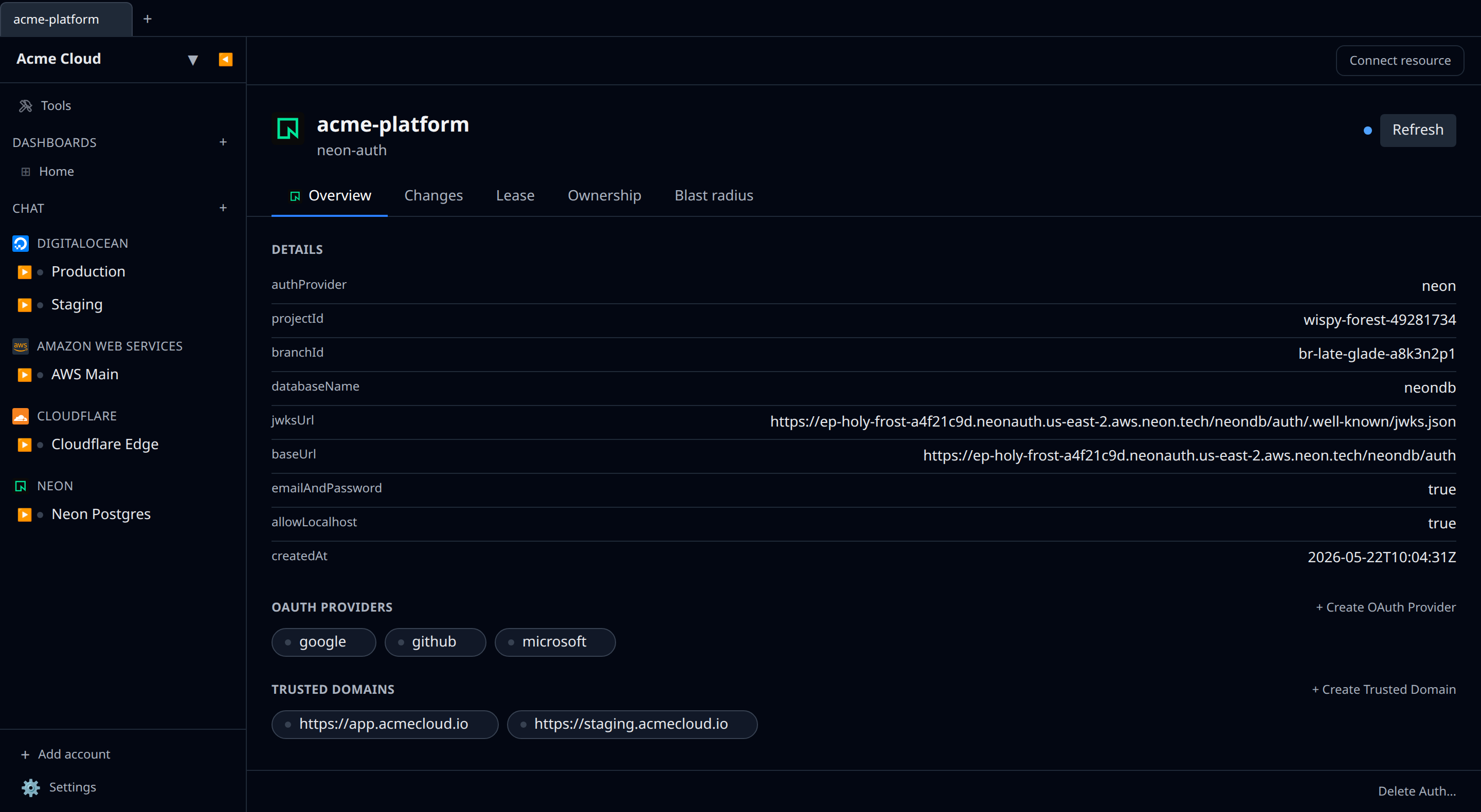
- OAuth providers — Google, GitHub, Microsoft, and Vercel. Leave the client ID and secret blank to use Neon’s shared development credentials; fill them in for production.
- Trusted domains — the domains allowed as redirect targets after sign-in.
The auth resource also surfaces the JWKS URL, which you can export for verifying JWTs (for example, from Postgres row-level-security policies).
Neon’s API can create, delete, and set roles on auth users, but it has no endpoint to list them — so infrawrench doesn’t show a user list. Manage users from the Neon console.
Tips & limits
- Free tier Neon projects have branch limits — watch the UI for quota warnings.
- Branches take a few seconds to provision; the sidebar refreshes on the next tick.
- Object storage, functions, and AI gateway are branch-scoped: the same bucket name can exist on two branches independently.
Cost graphs
Neon organizations feed cost graphs & budgets from the consumption-history API — daily usage per project (compute, storage, network, branches) converted to dollars using Neon’s published per-plan rates.
- Works on paid plans (the consumption API is not available on Free); an org-scoped API key covers all projects.
- Figures are estimates: infrawrench multiplies metered units by list rates and does not subtract plan-included allowances. History is limited to Neon’s 60-day daily retention.