Work in progressThese docs are still being written and are currently mostly AI-generated. Some details may be inaccurate or incomplete.
Together AI
Dedicated endpoints, fine-tunes, files, batches and evaluations on Together AI — plus a Speech tab for text-to-speech and Whisper transcription.
Together AI runs open models as serverless inference, as dedicated GPU endpoints you reserve, and as batch and fine-tuning jobs. This plugin covers all of it from one account.
What you can manage
- Dedicated endpoints — create, start, stop, rescale and delete a model pinned to reserved GPU hardware
- Managed endpoints — the newer Dedicated Managed Inference (v2) endpoints, with their deployments
- Models — the serverless catalogue, with context length and Together’s list pricing
- Fine-tunes — job status, hyperparameters, tokens processed, and the model each one produced
- Files — uploaded JSONL datasets, with line counts and validation errors
- Batch jobs — create one from an uploaded file, watch progress, cancel it
- Evaluations — classify, score and compare runs
- Hardware — the GPU configurations a dedicated endpoint can run on, with pricing
Credentials
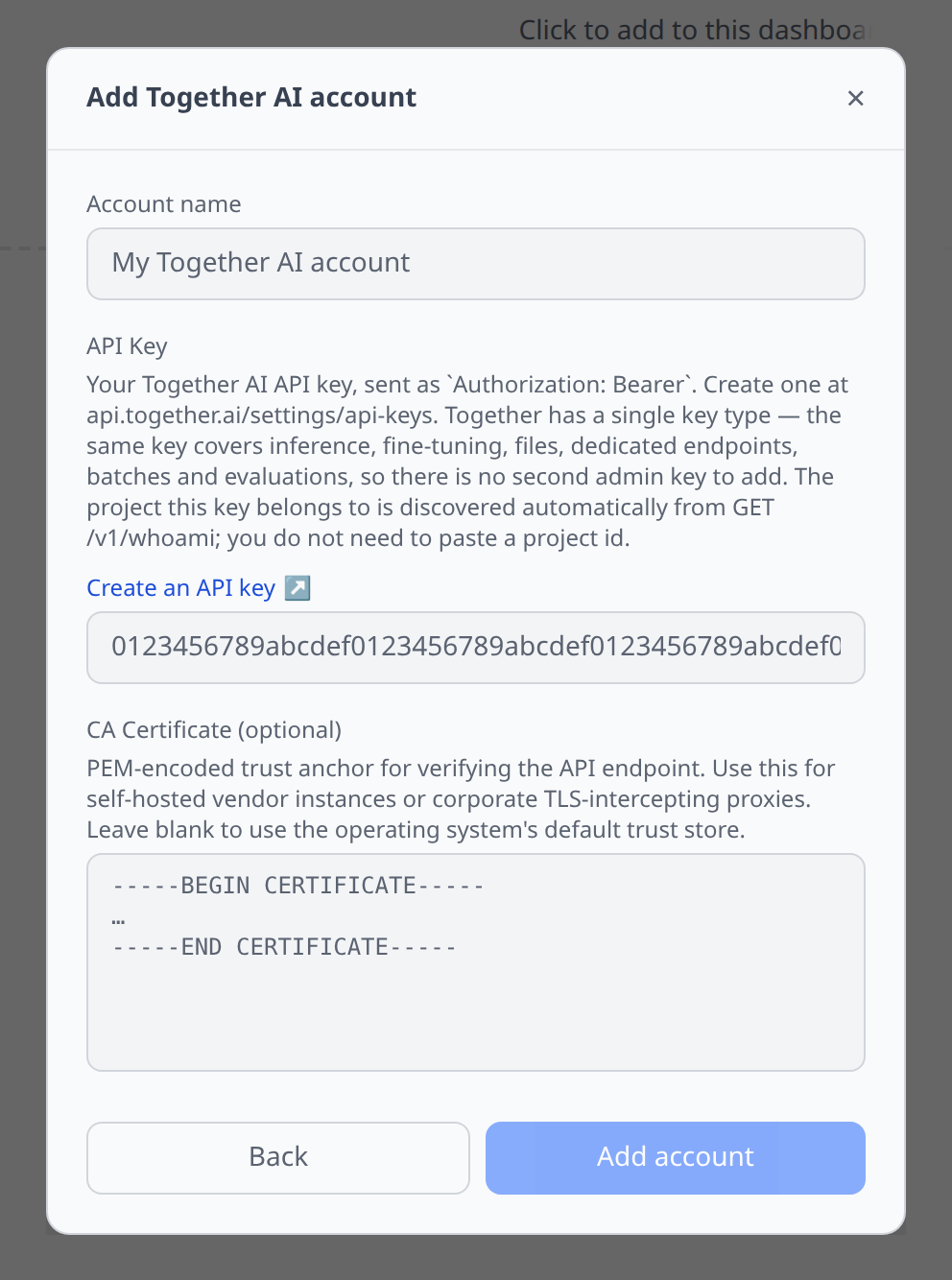
Together AI has a single key type. Create one at api.together.ai/settings/api-keys and paste it as API Key.
There is no second admin key to add, and you do not need to supply a project id — the plugin reads it from GET /v1/whoami, which is also how it validates the key when you add the account.
Speech tab
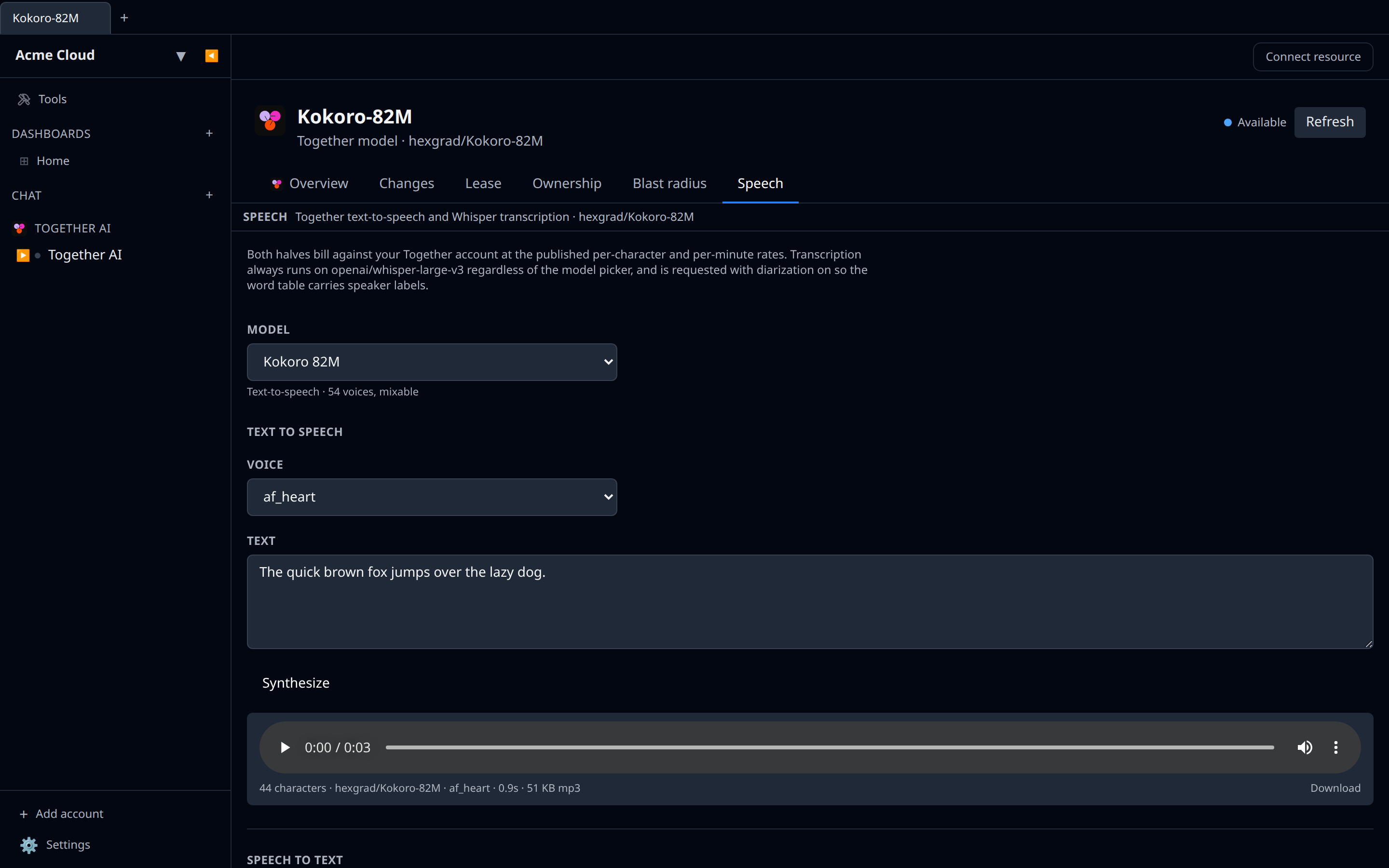
Open any of Together’s speech models and you get a Speech tab with both halves:
- Text to speech runs
cartesia/sonic,hexgrad/Kokoro-82Morcanopylabs/orpheus-3b-0.1-ft. The voice picker is populated from your account’s live voice catalogue; Kokoro and Orpheus fall back to their published rosters if that call is unavailable. Clips come back as mp3 so they play inline. - Speech to text always runs
openai/whisper-large-v3— it is the only model Together’s transcription route accepts — and is requested with diarization on, so Show word timings lists every word with its speaker label.
See Speech testing for how the panel works in general.
Notable flows
- Create a dedicated endpoint from a picker of dedicated-capable models and a hardware picker showing GPU count and per-minute price — no SKU strings to look up.
- Start / stop an endpoint from the detail page. Stopping releases the reserved GPUs; the next request pays a cold start.
- Cancel a fine-tune or a batch job while it is still running.
- Delete a managed endpoint and the plugin removes its deployments first, which Together requires.
Tips & limits
- There is no usage or cost API. Together publishes rate-card pricing per model and a price on each individual fine-tuning job, but no account-wide spend endpoint exists — so Infrawrench cannot chart your Together spend. Use the Together dashboard for billing. The model detail page says so rather than showing an empty chart.
- There is no API-key management API either, so keys can only be created and revoked in the Together dashboard.
- Pagination is split. The v1 lists (models, fine-tunes, files, endpoints, batches) return everything in one response and accept no paging parameters at all. Only the v2 managed-inference endpoints paginate. Very large accounts will see the v1 lists grow rather than page.
- Hardware availability is model-specific. The Hardware list shows availability only when it was queried for a particular model, so the standalone list leaves it blank.
- A dedicated endpoint’s model and hardware are fixed at creation. You can rename it, rescale it and start or stop it, but changing the model means creating a new endpoint.
- Transcription uploads are capped at 25 MB in the Speech tab, well under Together’s own 500 MB limit, because the clip is base64-encoded through the app’s ordinary request path. Send long recordings through Together’s batch transcription endpoint instead.