OpenAI
Models, fine-tuning, batches, files, vector stores, containers and evals, plus organization projects, members, keys and real spend — with a Speech tab for text-to-speech and transcription.
OpenAI’s API is really two APIs behind one brand: the project plane your sk-proj- key talks to, and the organization plane under /v1/organization/* that only an admin key can reach. This plugin covers both, and tells you which half you are missing when you have only supplied one key.
What you can manage
- Models — every model this key can call, base and fine-tuned, each with a Speech support panel saying whether it can synthesize, transcribe, or neither. Fine-tuned snapshots can be deleted; base models cannot.
- Fine-tuning jobs — create a run from a training file and a base model, then pause, resume or cancel it while it is going.
- Batches — create a batch from an uploaded JSONL file, watch the request counters, cancel it. Batches are never deletable.
- Files — fine-tuning datasets, batch inputs and outputs, and file-search sources (delete).
- Vector stores — the chunked-and-embedded collections behind the
file_searchtool (create, rename, delete). - Containers — the sandboxes Code Interpreter runs inside (create, delete). They expire on their own idle timer and bill per session.
- Evals — evaluation definitions with their data source and graders (rename, delete).
- Projects — the billing and rate-limit boundary (create, rename, archive). Admin key only.
- Project API keys — listed and revoked, never created. Admin key only.
- Organization members — role changes between
ownerandreader, and removal. Admin key only. - Invites — send and revoke. Admin key only.
Credentials
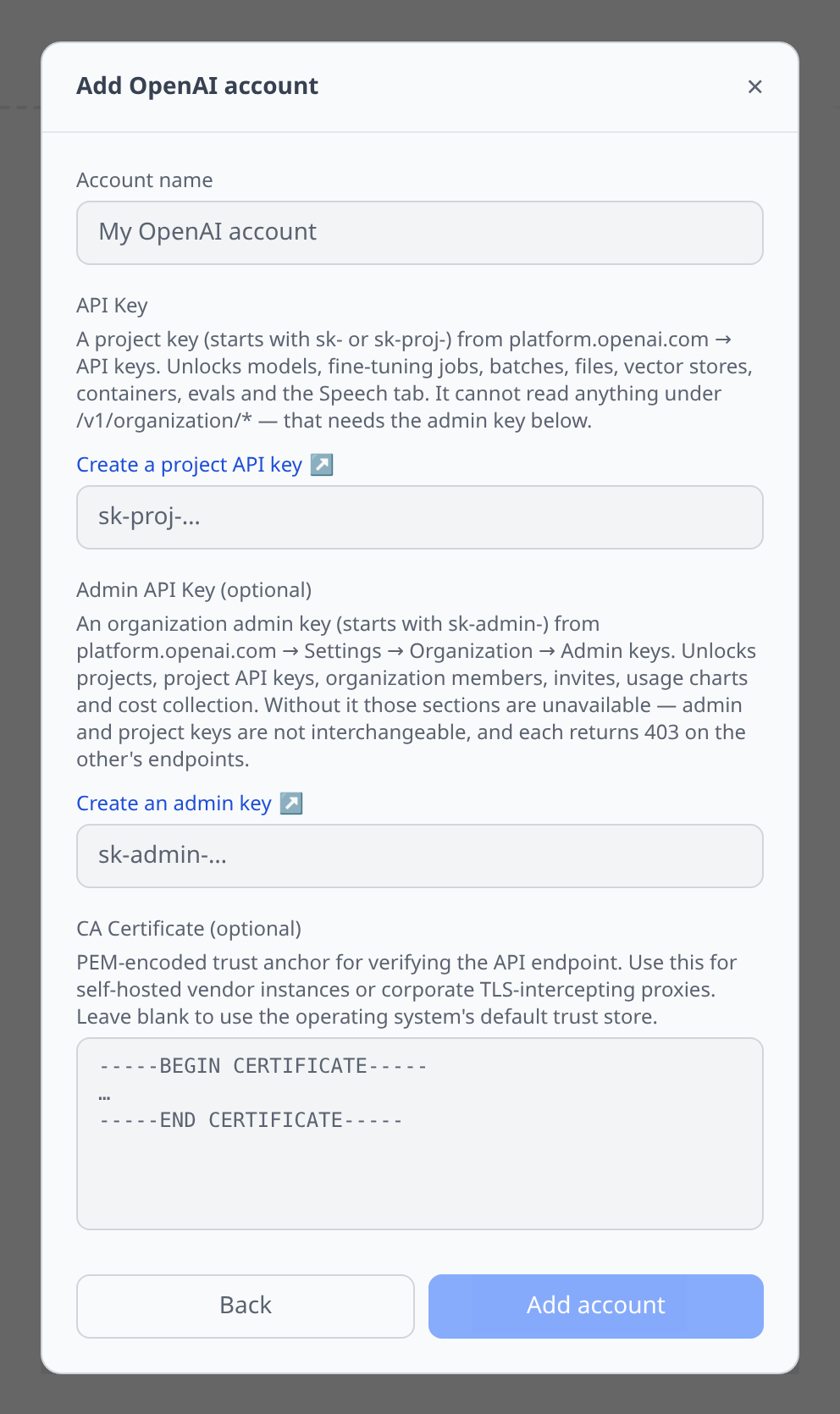
OpenAI needs two keys to cover its whole surface, and they are not interchangeable — each returns 403 on the other’s endpoints.
API Key (required) — platform.openai.com/api-keys. A project key starting sk- or sk-proj-. This drives models, fine-tuning, batches, files, vector stores, containers, evals and the entire Speech tab.
Admin API Key (optional) — Settings → Organization → Admin keys. Starts sk-admin-, and only an organization owner can mint one. It unlocks:
- Projects, project API keys, organization members and invites — without it these four lists are unavailable rather than broken,
- the usage charts on models and projects,
- cost collection, which is otherwise disabled with a message saying why.
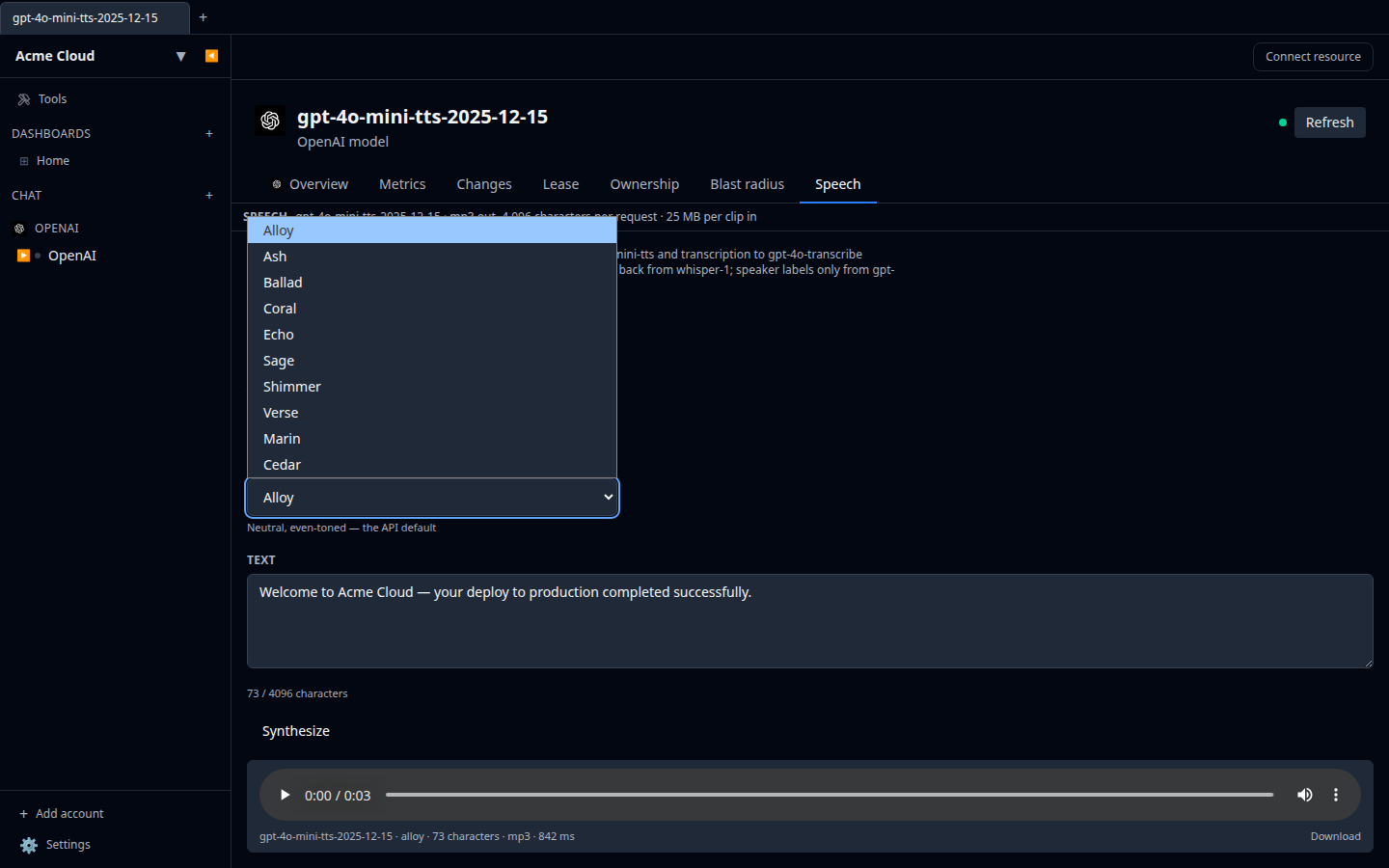
The Speech tab
Every model gets a Speech tab, with both halves driven by one shared model picker. See Speech testing for how the panel works generally.
- Synthesize posts to
/v1/audio/speechand returns mp3. Ten voices are offered — Alloy, Ash, Ballad, Coral, Echo, Sage, Shimmer, Verse, Marin and Cedar — which is exactly the currentVoiceIdsSharedenum.fable,onyxandnovastill resolve for old integrations but are no longer in the schema, so they are not listed. - Transcribe posts to
/v1/audio/transcriptions, withgpt-4o-transcribe,gpt-4o-mini-transcribe,gpt-transcribe,whisper-1andgpt-4o-transcribe-diarizeavailable.
If you open a model that cannot do audio at all and hit Synthesize, the plugin falls back to gpt-4o-mini-tts rather than sending a request OpenAI will reject; the same happens in reverse for transcription.
Costs and metrics
With an admin key attached, spend comes from GET /v1/organization/costs, bucketed by day and grouped by line item, with the project id carried alongside as a tag. Up to a year of history is available, and the most recent three days are re-fetched on each sync because OpenAI restates them.
Models and projects each get a Metrics tab charting token usage from GET /v1/organization/usage/completions.
Tips & limits
- Synthesis is capped at 4,096 characters per request — the API’s own
inputlimit — and transcription uploads are capped at 25 MB. - Word timings only come from
whisper-1. Timestamps requireverbose_json, and the gpt-4o transcribe family only speaksjson,text,srtandvtt. Ask any of them forverbose_jsonand you get a 400, so the word table appears for whisper-1 and for the diarize model’s segments, and nowhere else. - Speaker labels only come from
gpt-4o-transcribe-diarize. - The legacy
tts-1andtts-1-hdmodels reject the tone-instructions box. Sendinginstructionsto them is a 400 rather than being ignored, so the plugin drops it for those two. - The default TTS model is snapshot-pinned (
gpt-4o-mini-tts-2025-12-15) so the same text does not quietly start sounding different between two runs. - Project API keys cannot be created through the API. Only service-account keys can — use the project’s Get credentials action, which creates a service account in the project and hands you its key. A user-owned project key has to be made in the OpenAI dashboard.
- Projects are archived, never deleted. Archived projects still appear in usage and cost reports, which is exactly why they stay visible here.
- The cost and usage endpoints page differently from everything else. They ignore the
aftercursor the rest of the API uses and accept 1-day buckets only, 180 at a time.