Speech testing
Synthesize speech and transcribe audio against your connected AI providers, without leaving the app.
Speech providers are hard to evaluate from a dashboard. You want to hear the voice, not read its description — and you want to know your key works before you wire it into anything. The Speech tab does both against your own account, with your own credentials.
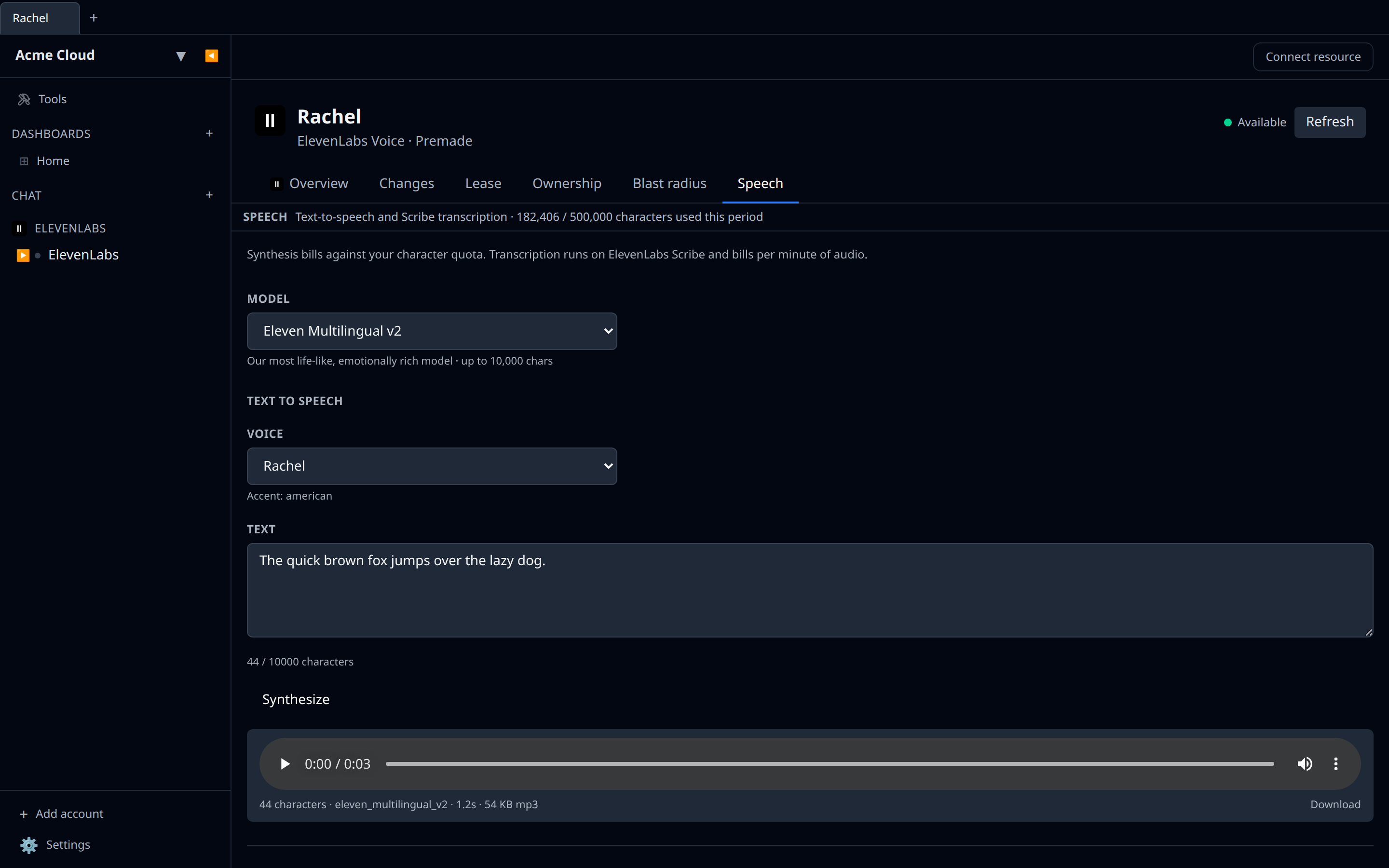
Where to find it
Open any resource from a provider that does speech and pick the Speech tab. Which half you get depends on what the provider supports:
- Text to speech — a text box, a voice picker, and a model picker. Synthesize, and the clip plays inline with a download link.
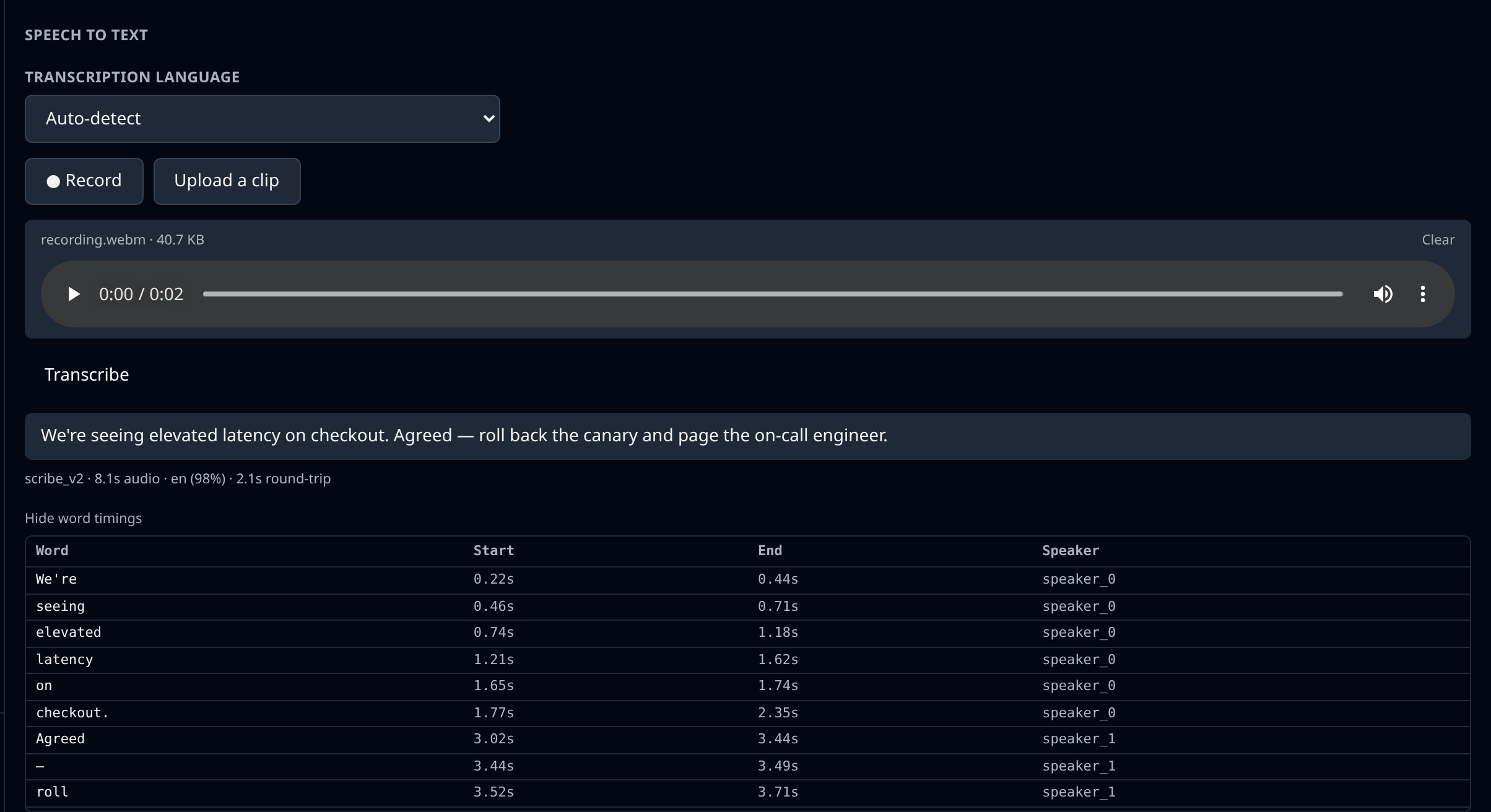
- Speech to text — record straight from your microphone or upload a clip, then read the transcript back.
Providers that do both get one tab with both sections.
Text to speech
Pick a voice, type something, press Synthesize. The pickers are populated from your account’s real voices and models, so you are never typing an id you had to look up somewhere else.
The character counter reflects that provider’s actual per-request limit. Going over it stops the request before it is sent, rather than spending quota on a call the provider will reject.
Each clip comes back with a one-line summary — characters billed, model used — and a Download link if you want to keep it.
Speech to text
Two ways to get audio in:
- Record captures from your microphone in the browser. Press Record, speak, press Stop. Your browser will ask for microphone permission the first time.
- Upload a clip takes an audio file from disk.
Either way you can play the clip back before sending it, then press Transcribe.
The transcript appears below, with the detected language, clip duration, and confidence where the provider reports them. If the provider returns word-level timings, Show word timings expands a table of every word with its start, end, and speaker label.
On the phone
The mobile app has the same test surface, pushed as its own screen instead of a tab — tap Speech on the resource page. Both halves are there: the voice, model and language pickers open as sheets, the character counter enforces the same limit, and synthesized clips play inline with a Save button that hands the file to the share sheet rather than downloading it.
Speech to text records from the phone’s microphone — iOS and Android ask for permission the first time — or takes a clip from the file picker. Everything else, including the word-timings table, reads the same as it does on web.
Things to watch
- It spends real quota. Every synthesis and transcription is a billed API call against your own account, exactly as if you had made it yourself. There is no sandbox mode.
- Recording needs a secure context. Browsers only grant microphone access over HTTPS (or on
localhost). If the Record button is missing, either your browser doesn’t supportMediaRecorderor the provider can’t accept what browsers record — Cohere is one such, and says so next to the upload button. Upload a clip instead. On mobile, a denied microphone permission is fixed in the OS settings for the app; picking a clip works either way. - Clip size is capped at 25 MB, and the app enforces it before uploading. That ceiling is ours, not the provider’s — audio is sent base64-encoded inside a JSON request, and base64 inflates by a third. Most providers accept far larger files through their own API; long recordings belong there, not in this panel.
- Job-based providers take longer. Transcription services that queue work (AssemblyAI, Speechmatics, Rev.ai) are polled until the job finishes, so a long clip can sit on “Transcribing…” for a while before the text appears.
- On the desktop app this only works for locally-added accounts. Accounts synced from the cloud aren’t bridged for speech yet, and the panel says so rather than failing quietly.
Related
- AI chat — the assistant built into the app, which is separate from these provider accounts.
- Send a test message — the same idea for pub/sub resources.