Backup coverage
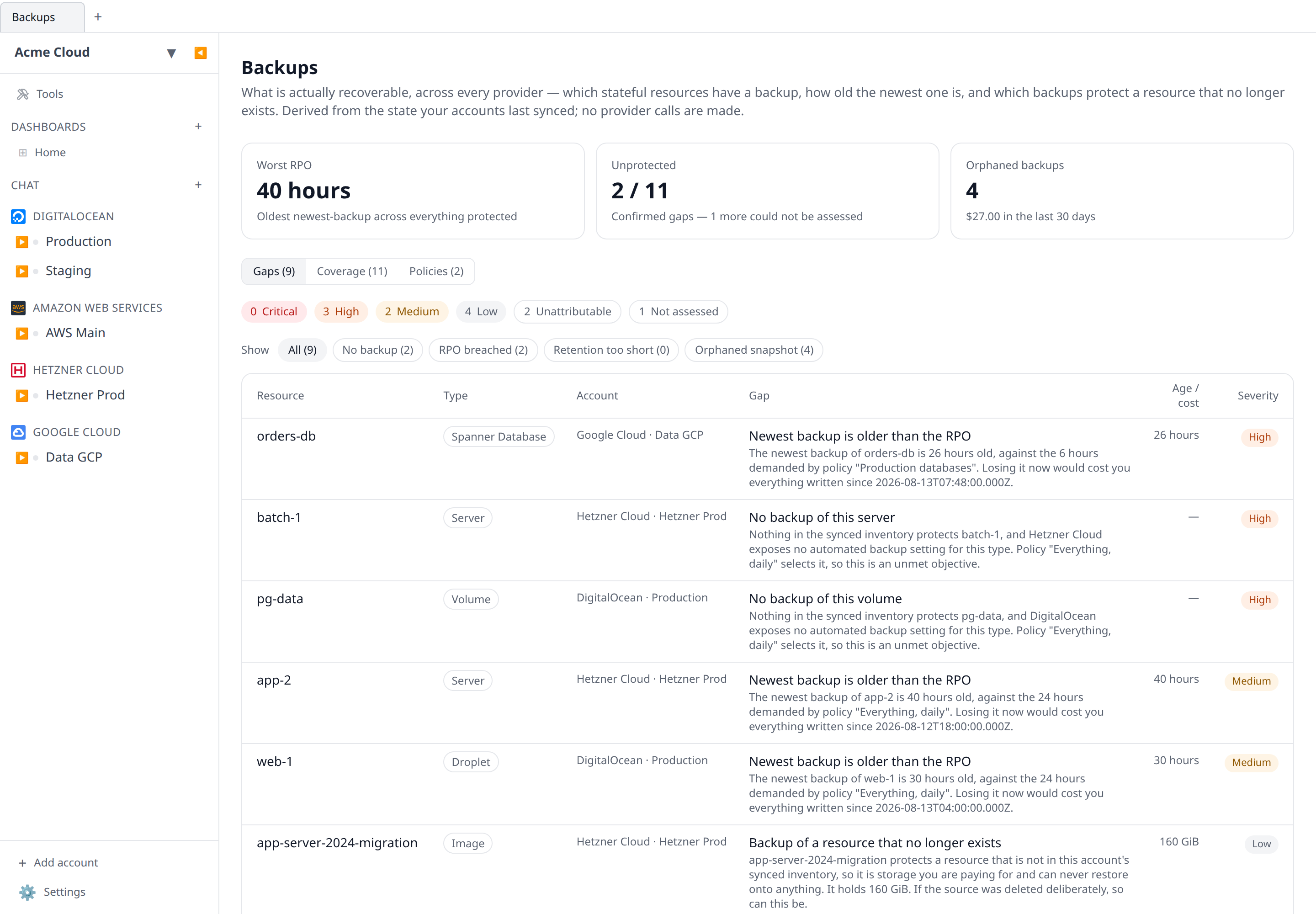
What is actually recoverable across every provider — which resources have a backup, how old the newest one is, and which backups protect something that no longer exists.
The Expiry radar tells you what is about to run out and Posture tells you what is exposed. Backups answers the third question nobody can usually answer off the top of their head: what is your actual RPO?
Open it from the sidebar. It has three views:
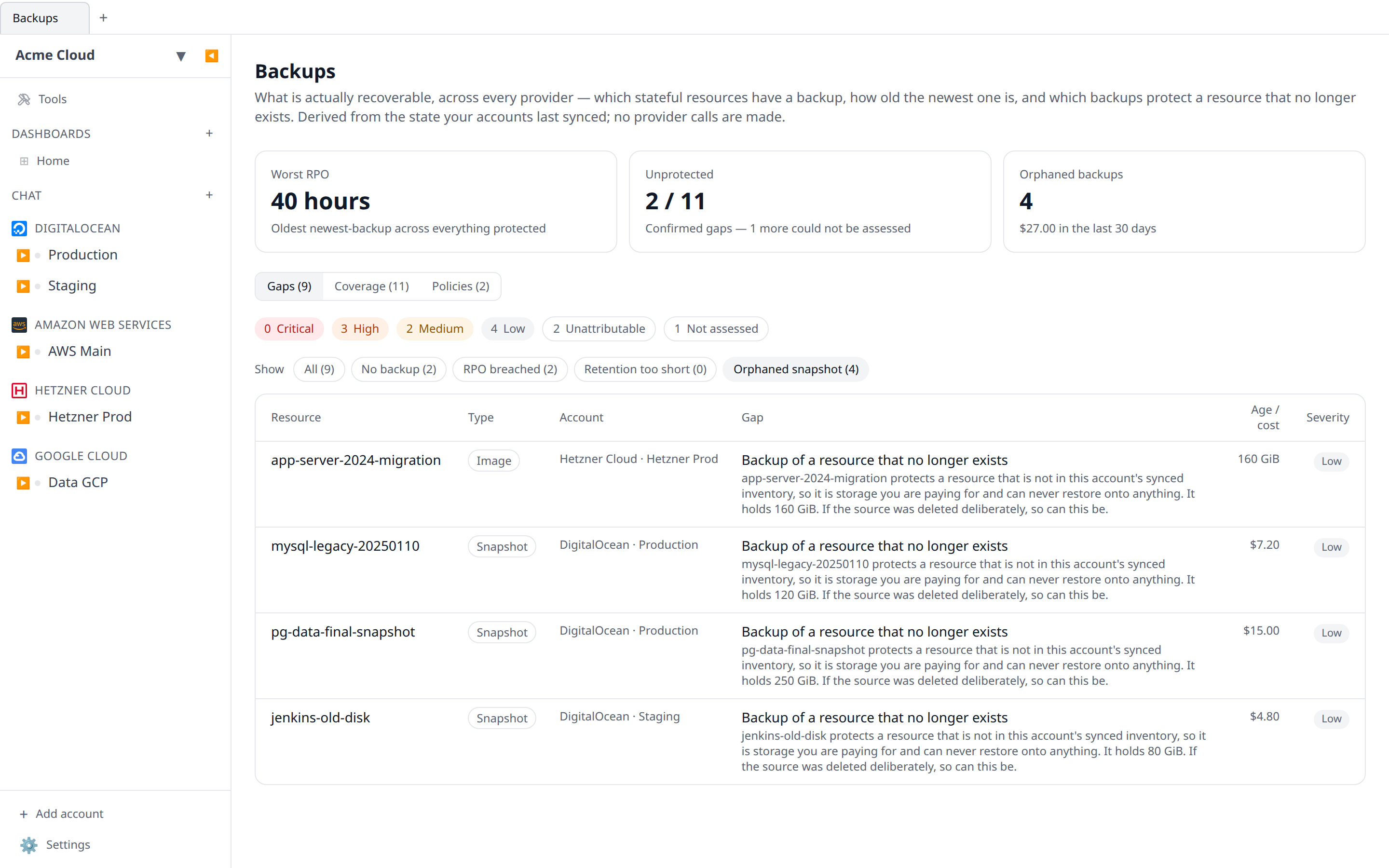
- Gaps — stateful resources with no backup, resources whose newest backup is older than your policy allows, retention windows shorter than you asked for, and backups whose source resource is gone.
- Coverage — every stateful resource we can judge, what protects it, how old that protection is, and which policy applies.
- Policies — the recovery objectives everything else is measured against.
- Drills — whether anyone has actually restored these backups, and how long it took.
Where the answers come from
Nothing on this page makes a provider API call. It is computed entirely from inventory Infrawrench has already synced, exactly like the expiry radar and the posture checks — so it costs nothing to open, it never counts against a provider rate limit, and it reflects your last sync rather than a fresh probe.
Each plugin declares two things on its resource types:
- which types are backups, and which field on them names the resource they protect;
- which types need protecting, what can protect them, and where the provider’s own automated-backup setting lives.
The host does the rest: joining backups to their sources, measuring the age of the newest one, and comparing it against your policies.
The consequence is that coverage is only as good as what a provider’s listing already tells us. That is deliberate — a rule written over a field that is never synced would silently match nothing, or worse, report every protected volume as unprotected. Where a provider exposes nothing we can read, the resource simply does not appear on the Coverage table rather than appearing as a false alarm.
What is covered today
| Provider | Backups | Protected resources |
|---|---|---|
| DigitalOcean | Snapshots (of Droplets and volumes) | Droplets (including the automated-backup flag), volumes |
| Hetzner Cloud | Images of type backup / snapshot | Servers |
| Google Cloud | Spanner backups | Spanner databases |
| Neon | Snapshots | Branches |
| PlanetScale | Backups | Branches |
| Azure | — | PostgreSQL and MySQL Flexible Servers (retention window) |
AWS is not covered. Infrawrench does not currently list EBS or RDS
snapshots as resources, and the RDS listing does not sync
BackupRetentionPeriod — so there is nothing to join against and nothing to
read. Declaring it anyway would report every EBS volume in your account as
unprotected, which is worse than saying nothing.
Reading the states
A resource on the Coverage table is one of five things:
- Backed up — at least one backup in the inventory, inside the RPO (or no RPO applies).
- Provider-managed — the provider’s own automated backups are switched on. There is a restore point; we just cannot enumerate it, so no RPO can be measured.
- Stale — backups exist, but the newest one is older than a policy allows.
- Not assessed — the resource type has a provider-managed backup setting, but this particular resource’s value could not be read. Usually a resource synced before Infrawrench knew to ask for that field; a fresh sync clears it. This is never reported as a gap and never reaches the weekly digest — it is the difference between “you have no backup” and “we have not checked”.
- Unprotected — nothing we can see protects it, and we had the data to tell.
Three answers are deliberately conservative:
-
A backup with no readable timestamp counts as a backup, but can never satisfy an RPO. An undatable backup is not evidence of a recent one.
-
A backup whose source cannot be determined — the provider gives us no source field, the field is empty, or more than one resource answers to it — is reported as unattributable, never as an orphan. Telling you a snapshot protects nothing when we simply could not tell would be an invitation to delete a live backup.
-
A resource whose provider-managed backup setting we cannot read is not assessed, never unprotected. Missing data must not raise an alarm.
Both the unattributable and the not-assessed counts are shown next to the severity chips, so “we found nothing wrong” and “we could not tell” never render the same.
Orphaned backups
A backup whose source resource is gone is pure spend: you are paying for storage you can never restore onto anything. Where cost data is available these carry a trailing-30-day figure so you can decide with a number rather than a hunch. Where it is not, the finding says so — the cost reads as unknown, never as zero.
Policies
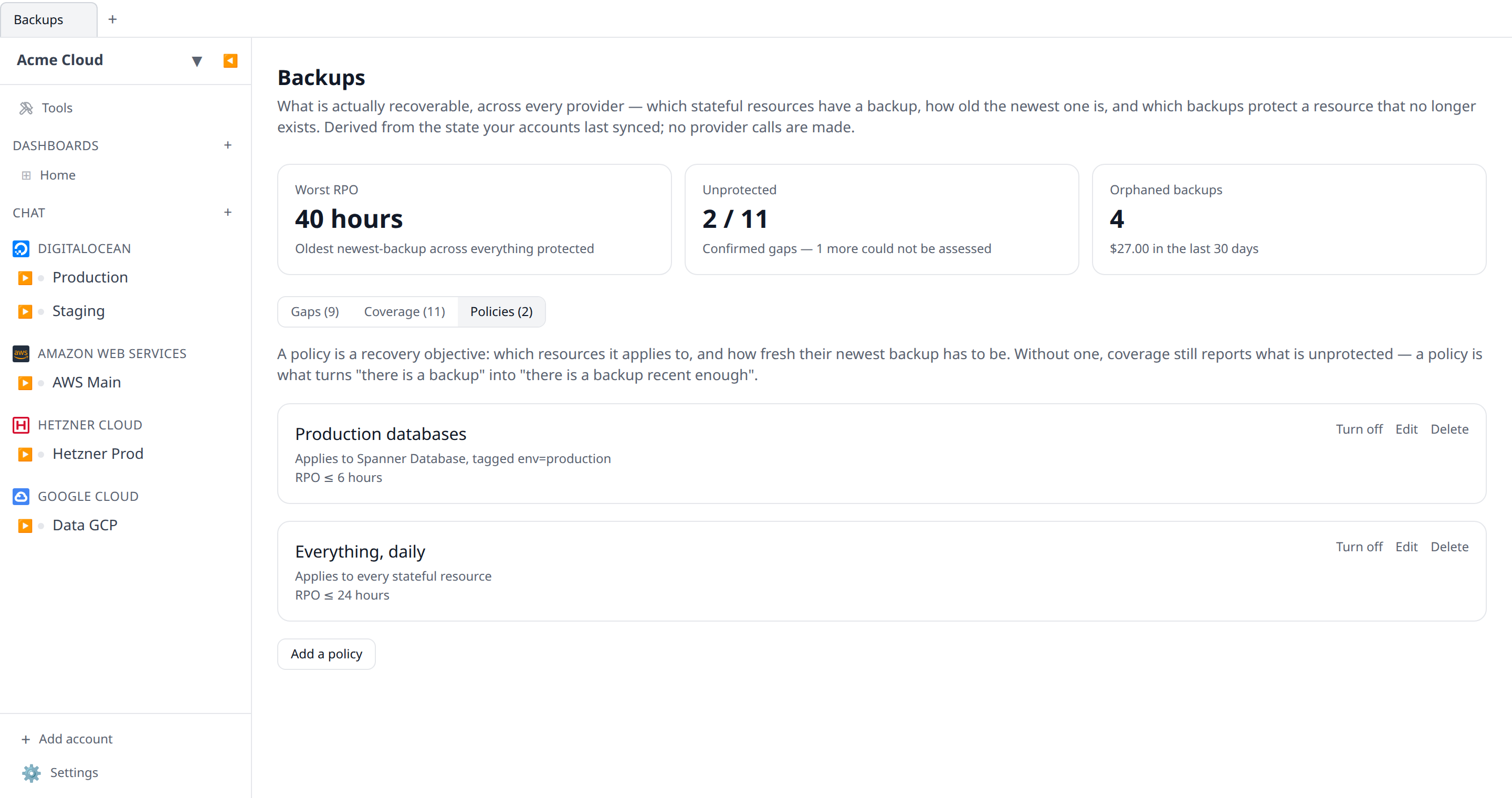
A policy is a recovery objective: which resources it applies to, and what it demands of them.
- Selector — a set of resource types, a tag (
env=production), or both. Leave both empty and the policy applies to every stateful resource. - Maximum RPO — the newest backup must be no older than this many hours.
- Minimum retention — the provider’s retention window must be at least this many days.
A policy must set at least one of the two. One that demands nothing could never produce a finding, and would sit in the list looking like protection while providing none.
When several policies select the same resource the strictest wins: the shortest RPO and the longest retention. These can come from different policies — “everything, 24 hour RPO” alongside “production databases, 30 day retention” is the usual shape — and each finding names the policy that supplies the objective it actually breaches, so the link always takes you to the one you need to change. Turning a policy off keeps it and stops it judging anything, so you can silence a noisy objective while you investigate without losing it.
Creating, editing and deleting policies needs the organization settings permission. Everyone who can read your resources can read the coverage — a member can see that a database is unprotected, and deliberately cannot relax the target that says so.
Where else it shows up
- The weekly digest carries a Backups line whenever anything is unprotected or past its RPO.
- Backup gaps do not page anyone. They are a standing condition rather than an event, and a nightly “you still have no backups” alert trains people to ignore alerts. The digest is the right cadence for them.
Related
- Expiry radar — what is about to run out
- Posture checks — what is exposed
- Orphan finder — what is idle or unattached
Drills — the half nobody tests
Everything above answers is there a backup, and how old is it. It cannot answer the question that decides the day: does it restore, and how long does it take?
Those are different questions, and the second is routinely answered wrongly — by a snapshot that restores into a region with no capacity, a dump taken from a replica that was already broken, an encrypted volume whose key was rotated last quarter.
It records, it does not restore
A drill is a record that somebody tried. Infrawrench does not restore your database on a schedule, and it is not going to: an unattended restore costs real money, can collide with production, and there is no generic way to check that what came back is correct.
What the product can do is make the exercise scheduled, recorded, and visible when it lapses — which is the part teams actually fail at.
Four outcomes, and only one of them counts
| Outcome | Means |
|---|---|
| Restored and checked | It came back, and you looked inside. |
| Restored, not checked | It came back. Nobody verified what was in it. |
| Restore failed | You tried and it did not work. |
| Could not attempt | No capacity, no key, no time. |
Only restored and checked counts as evidence. A restore that produced a running database nobody looked inside is exactly how a team discovers, during an incident, that the dump had been empty for three months. The attempt is still worth recording — it just does not reset the clock.
A verified drill must carry the measured time. An RPO comes from the backup; an RTO can only come from somebody with a stopwatch, and that number is the whole point of the exercise. A blocked drill must not carry one, because it never started — a made-up RTO would be the most dangerous number on this page.
Standings
- Verified — a checked restore inside the window (180 days by default).
- Stale — it worked, but a while ago.
- Last attempt failed — somebody tried more recently than the last success and it did not work. This outranks the success: reporting the resource as verified because March went well is the reading that gets a team hurt.
- Never verified — nobody has produced evidence, including the case where every drill was a restore nobody checked.
“Never” and “stale” are shown separately because they call for different conversations: one is nobody has ever tried, the other is it worked in March.
Only resources with something to restore appear here. A resource with no backup is a coverage gap, which the Gaps tab already says — listing it as “never tested” would bury the ones that genuinely can be.
Drills recorded against a resource that has since been deleted are kept and shown separately. “We tested this and then removed it” is a fact an auditor asks about.
Permissions
Recording a drill needs Resources: write, not the settings permission the policies need — recording is reporting what you did, and the person who spent Saturday restoring a database is rarely the person who set the objective. Deleting a drill is audited, because removing evidence that a restore failed is exactly the edit a reviewer would want to know about.