Work in progressThese docs are still being written and are currently mostly AI-generated. Some details may be inaccurate or incomplete.
Scaleway
Manage Scaleway Compute instances, Kapsule, managed RDB, Object Storage, and Block Storage.
What you can manage
- Compute instances
- Kapsule clusters (managed Kubernetes)
- Managed RDB (Postgres / MySQL)
- Object Storage (S3-compatible)
- Block Storage volumes
Credentials
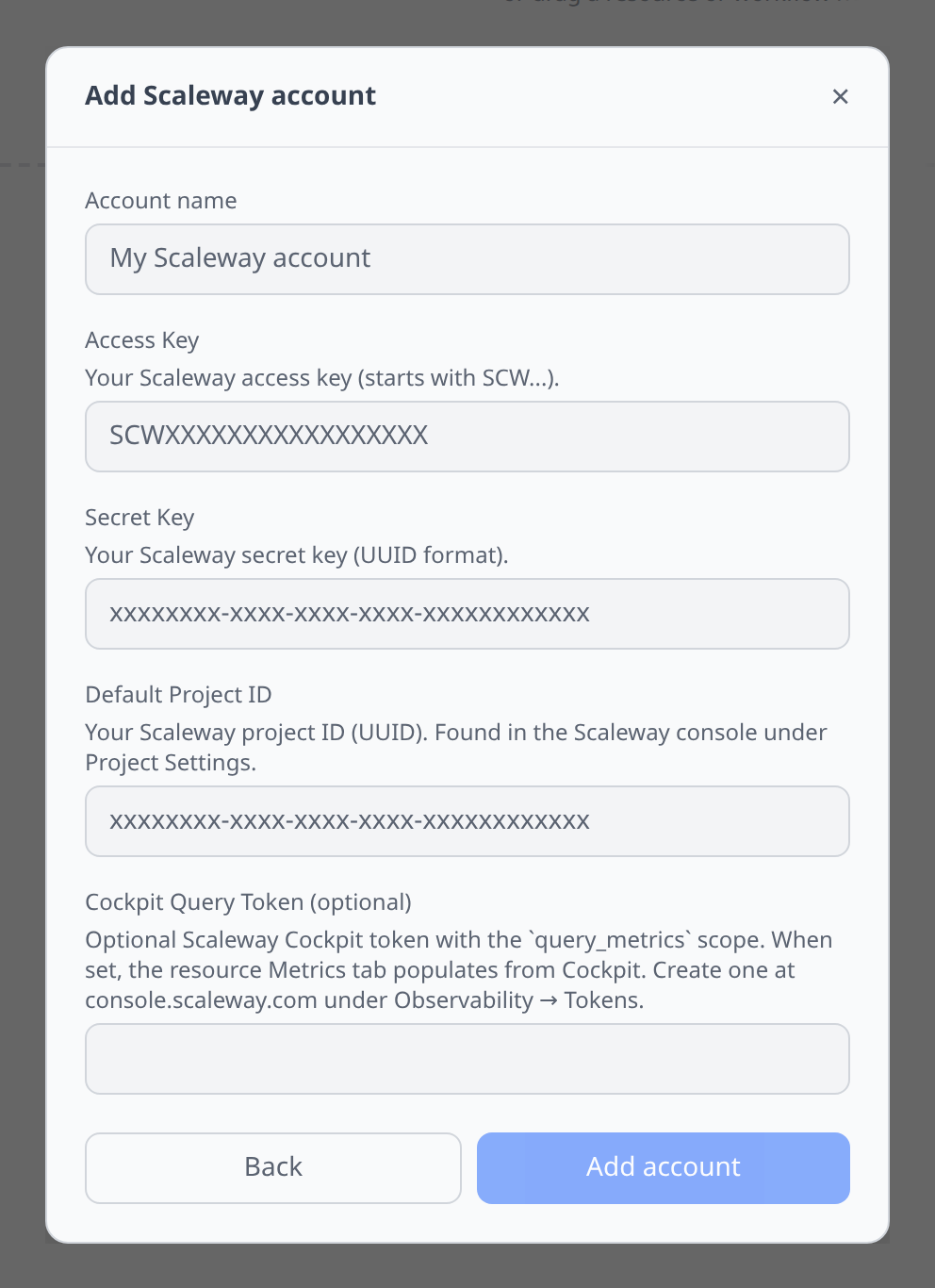
Scaleway Console → Identity and Access Management → API keys → Generate API key. Paste:
- Access Key and Secret Key — from the generated API key.
- Default Project ID — the project resources will be scoped to.
Notable flows
- SSH terminal on Compute instances.
- SQL editor on RDB (via output reference).
- File browser on Object Storage.
- Block volume attachment to instances in the same zone.
- Zone / region picker on resource creation.
Tips & limits
- Resources are scoped to a Project; pick the default at account add-time.
- Kapsule kubeconfigs can be exported to the Kubernetes plugin via output reference.
Cost graphs
Scaleway projects feed cost graphs & budgets from the Billing consumption API — monthly billing periods broken down by product, resource, and project.
- The API key’s IAM principal needs the BillingReadOnly permission set.
- Collection is scoped to the account’s configured default project, so org-level discounts (only visible unscoped) are not captured.