Shared consoles
Put a colleague on a live SSH session — one driver at a time, observers who genuinely cannot type, a short-lived invite, and an audit entry for every join and handover.
Debugging production is usually a two-person job and almost never a two-terminal one. Shared consoles let you take a session you already have open and put someone else on it: they see the same terminal, live, and you can hand them the keyboard when it is easier for them to type than to dictate.
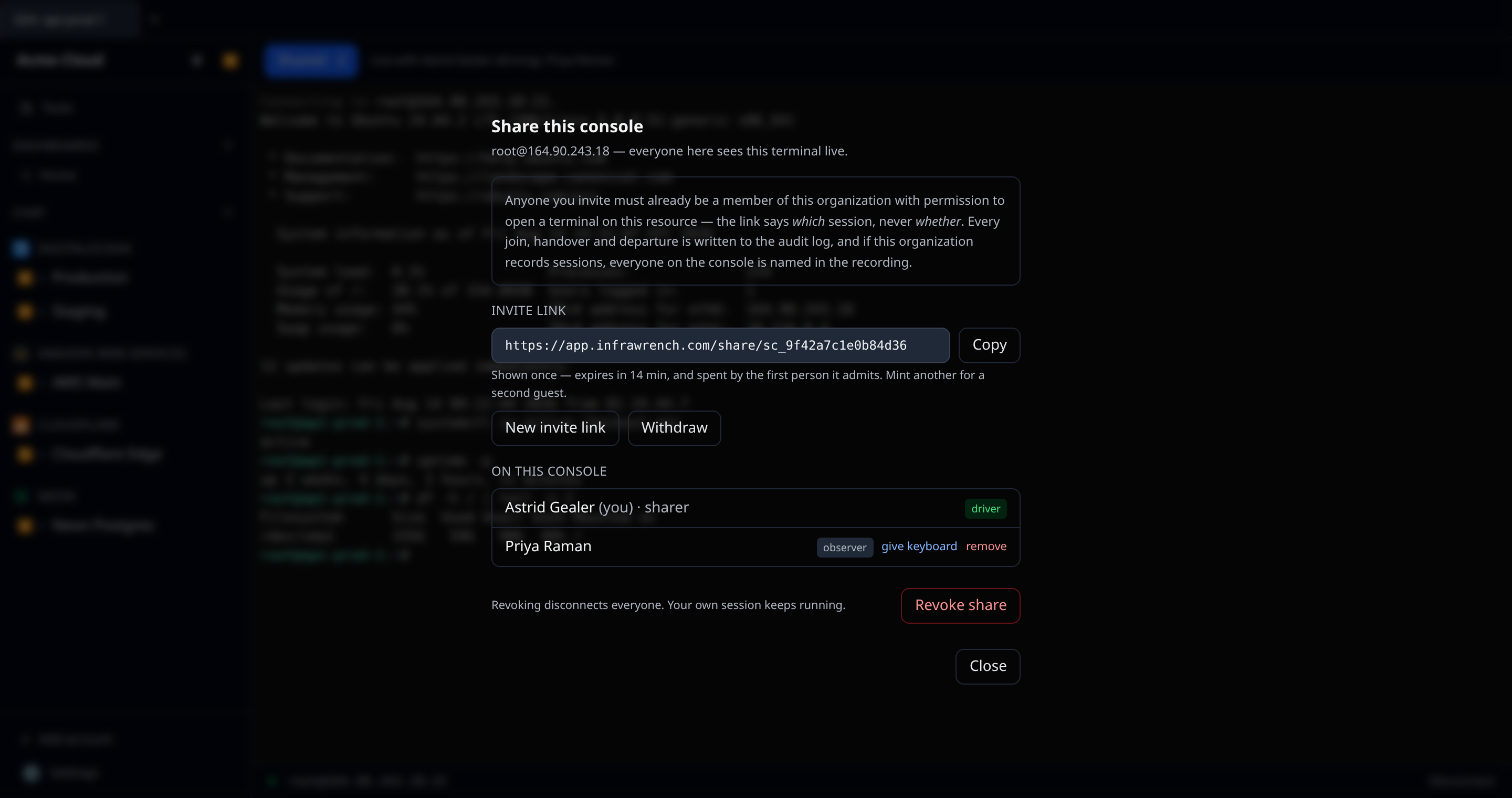
Sharing a session
Open an SSH terminal in the web app, wait for the shell, then click Share in the bar above it.
You choose one thing at that point, and it is the only setting that matters:
- Allow handing over the keyboard (the default) — you can pass control to a guest, and pass it back or take it back at any time.
- Leave it off — a strictly read-only share. Nobody but you will ever be able to type into this session, and that is enforced on the server, not by hiding a cursor.
You get an invite link. Send it however you would normally send a link to a colleague.
Joining
The link opens a join screen that names the host, the person sharing, and whether you would be able to type, before you commit to anything. You always join as an observer.
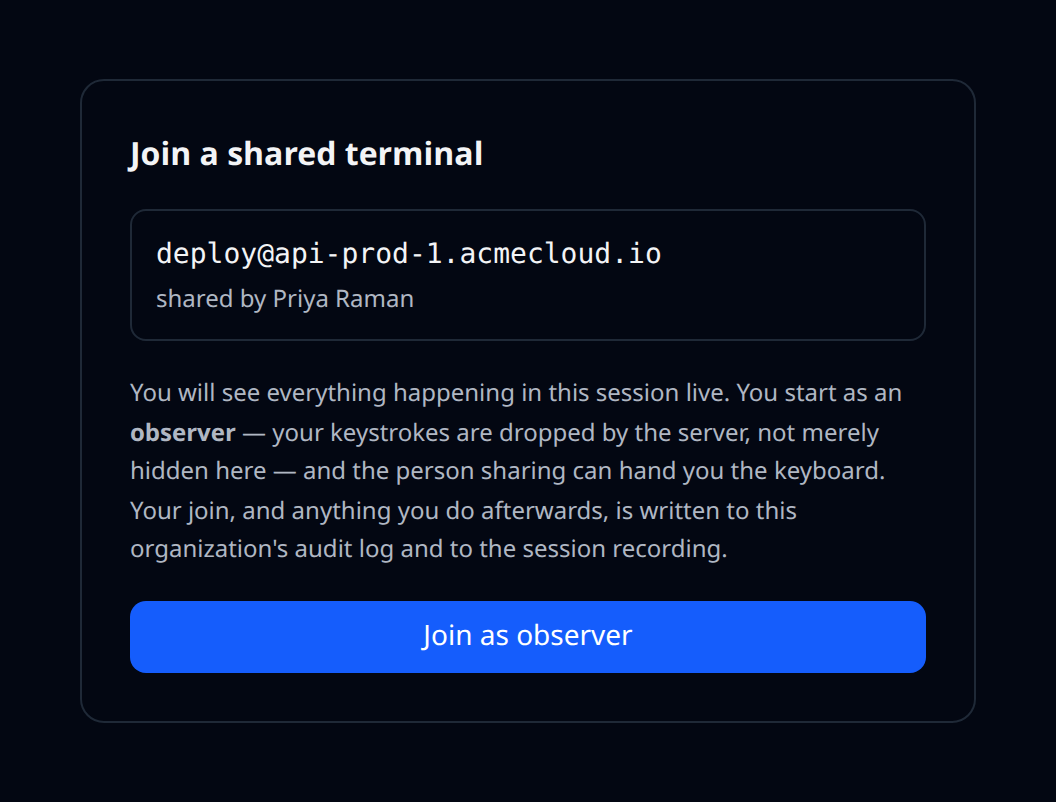
Once you are in you see the terminal live. If handover is enabled you can click Ask for keyboard; the driver and the sharer see the request and either can grant it. Nothing happens until one of them does — asking is not taking.
The trust model
This feature hands a person a shell on somebody else’s production box, so it is worth being precise about what does and does not protect you.
The invite link is not access. It tells the app which session you mean; it never says whether you may join it. Redeeming one still requires that you are signed in, are a member of that organization, and hold the same permission (resources:execute) that opening a terminal on that resource yourself would require. A link forwarded to somebody outside the organization, or to a member who cannot open terminals, does nothing at all. If you take resources:execute away from a role, you take away both the direct terminal and every shared console in one move.
Observers genuinely cannot type. An observer’s keystrokes are dropped by the server before they reach the host. This is not a disabled input box or a hidden cursor — a modified client, a browser console, or a hand-written WebSocket gets exactly the same answer.
Exactly one person drives. The keyboard belongs to one participant at a time, and the database enforces that with a uniqueness constraint rather than trusting the application to get it right. Two people accepting a handover at the same instant cannot both win; one of them is told the keyboard already moved.
Permission is re-checked while you are attached, not just when you joined. Every participant’s permissions are re-derived on a sweep during the session. If somebody’s role is narrowed, their break-glass elevation lapses, or they are removed from the organization while sitting on a shared shell, they are disconnected — within about thirty seconds, not at the end of the session.
Invites are short-lived and single-use. A link is good for fifteen minutes by default (up to two hours) and is spent by the first person it admits. Inviting a second guest means minting a second link. You can withdraw an outstanding invite at any time without disturbing anyone already on the console. Somebody already on the console can reload their page or reconnect without needing a new link — that is a session resuming, not a second admission.
Revoking, and removing one person, both cut the connection — not just the listing. Revoking the share disconnects every guest; removing a single participant disconnects that person and stops their terminal feed there and then. Your own session keeps running either way. In both cases it is immediate if you are working against the server holding the session and within about two seconds otherwise, because the server that holds it re-reads who should be on the console on that interval and hangs up on anyone who should not.
Revocation is not only yours. The person sharing can revoke, and so can anyone holding org:settings:write — a live session on a production box that only its author can stop is not a control a security team will accept.
Everything is logged. Every share, join, leave, handover, ejection and revocation is written to the audit log with the host, the resource, and both people involved.
API keys cannot share or join. Both are acts a person performs. A key may list which sessions are currently shared — that is the visibility half of the control — but it cannot redeem an invite, which would turn a link pasted into a chat channel into a durable, unattended foothold.
Recording
If your organization has SSH session recording turned on, a shared session records exactly as a solo one does — and the recording knows about everyone who was on it.
- The recording’s metadata names every participant and the highest role they held, snapshotted, so it still names people after they leave the organization.
- The
.castfile itself carries asciinema marker events on the timeline: when each person joined, when the keyboard moved and to whom, when somebody left, and when the share was revoked. Markers are part of the asciicast format, so the file still plays inasciinema playand any other viewer.
Once a session can be shared, “who opened this session” stops being the same question as “whose hands were on this box”. The recording answers the second one.
Terminal size
A pty has exactly one window size, and several people are looking at it. That size is the driver’s. Everyone else sees the driver’s grid scaled to fit their own window — letterboxed, with bars, never reflowed.
Reflowing would show observers a screen the driver is not looking at, which for a full-screen editor or top is not a cosmetic difference. Resizing the pty to suit the smallest window would let anybody watching shrink the terminal of the person actually fixing production. When the keyboard moves, the pty resizes to the new driver’s window.
Where this works
Shared consoles are cloud-only, and web-only for now.
Sharing works by fanning out a pty the server already holds. Cloud SSH is proxied server-side — the same fact that makes session recording possible without an agent on your host. A desktop SSH session against a local-only account dials the host directly from your machine and never passes through that proxy, so there is nothing to fan out; the desktop app’s cloud-mode terminals are a natural fit and are not wired up yet. The mobile app does not surface shared consoles at all — see the mobile app page for what it deliberately leaves out.
Limits worth knowing
- Sharing is available once the shell is open, not before. The Share button is disabled until the terminal connects.
- A share is bound to one live session. Closing the terminal ends the share; reopening the terminal means sharing again with a new link.
- A guest whose connection cannot keep up is dropped rather than being allowed to slow the session down. The person fixing production is never throttled by somebody watching on hotel wifi.
- If a guest sees “this session is being served by a server instance we could not reach”, ask the sharer to reopen the terminal and send a new link. The live session lives in one server process, and on rare occasions — during a deploy, for instance — a guest’s connection is routed elsewhere.
What this is not
Shared consoles do not inspect what the driver types and do not block anything based on it. There is no “are you sure you want to run that” gate. If you need one person’s actions checked by another, the controls that actually deliver that are the read-only share (nobody but the sharer can type at all) and break-glass access (a second person approves the elevation before the session exists). A best-effort text match on a terminal byte stream would be neither of those, and calling it a safety gate would be worse than not having one.