Bastion VMs
Route a cloud account's control-plane API calls through your own infrastructure instead of Infrawrench's.
A bastion is a small container you run on your own infrastructure. Bind a cloud account to a bastion, and that account’s control-plane API calls (listing EC2 instances, creating an RDS database, deleting a Lambda function, etc.) exit through the bastion’s IP instead of Infrawrench’s.
Use a bastion when:
- The cloud account has a source-IP allowlist on its API endpoints.
- You want cloud-provider audit logs to attribute API calls to a host you control.
- Your network policy requires egress through a specific NAT gateway.
The bastion only handles control-plane API traffic (AWS API, GCP API, DigitalOcean API, …). It does not route SSH terminal sessions or database connections — those keep using the existing SSH tunnel flow.
How it works
Infrawrench backend ← WSS multiplex ─ bastion agent ─ HTTPS → AWS / GCP / …
   (TLS client)                       (your infra)            (TLS server)
The agent dials outbound over WSS to the Infrawrench backend with a one-time enrollment token. It works behind NAT and doesn’t need any inbound firewall changes. End-to-end TLS terminates between Infrawrench’s backend (the TLS client) and the cloud provider’s API (the TLS server) — the agent only sees opaque encrypted bytes. It never holds or inspects your cloud credentials.
The backend tells the agent at connect time which destination hostnames it’s allowed to open TCP streams to (derived from the plugins of accounts bound to this bastion — e.g. *.amazonaws.com for AWS, *.googleapis.com for GCP). The agent rejects any other destination — so a bug or compromise on the backend can’t ask your bastion to fetch arbitrary URLs.
Register a bastion
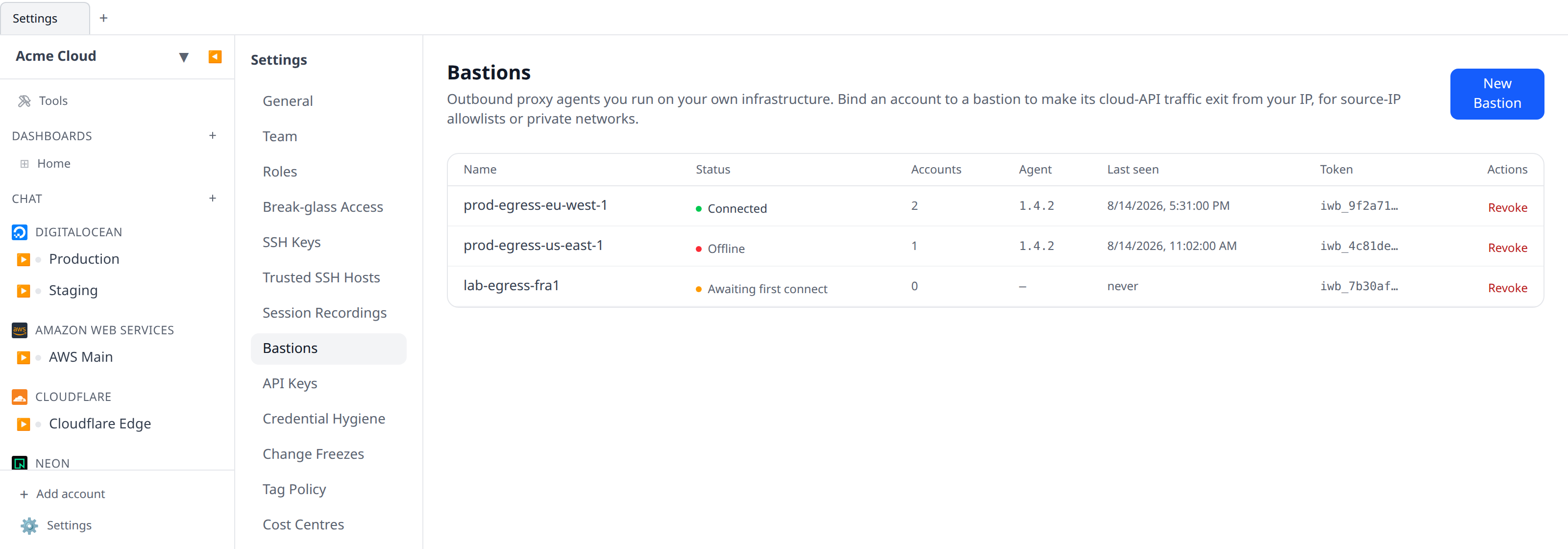
- Go to Settings → Bastions → New Bastion.
- Give it a name (e.g.
prod-egress-eu-west-1) and click Create bastion. - Copy the
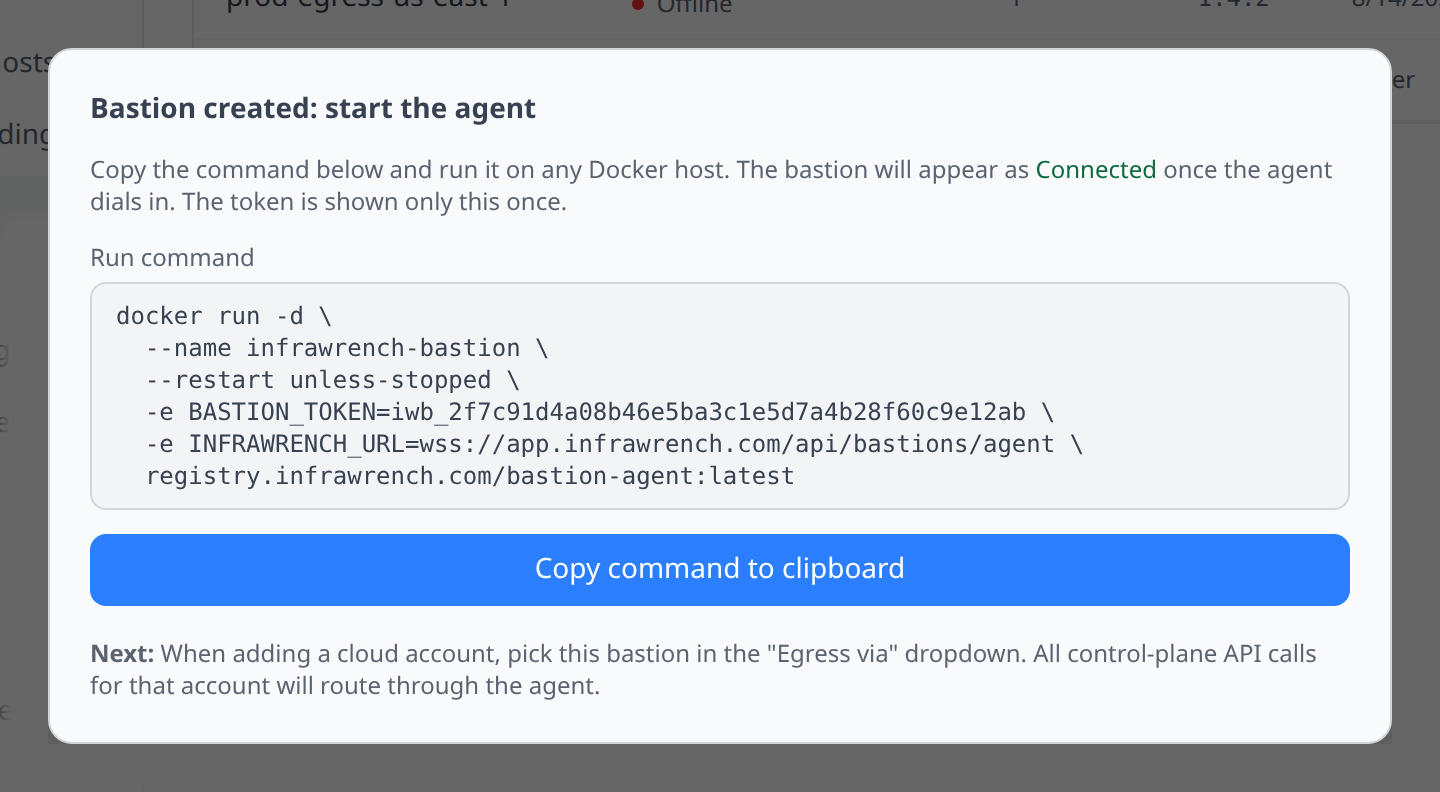
docker runcommand shown in the modal. It includes a one-time enrollment token — there’s no way to retrieve it later.
Start the agent
Run the copied command on any Docker host. Linux VM, your laptop for testing, a Fly Machine — anywhere with outbound HTTPS to Infrawrench will do.
docker run -d \
  --name infrawrench-bastion \
  --restart unless-stopped \
  -e BASTION_TOKEN=iwb_… \
  -e INFRAWRENCH_URL=wss://app.infrawrench.com/api/bastions/agent \
  registry.infrawrench.com/bastion-agent:latest
The agent’s status pill in Settings → Bastions flips to Connected within a few seconds.
Bind an account
When adding a new cloud account, pick the bastion in the new Egress via dropdown:
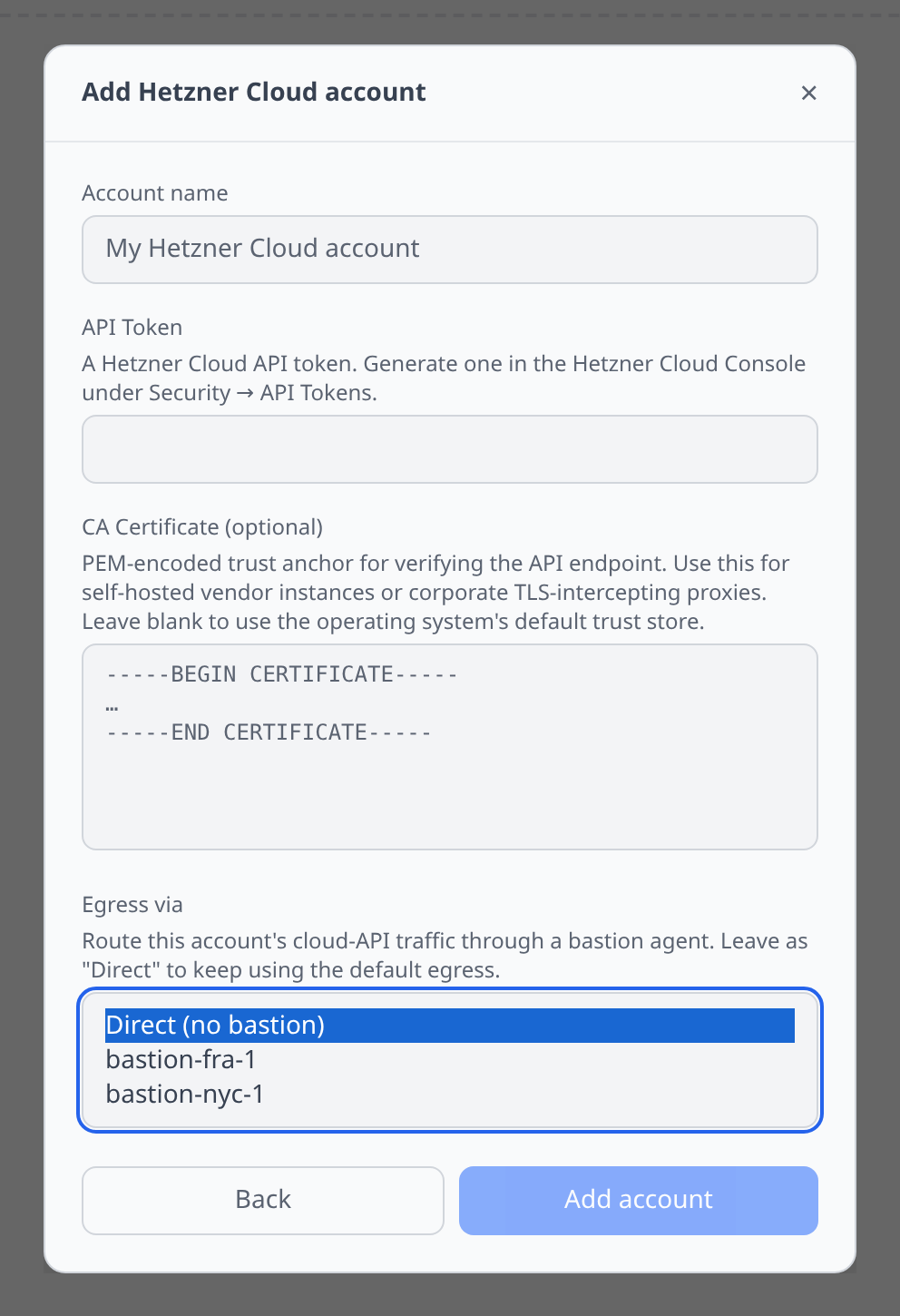
For existing accounts, use the same dropdown in the account edit flow. Changing the binding takes effect immediately for any subsequent API calls.
You can bind any number of accounts to the same bastion — the backend recomputes the destination allowlist and pushes it to the agent on every binding change.
Limitations in v1
- Background sync (the periodic resource refresh that runs in the poller process) doesn’t go through bastions yet — only on-demand actions taken in the web app do. If your cloud account is behind a strict source-IP allowlist, background sync will fail; trigger a manual refresh from the account detail page to get fresh data.
- A handful of plugins (GCP, Azure, MongoDB, plain SQL/Redis) still use raw
fetchfor their API calls and ignore the bastion. They keep working over direct egress. Migration to the bastion-aware path is in flight. - One bastion connection per backend instance — for multi-region deployments, run one bastion per region you operate in.
- Streaming responses (huge CloudWatch log queries, etc.) aren’t supported via the bastion in v1.
- To rotate a token: revoke the bastion and create a new one. The agent reconnects on its own after you redeploy with the new
BASTION_TOKEN.
Troubleshooting
Status stuck on “Offline” / “Awaiting first connect”
Check the agent container logs (docker logs infrawrench-bastion). The most common causes:
- Wrong
INFRAWRENCH_URL— must bewss://(nothttps://) and point at/api/bastions/agent. - Outbound HTTPS blocked from the agent host.
- Token typo — copy from the modal again. Tokens are one-time; if you closed the modal without copying, revoke and recreate.
API calls failing with BastionDisconnectedError
The account is bound to a bastion whose agent isn’t currently connected. Either bring the agent back up or change the account’s egress binding to Direct in the account edit flow.