Send test messages
Publish a one-off message into a queue, topic, stream, or event bus straight from the resource detail page.
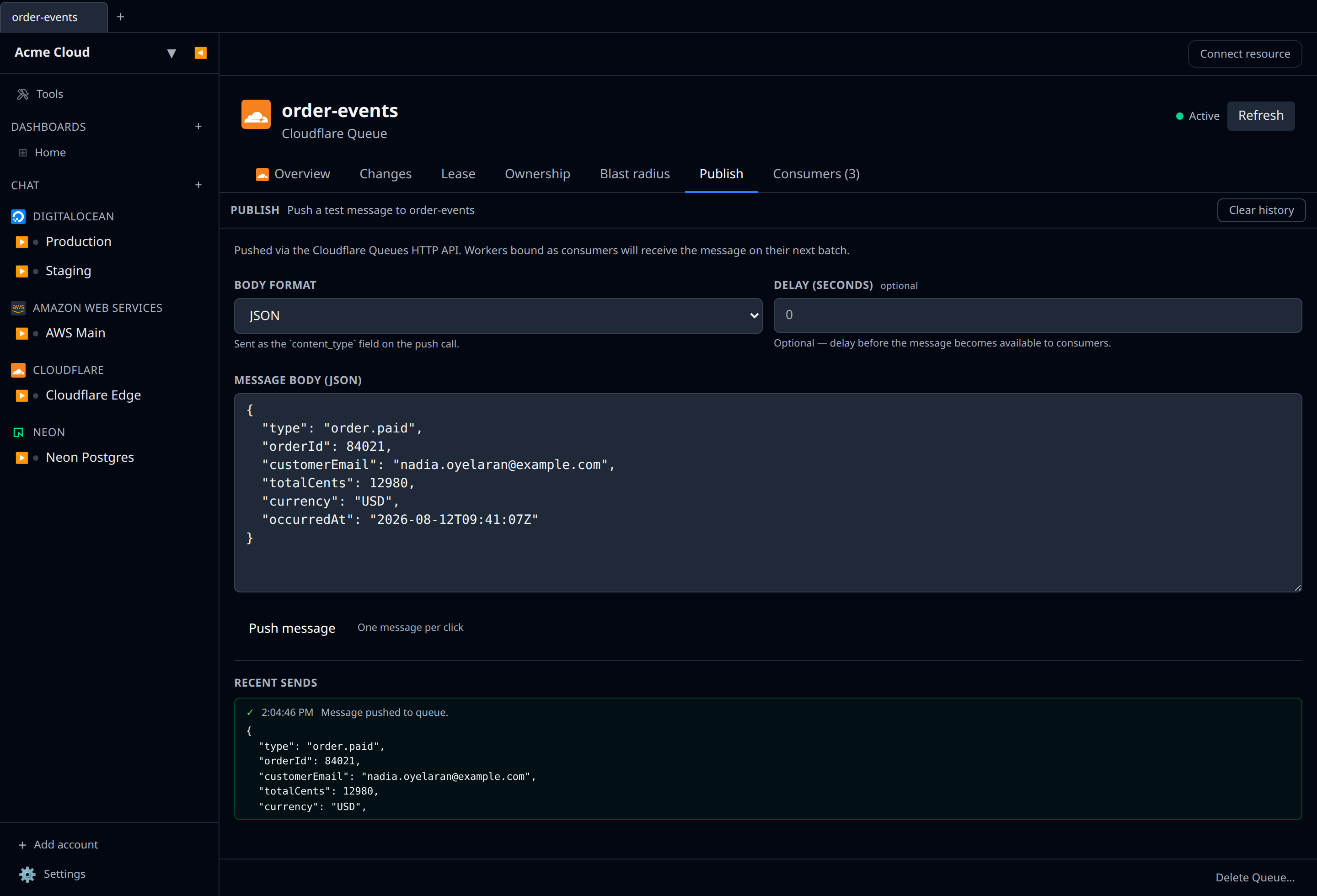
Pub/sub resources (Cloudflare Queues, AWS SQS/SNS/Kinesis/EventBridge, GCP Pub/Sub & Cloud Tasks, Azure Service Bus & Event Hub, Kafka topics) expose a Publish tab on their detail page. The tab opens a small editor where you compose one message — body plus a few provider-specific fields — and click Send.
This is the same wire call your producers make, so it’s useful for:
- Smoke-testing a brand-new consumer without wiring up a producer first.
- Reproducing a bug by replaying a known-bad payload.
- Verifying that IAM/RBAC actually permits publishing from the account you’re using.
What you get per provider
| Provider | Tab label | Inputs beyond the body |
|---|---|---|
| Cloudflare Queue | Publish | Body format (JSON / text), delay seconds |
| AWS SQS | Send | Delay seconds, Message Group Id (FIFO), message attributes |
| AWS SNS | Publish | Subject, message attributes |
| AWS Kinesis | Put record | Partition key |
| AWS EventBridge | Put event | Source, detail-type, event bus name |
| GCP Pub/Sub topic | Publish | Ordering key, attributes |
| GCP Cloud Tasks queue | Create task | Target URL, HTTP method, headers |
| Azure Service Bus namespace | Send | Queue or topic name, BrokerProperties |
| Azure Event Hub namespace | Send | Hub name, partition key |
| Kafka topic | Produce | Key, headers |
The body editor validates as JSON when the panel declares bodyFormat: "json" and as plain text otherwise. Errors from the provider (auth, throttling, malformed payload) surface inline under the form — they’re not silently swallowed.
Recent sends panel
Every successful or failed publish lands in a “Recent sends” list under the form. Each entry shows the body, the timestamp, and the success/error summary returned by the provider (message id, sequence number, or error message). The history is per-session — it clears when you close the tab.
Limits
- One message per click. There’s no batch or load-test mode here; this is a console, not a load generator.
- Desktop app + cloud-synced accounts. The publish IPC isn’t bridged through the desktop → cloud route yet, so you’ll see a clear “not supported yet” message when you try to publish from a cloud-synced account on the desktop. Locally-added accounts on desktop work as expected.
- EventBridge sends events to the rule’s bus. The rule itself doesn’t publish — it routes — so the panel sends the event onto the bus that the rule lives on (defaulting to
default). The rule’s filter then decides whether it matches. - Azure namespaces require a queue/topic/hub name. Service Bus and Event Hub are namespace-level resources, so you have to type in the target queue/topic/hub inside that namespace.