Change freezes
Declare org-wide freeze windows that block destructive actions, with audited admin overrides.
A change freeze is an org-wide window during which destructive actions are blocked — before a holiday weekend, during a launch, or while an incident is being reviewed. Freezes are enforced server-side, so they apply to every surface: the web app, API keys, the SDKs, and MCP/AI-chat tools.
What a freeze blocks
While a freeze is in effect, these return 423 Locked instead of running:
- Resource deletion — any delete dispatched to a provider plugin.
- Destructive plugin actions — actions a plugin marks as destructive in its detail schema (delete an index, purge a cache, delete a fine-tuned model, …). Non-destructive actions like restart or snapshot keep working.
- Secret-version destroys — the irreversible
destroyoperation on secret versions. Enable/disable stay allowed. - Deployment rollbacks — including rollbacks requested through the AI assistant.
Reads, resource creation, and routine operations are unaffected; a freeze stops you from breaking things, not from working.
Each blocked attempt is recorded in the audit log as change_freeze.block, with the freeze and the attempted action in the metadata.
Declaring a freeze
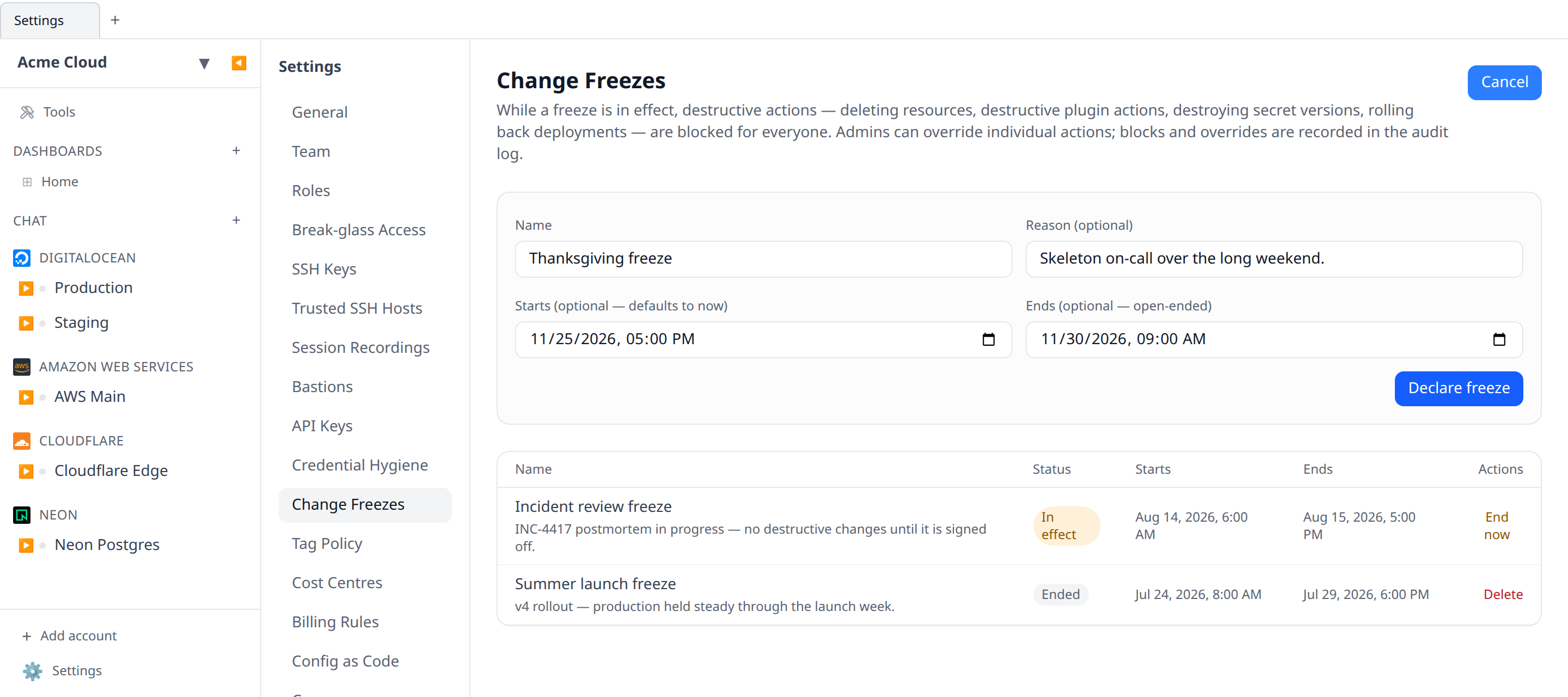
Freeze windows live in Settings → Change Freezes. Anyone with freezes:write (Admin and Owner by default) can declare one:
- Name and an optional reason, shown to everyone who gets blocked.
- Starts — defaults to now; set a future time to schedule the freeze.
- Ends — optional. Leave it empty for an open-ended freeze that holds until someone ends it.
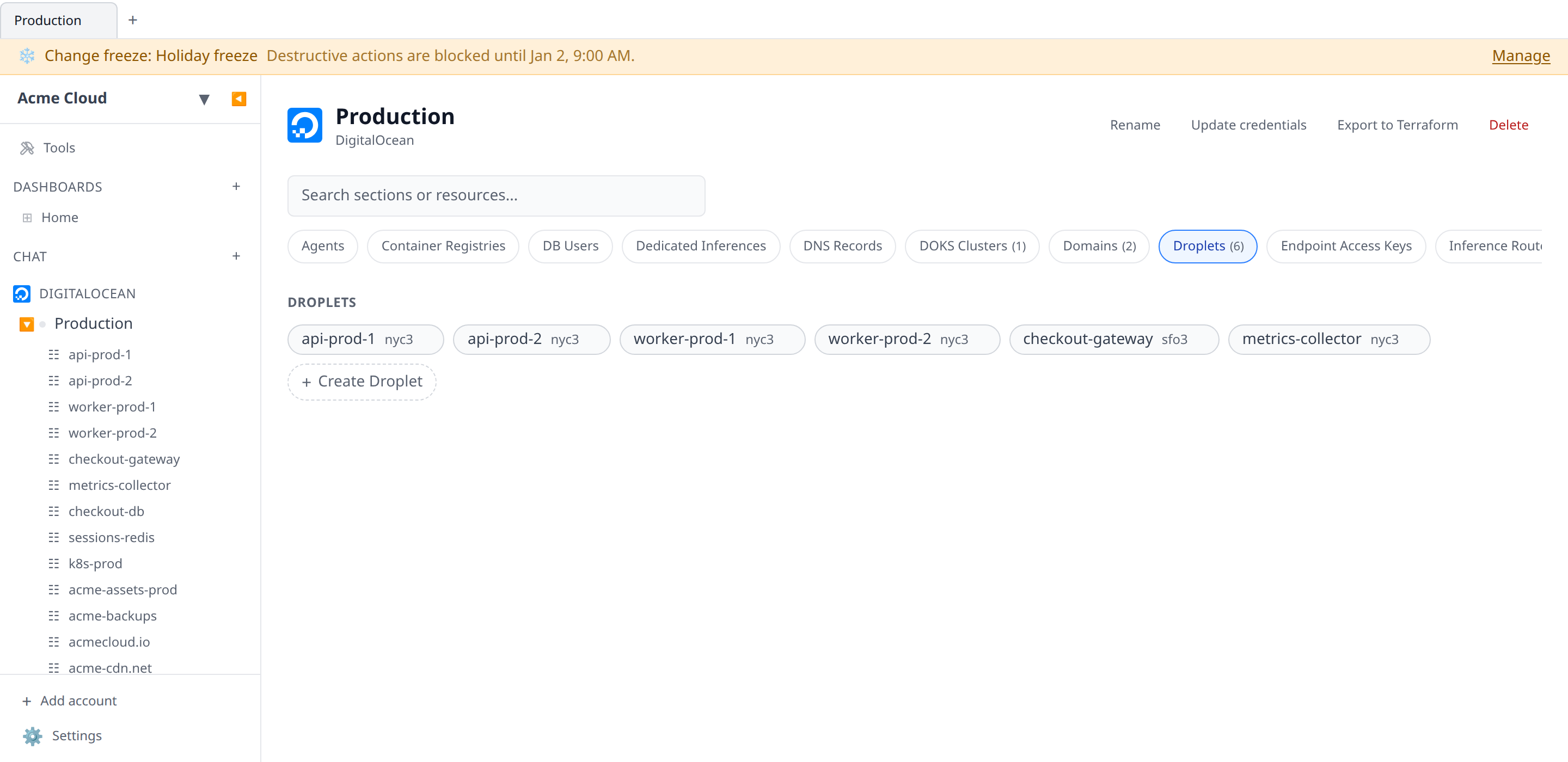
While a freeze is in effect, a banner appears across the top of the app for every member, with the freeze name, its end time, and a link to the management page.
A freeze can be ended early from the same page (End now), which deactivates it immediately and records change_freeze.end in the audit log.
Overriding a freeze
Sometimes the destructive action is the fix. Callers holding freezes:override (Admin and Owner by default) can bypass a freeze for a single request by sending the header:
x-change-freeze-override: trueon the blocked call. The override succeeds only for principals with the permission — for everyone else the request stays blocked — and every successful override is written to the audit log as change_freeze.override, naming the freeze and the action taken.
MCP/AI-chat tools have no override affordance by design: an agent that hits a freeze is told to ask a human, who can end the freeze or perform the action deliberately.
When you get blocked
A blocked call returns 423 with a structured body:
{
  "error": "Change freeze \"Holiday freeze\" is in effect until 2026-01-02T09:00:00.000Z. Destructive actions are blocked. ...",
  "code": "change_freeze_active",
  "freeze": {
    "id": "…",
    "name": "Holiday freeze",
    "reason": "No production changes over the holidays.",
    "startsAt": "2025-12-24T00:00:00.000Z",
    "endsAt": "2026-01-02T09:00:00.000Z"
  }
}
The web app surfaces this as a friendly message naming the freeze and its end time.
Permissions
| Permission | Grants | Held by default |
|---|---|---|
freezes:read | See freeze windows and the current status | All system roles |
freezes:write | Declare, edit, end, and delete freeze windows | Admin, Owner |
freezes:override | Bypass an active freeze per-request | Admin, Owner |
Like every permission, these can be granted to custom roles and used as API key scopes.
Incident mode can open a freeze for you when an incident is declared, and lifts that same freeze — the one it opened, not whichever freeze happens to be in effect — when the incident resolves. It still needs freezes:write: a declaration by someone without it records the freeze as a failed artefact naming the permission rather than escalating, and the incident stands either way.
API
Freeze windows are managed at /api/org/{orgId}/change-freezes (list, create, update, end, delete), and GET /api/org/{orgId}/change-freezes/status returns the freeze currently in effect — that’s the endpoint the app banner polls. See the API reference for schemas.