Cartesia
Browse Cartesia voices and pronunciation dictionaries, list API keys and track estimated credit spend with an admin key, and run Sonic synthesis and Ink Whisper transcription from the Speech tab.
What you can manage
- Voices — voices your organization owns and voices from the shared library, with language, locales, gender, country, access type and whether it is a Pro clone. Delete the ones you own.
- Pronunciation dictionaries — named sets of text-to-pronunciation overrides applied at synthesis time, with their entries listed inline (delete).
- API keys — the keys issued for this organization, with who created them and whether that person is still in the org. Read-only, and admin-key only.
Credentials
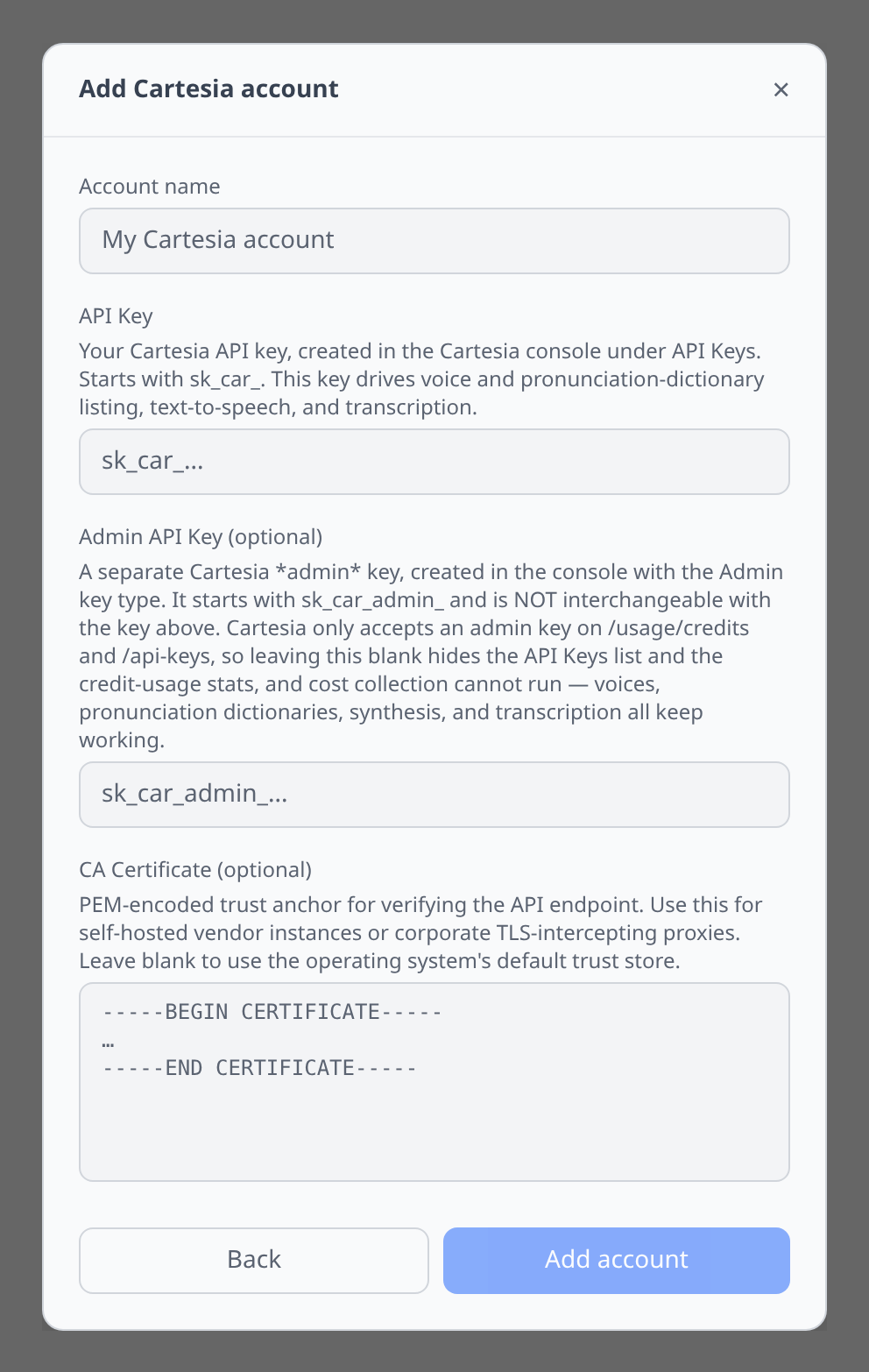
Cartesia gates two endpoints behind a separate admin key, so this plugin asks for both.
API Key (required) — Cartesia console → API Keys. Starts sk_car_. This drives voice and pronunciation-dictionary listing, text-to-speech and transcription.
Admin API Key (optional) — created in the same console with the Admin key type. Starts sk_car_admin_ and is not interchangeable with the key above. Cartesia only accepts an admin key on /usage/credits and /api-keys, so leaving it blank hides the API Keys list and the credit-usage figure, and cost collection cannot run (see Cost). Voices, dictionaries, synthesis and transcription all keep working. Admin keys are created at play.cartesia.ai/keys/admin, and only by an organization admin.
Cost
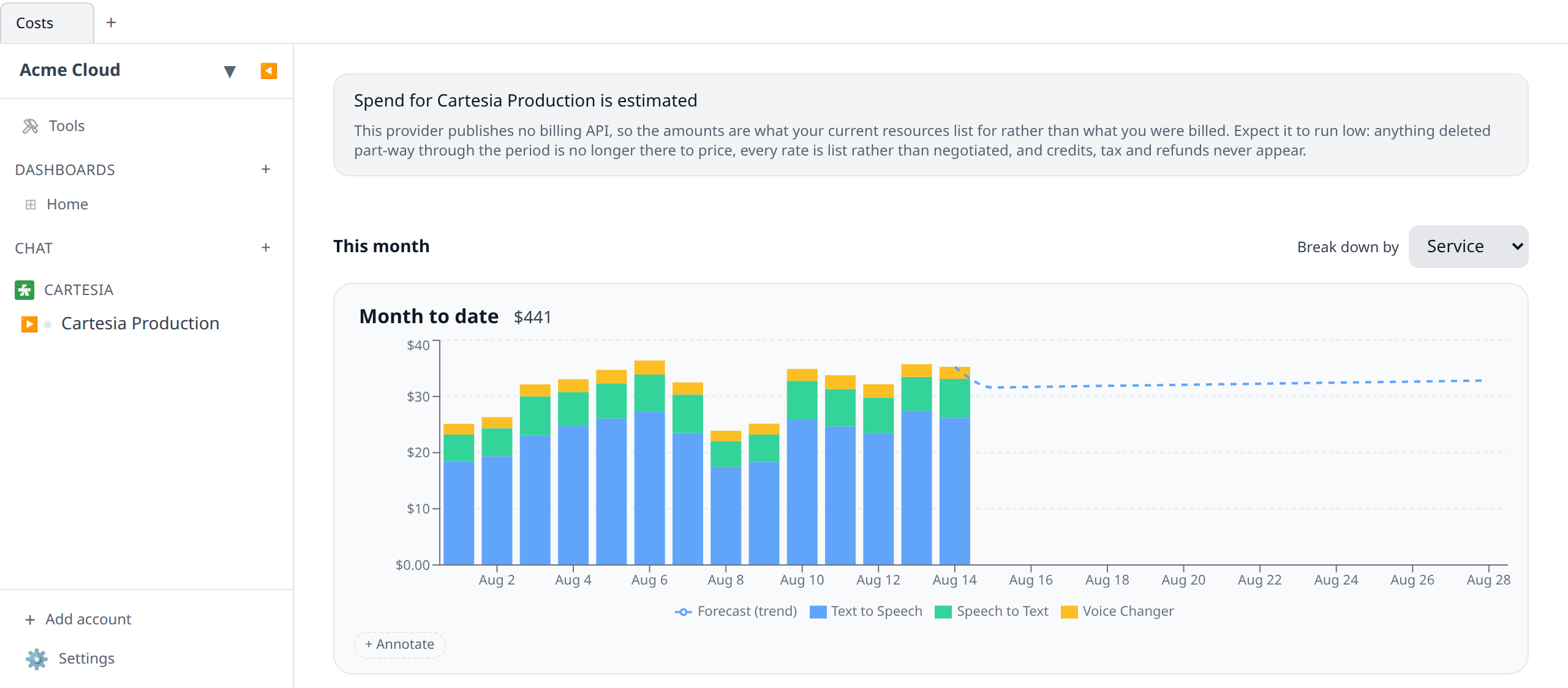
Cartesia spend appears on the Costs page, broken down by capability — text to speech, speech to text, voice changer and so on — one row per day. It comes from GET /usage/credits with daily buckets, and up to a year of history is collected (longer backfills are split into year-long calls, because that is the most Cartesia will answer at once).
Two things to know before you read the numbers.
It needs the admin key. Credit usage is one of the routes Cartesia refuses a standard sk_car_ key on. With the Admin API Key field blank there is nothing to collect, so the account shows a setup notice with a link to the console page that creates one — not a silent zero. Only organization admins can create admin keys.
The amounts are converted from credits, so they are an estimate, not an invoice figure. Cartesia meters in credits (roughly one credit per character of speech, more per second of audio) and publishes no price per credit and no overage rate — the only public prices are the plan bundles. Infrawrench converts at the cheapest published bundle rate, the Scale plan’s $299 per 8 M credits, which is the same rate for every account. If you are on a smaller plan your real cost per credit is higher and the figure here reads low; if you are on a negotiated Enterprise contract it is not modelled at all. Plan-included credits are not subtracted either, so usage inside your monthly allowance still shows as spend. Treat it as the value of what you consumed, and reconcile against Cartesia’s own billing before you invoice anyone for it. Budgets and anomaly alerts work off it all the same — it is a faithful picture of consumption trends, just not of your bill.
The Speech tab
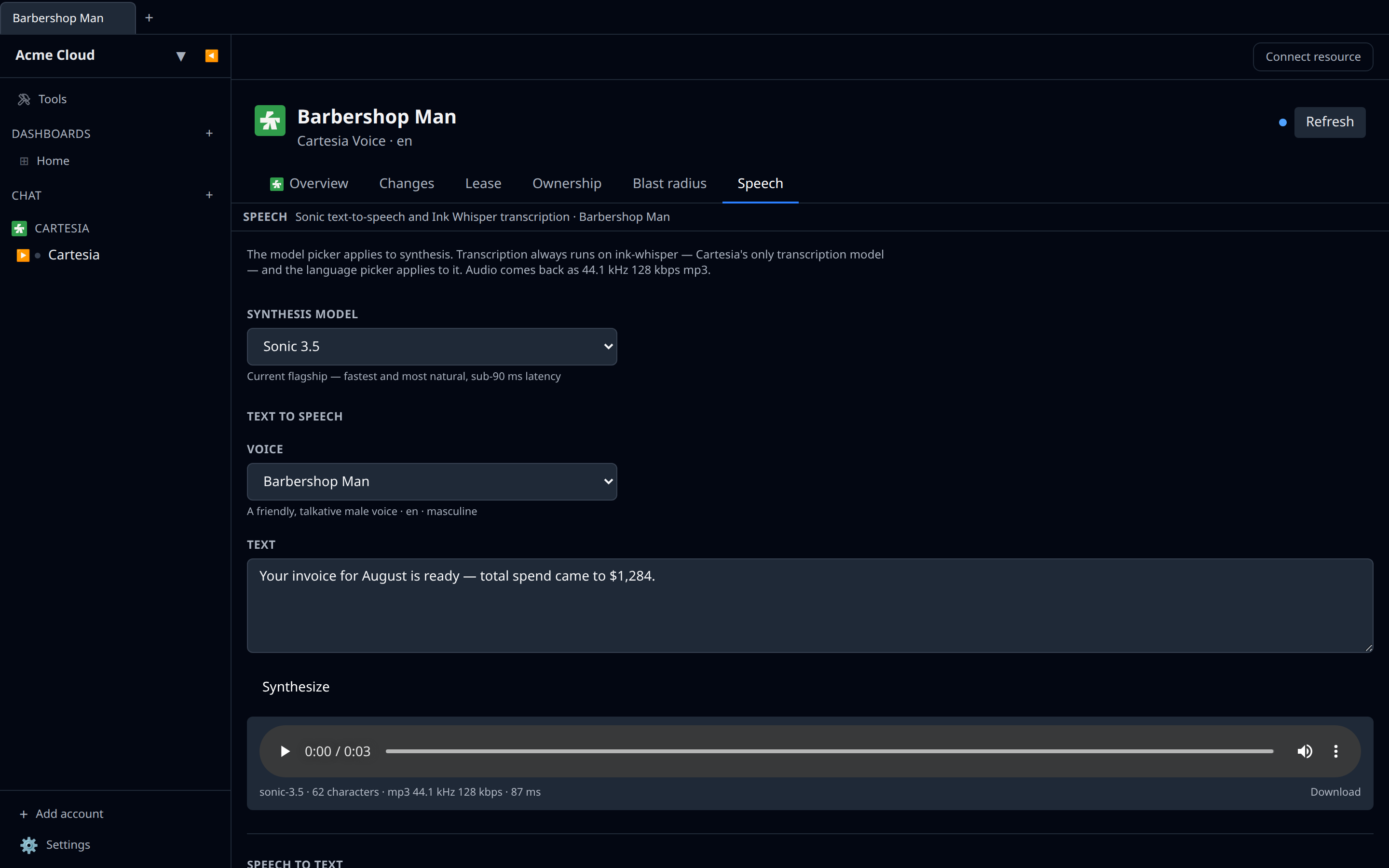
Open a voice for a Speech tab with both halves. See Speech testing for the panel in general.
- Synthesize runs Sonic —
sonic-3.5(current flagship, sub-90 ms latency),sonic-3(previous generation, pinned) orsonic-latest(a rolling beta that can change without notice, so not for production). Opening a voice preselects it. Audio comes back as 44.1 kHz 128 kbps mp3. - Transcribe always runs
ink-whisper— Cartesia’s only transcription model — so the model picker applies to synthesis only, and the language picker applies to transcription.
Tips & limits
- The Speech tab sets no character cap. Cartesia documents no per-request transcript limit, so rather than inventing one the plugin lets the provider’s own error surface if you go too long.
- Credit usage is consumption-only.
GET /usage/creditsreturns what you have spent over the last 30 days with no plan limit in the response, so it is never drawn as a used-versus-limit gauge — there is nothing honest to draw it against. - Preview audio is usually absent. Cartesia only returns a voice’s
preview_file_urlwhen the request asks for it withexpand[]=preview_file_url, and the voice detail page says so where the field would be. - There is no
GET /modelsendpoint. The Sonic list is a fixed enum in the plugin rather than a live catalogue, because Cartesia does not publish one. - Every request carries a pinned API date. Cartesia rejects any call without the
Cartesia-Versionheader, GETs included. The plugin sends it; you never see it. - Shared-library voices belong to Cartesia. They can be used but not deleted — only voices your organization owns are removable.