Terraform export
Eject a resource or a whole account's inventory as ready-to-import Terraform HCL.
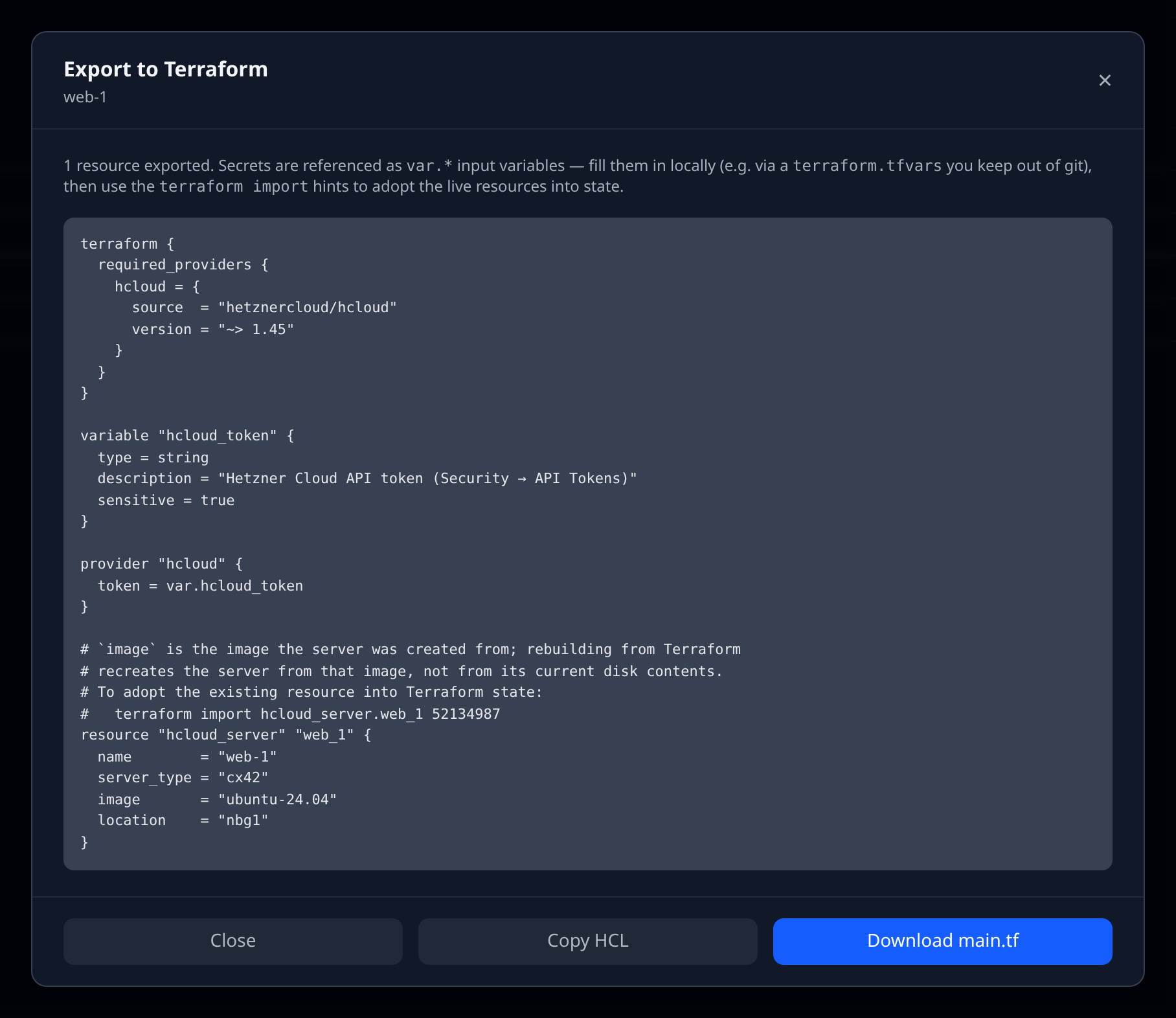
Terraform export turns the resources Infrawrench already knows about into a Terraform configuration you can adopt with terraform import. It works entirely from stored state — no extra provider API calls, no credentials involved — and it never inlines a secret: API tokens and account IDs are emitted as var.* input variables that you fill in locally.
Where to find it
- A single resource — open the resource’s detail page and click Export to Terraform… in the bottom action row. The export includes the resource and its direct children (a Cloudflare zone brings its DNS records along, for example).
- A whole account — open the account page and click Export to Terraform in the header. Every stored resource in the account is considered.
- The CLI —
infrawrench export --account <id|name> --format terraformprints the same HCL to stdout (redirect it:infrawrench export -a my-account > main.tf).--jsonreturns the structured result — HCL plus the exported/unsupported resource lists. Warnings go to stderr so redirected output stays clean.
What you get
One HCL document containing:
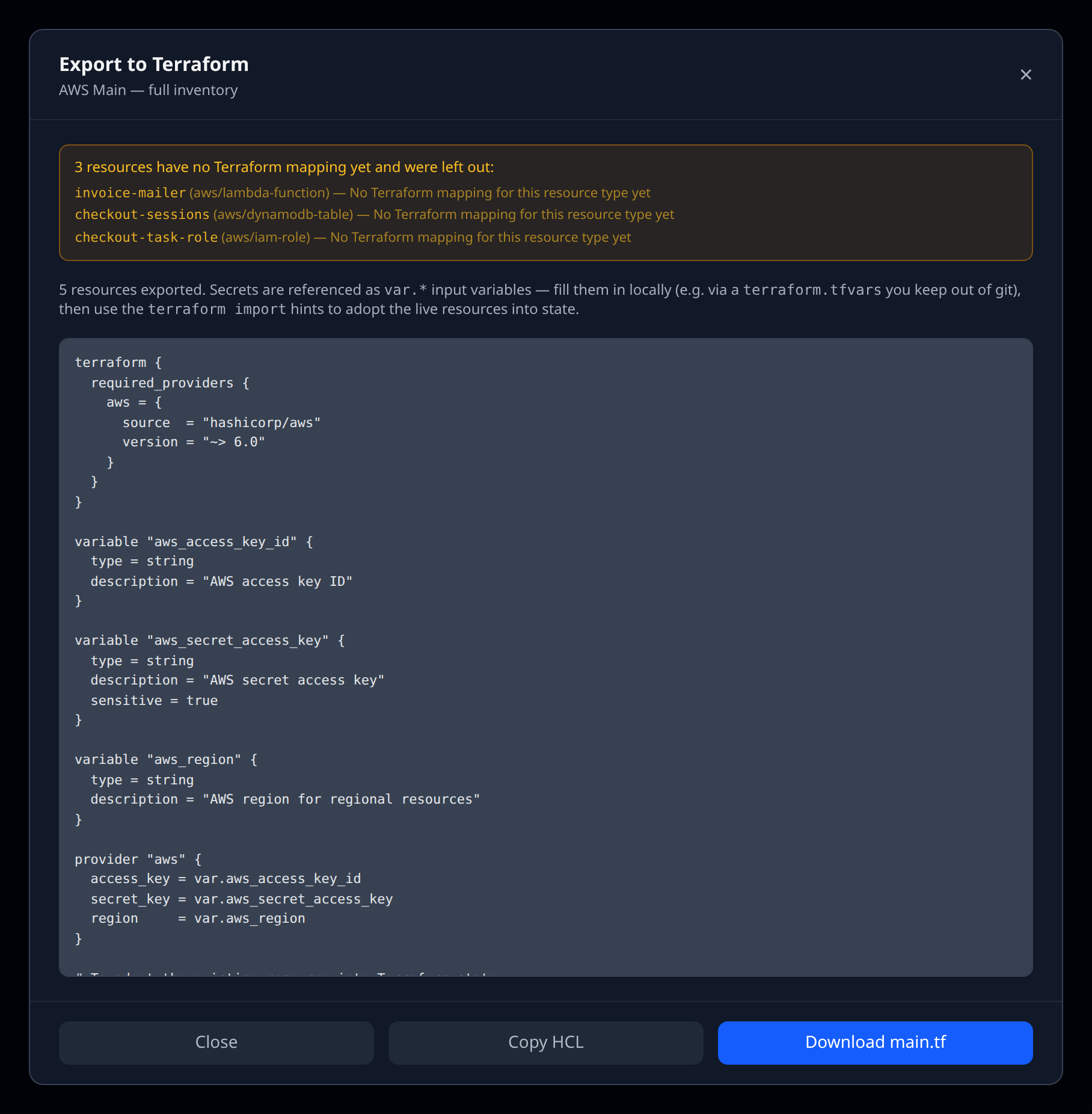
- a
terraform { required_providers { … } }block pinned to the provider’s current major version, variableblocks for credentials (markedsensitive) and provider-level IDs,- a
providerblock wired to those variables, - one
resourceblock per exported resource, each preceded by a comment with the exactterraform importcommand to adopt the live resource into state.
Resources that have no mapping yet are listed clearly — in the modal’s amber panel, on stderr in the CLI, and in the unsupported array of the API response — with the reason, so nothing is dropped silently.
Supported providers
| Plugin | Terraform provider | Exported resource types |
|---|---|---|
| AWS | hashicorp/aws | EC2, S3, VPC, subnet, security group, EBS, RDS, SQS, SNS, Route 53 zones, EFS |
| GCP | hashicorp/google | GCS, VPC, subnet, GKE, Pub/Sub, Cloud DNS zones, BigQuery datasets, Artifact Registry, service accounts |
| Azure | hashicorp/azurerm | Resource groups, VNets, subnets, NSGs, storage accounts, DNS zones, Key Vault, Redis |
| Hetzner | hetznercloud/hcloud | Servers (hcloud_server), Volumes (hcloud_volume) |
| DigitalOcean | digitalocean/digitalocean | Droplets, Volumes, Domains, DNS records |
| Cloudflare | cloudflare/cloudflare v5 | Zones (cloudflare_zone), DNS records (cloudflare_dns_record) |
| Vercel | vercel/vercel | Projects, project domains, environment variables |
| Neon | kislerdm/neon | Projects, branches, endpoints, databases, roles |
| Fly.io | stategraph/fly | Apps, machines, volumes, certificates |
| Scaleway | scaleway/scaleway | Instances, block volumes, Object Storage buckets, RDB, Kapsule clusters |
| OVHcloud | ovh/ovh | Instances, volumes, private networks, managed DBs, Object Storage buckets |
| PlanetScale | planetscale/planetscale | Vitess branches and branch passwords |
| ClickHouse | ClickHouse/clickhouse | Cloud services (clickhouse_service) |
| Databricks | databricks/databricks | Clusters, SQL warehouses, catalogs, schemas |
| Netlify | netlify/netlify | DNS zones, DNS records, environment variables |
Coverage is per resource type: types that need nested blocks or credentials Infrawrench doesn’t store (for example Azure VMs, AWS Lambda packages, Netlify sites) stay in the unsupported list with a reason. A plugin declares its own mapping, so coverage grows type by type.
Adopting the resources
- Save the export as
main.tfin an empty directory. - Create a
terraform.tfvars(keep it out of git) with the variables the file declares, e.g.hcloud_token,cloudflare_api_token,cloudflare_account_id. - Run
terraform init, then run theterraform importcommands from the comments above each resource block. - Run
terraform planand reconcile any drift — attributes Infrawrench doesn’t store (labels, backup windows, attachments) may need to be filled in by hand before the plan is clean.
Things to watch
- The export reflects Infrawrench’s stored state. Sync the account first if you’ve changed things on the provider side recently.
- Volume attachments are noted as comments rather than emitted as attachment resources — model them explicitly (
hcloud_volume_attachment,digitalocean_volume_attachment) before applying. - Server
imageattributes describe what the machine was created from; changing them in Terraform forces a rebuild/replacement, not an in-place change.
The other direction
Exporting is one-way: inventory out as HCL. To go the other way — upload the Terraform state you already have and find out which resources it doesn’t cover — see IaC reconciliation. It reuses the same mappers as this page, so it generates import blocks for unmanaged resources instead of leaving you to run terraform import by hand.