Databricks
Manage Databricks compute, workflows, SQL, AI/BI, apps, model serving, vector search, and Unity Catalog.
What you can manage
- Compute: clusters, node types, and cluster policies
- SQL warehouses (with in-app SQL editor), saved SQL queries, and AI/BI dashboards
- Workspace assets: notebooks, files, directories, dashboards, and Git folders
- Model Serving endpoints (with a streaming chat Playground)
- Workflows: jobs and Delta Live Tables pipelines
- Unity Catalog: catalogs, schemas, tables, volumes, functions, and registered models
- Vector Search endpoints and indexes
- Databricks Apps
- Secret scopes (metadata only; secret values are never exposed by the API)
Credentials
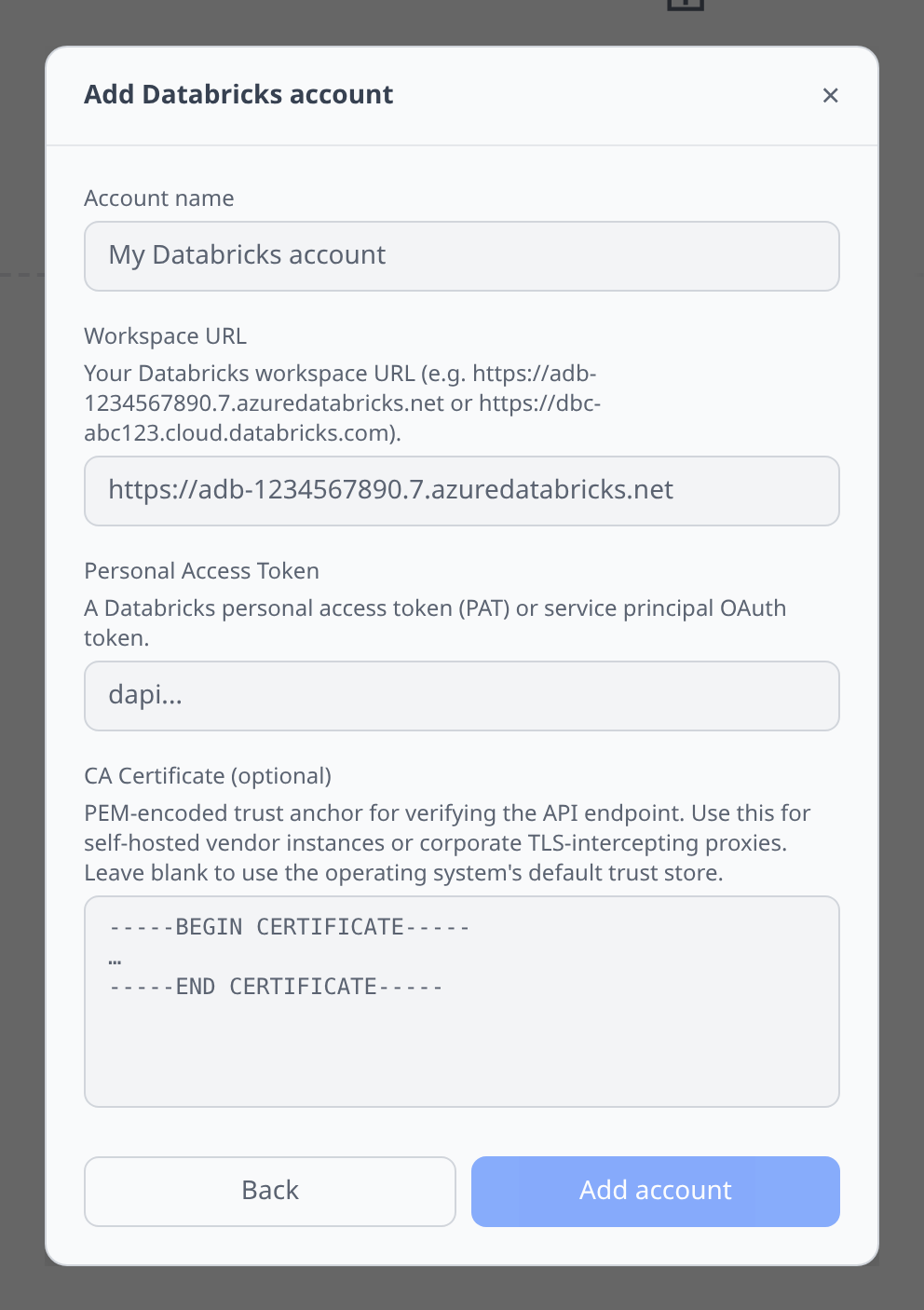
Databricks workspace → User Settings → Developer → Access tokens → Generate new token. You will need the workspace URL too.
Notable flows
- SQL editor against a running SQL warehouse — results fetched via REST, not a persistent connection.
- Cluster inventory uses the current Clusters API, including paginated cluster listings, node types, and Spark-version-backed create pickers where the workspace grants access.
- Job runs list with status and links out to the Databricks UI for detailed logs.
- Catalog Explorer coverage includes the Unity Catalog three-level namespace plus volumes, functions, and MLflow registered models.
- AI/BI dashboards use the current Lakeview dashboard API. Legacy SQL dashboards are deprecated by Databricks and are not treated as the primary dashboard surface.
- Secret scopes list scope names and backends, including Azure Key Vault metadata when Databricks returns it. Secret keys and values are not displayed.
Model Serving
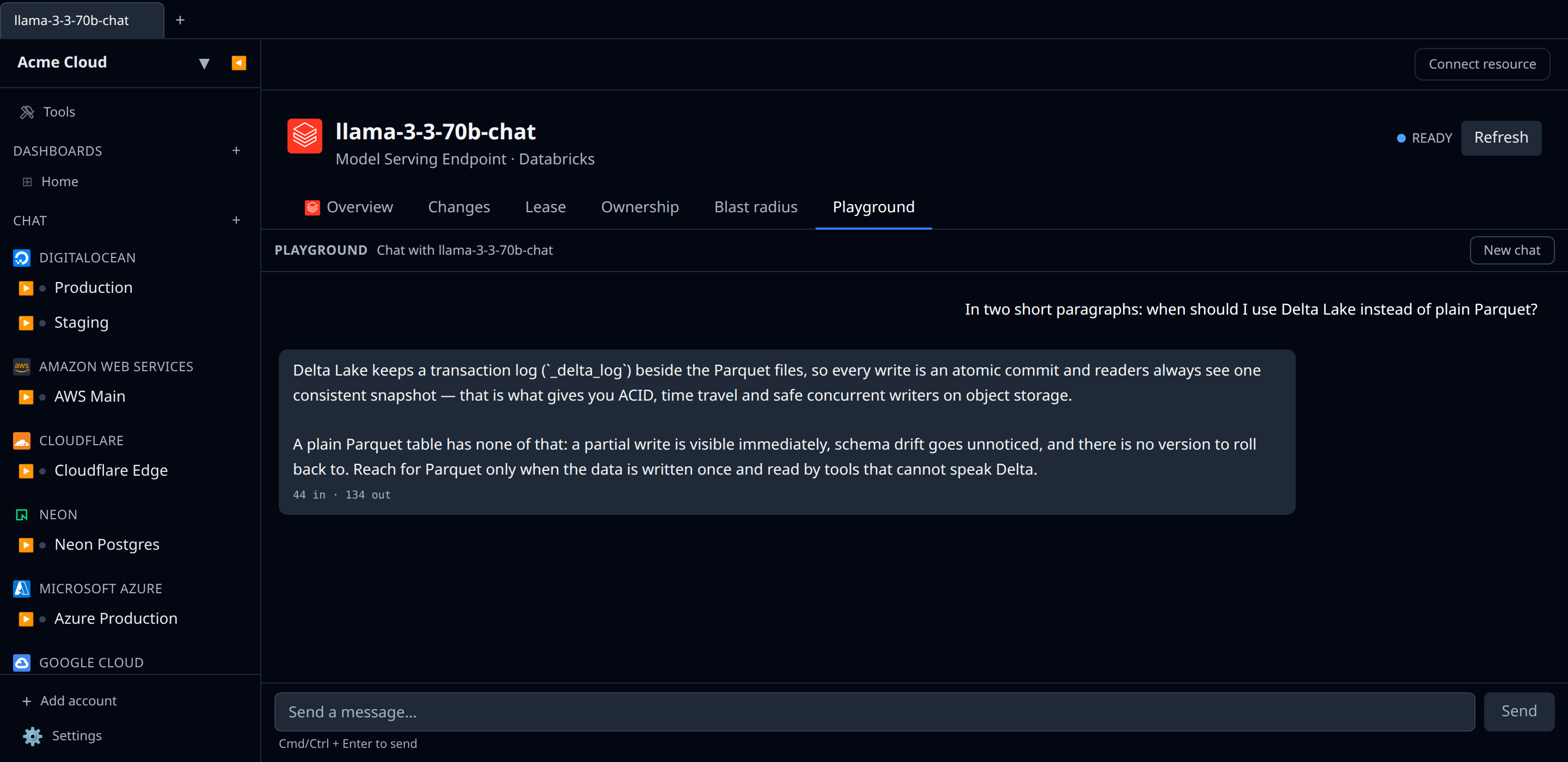
Model Serving endpoints show up as their own resource type. Each card lists the endpoint name, readiness state, task, and creator. The state reflects the endpoint’s ready flag — READY means it can serve traffic.
Playground
Open a Model Serving endpoint and switch to the Playground tab to chat with it directly. The endpoint must be OpenAI-compatible (chat completions). Each turn sends the full conversation to serving-endpoints/{name}/invocations with stream: true, and replies stream back token-by-token. Token usage is shown under the input when the endpoint reports it.
The Playground is disabled until the endpoint is READY — wait for it to come online and reload the tab.
Tips & limits
- SQL warehouse must be running before queries work; starting one can take a minute.
- Catalog, volume, function, and registered-model browsing requires Unity Catalog permissions. The plugin skips catalogs or schemas the token cannot browse.
- The Playground only works with chat-completion-style serving endpoints; classic ML model endpoints that expect a different request shape won’t respond.
- Workspace object inventory is intentionally shallow across the main workspace roots so large workspaces do not trigger a full recursive crawl.
Cost graphs
Databricks workspaces feed cost graphs & budgets from the system.billing.usage and system.billing.list_prices system tables, queried through a SQL warehouse — daily costs by product with per-cluster/warehouse attribution.
- The workspace must be Unity Catalog-enabled and the token’s principal needs
USE CATALOG systemplusSELECTon thesystem.billingtables, and access to at least one SQL warehouse (a stopped warehouse will auto-start; queries are tiny). - Dollars are DBUs × list price — contract discounts are not reflected. Underlying cloud infra (e.g. EC2 under your clusters) is never included; that spend belongs to your AWS/Azure/GCP account.