Work in progressThese docs are still being written and are currently mostly AI-generated. Some details may be inaccurate or incomplete.
PlanetScale
Manage PlanetScale databases, branches, deploy requests, backups, and passwords.
What you can manage
- Databases
- Branches
- Branch passwords
- Deploy requests
- Branch backups
- Connection strings (generated per-branch via password creation)
Credentials
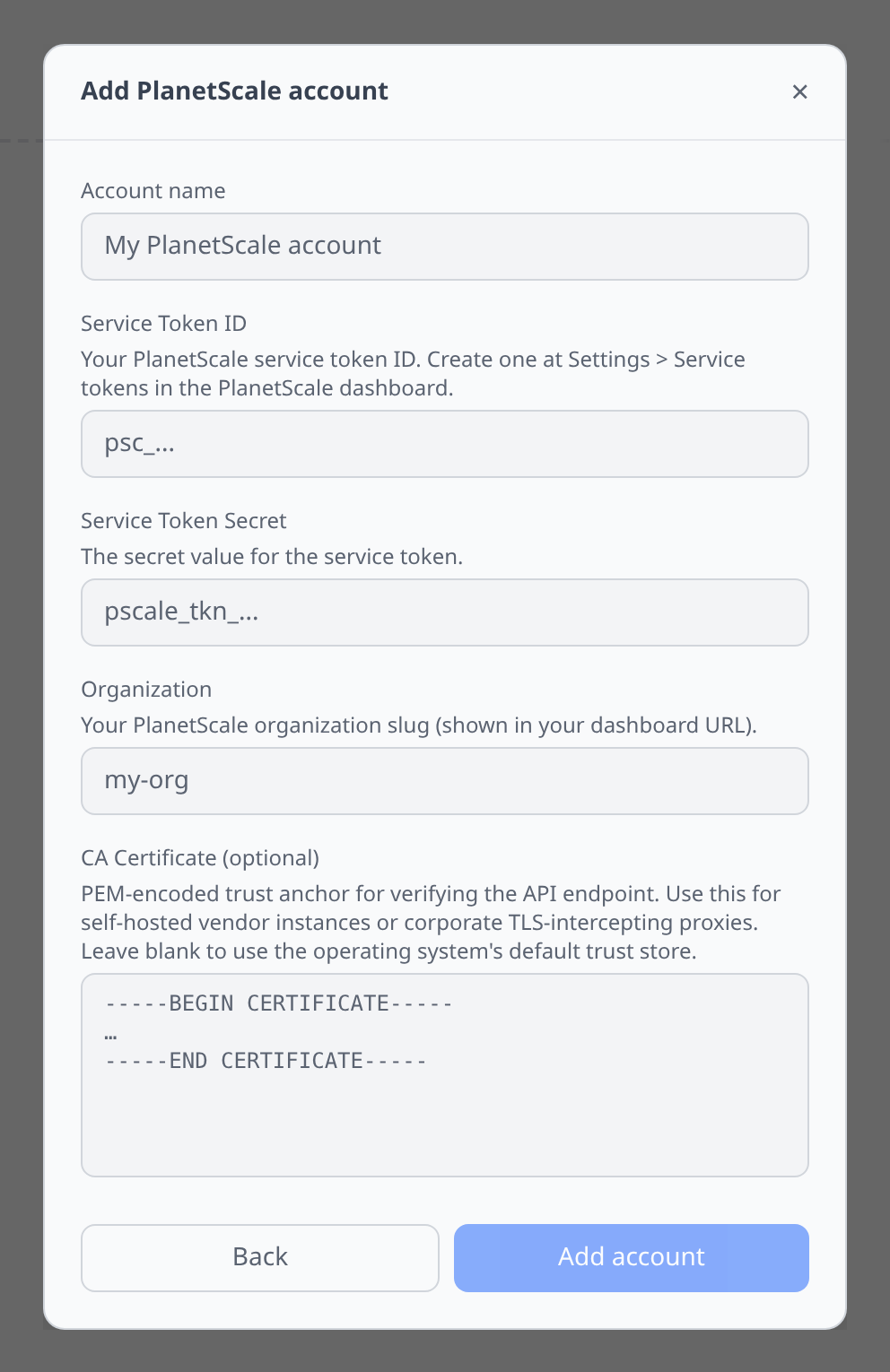
PlanetScale dashboard → Settings → Service tokens → New service token. Grant the roles needed for your databases, then paste:
- Service Token ID — the public ID (shown next to the token in the dashboard).
- Service Token Secret — the secret value (shown once at creation).
- Organization — your PlanetScale org slug.
Notable flows
- Branch creation — from
mainor any branch, pick a name and click. - Deploy request tracking — list schema deploy requests with source and target branches, approval state, and deployment status.
- Backup inventory — inspect branch backups and lifecycle state.
- Connection string generation — infrawrench creates a named password for a branch and returns the resulting connection string as an output. Reference it from the MySQL plugin for SQL editor access.
- Secret export to K8s — branches export credentials as secrets.
- SQL editor (via the MySQL plugin’s output reference).
Tips & limits
- PlanetScale uses Vitess. Cross-shard joins and some DDL shapes are restricted. Raw errors are passed through.
- Branch passwords are listed without exposing plaintext. A new plaintext password is only returned by PlanetScale at creation time, so connection-string generation still creates a dedicated password on demand.
Cost graphs
PlanetScale organizations feed cost graphs & budgets from invoices and their line items — monthly billing periods with per-database and per-metric breakdowns (line items for the in-progress invoice refresh hourly).
- The service token needs the
read_invoicesorganization access grant.