Work in progressThese docs are still being written and are currently mostly AI-generated. Some details may be inaccurate or incomplete.
Manifest editor
Edit raw provider manifests (Kubernetes, Cloudflare) in a Monaco editor.
For resources where the provider’s canonical shape is a document (Kubernetes manifests, Cloudflare zone/worker settings), infrawrench exposes the full document in a Monaco editor on the resource detail page.
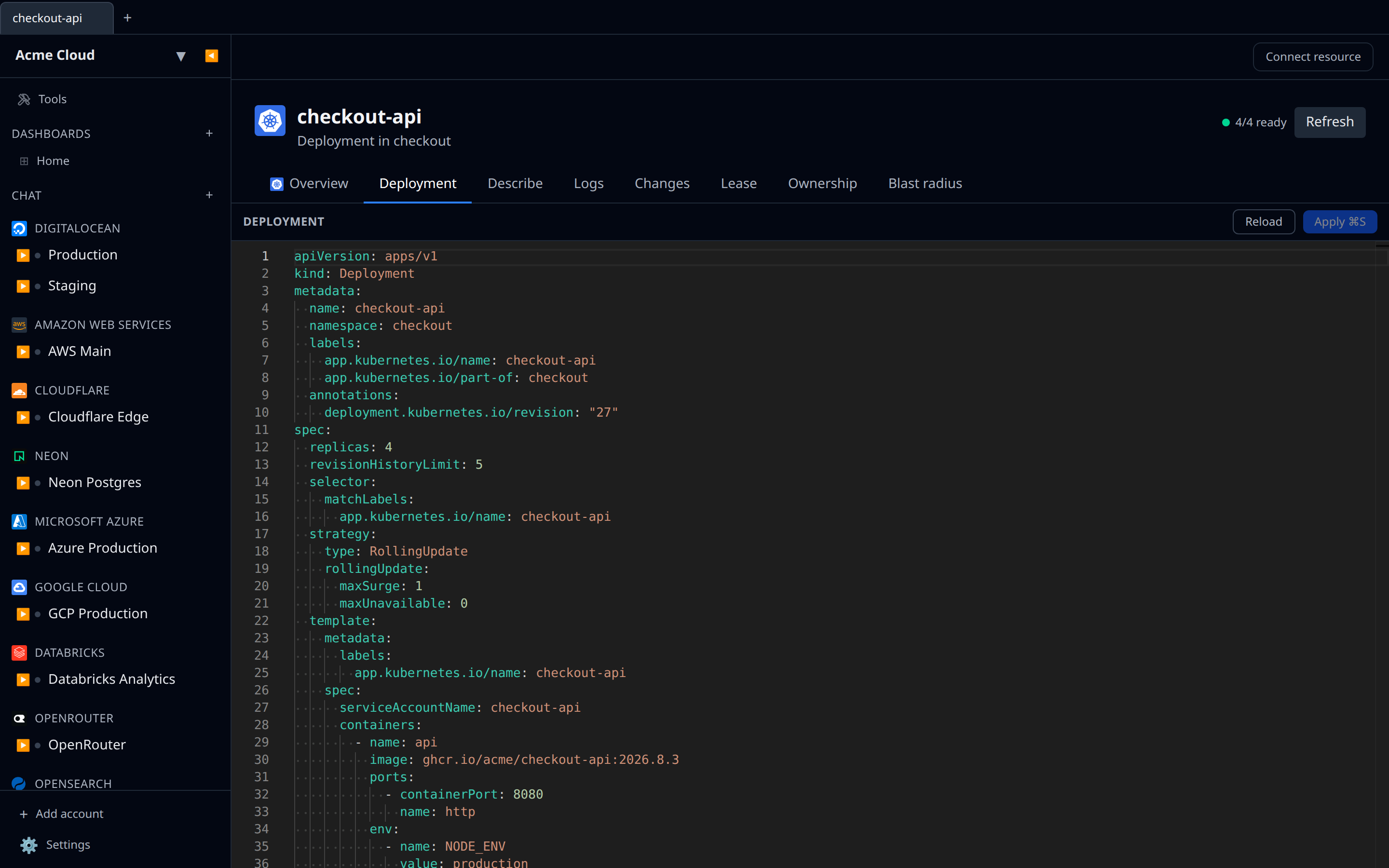
Where you get it
- Kubernetes — every resource type (Pod, Deployment, StatefulSet, Service, Ingress, ConfigMap, Secret, DaemonSet, Job, CronJob, Namespace, and more) has an editable manifest.
- Cloudflare — zone settings and worker scripts.
- AWS / Azure — read-only manifest view for other resource types. Use it to inspect, not to edit.
S3-compatible buckets (AWS S3, DigitalOcean Spaces, Scaleway Object Storage) have a dedicated Bucket Policy tab instead of a generic manifest editor — see Bucket policy editor.
Editor features
- Syntax highlighting for JSON and YAML, word wrap, bracket-pair colouring.
- Undo / redo, find / replace — it is Monaco, so the usual editor bindings work.
- Apply ⌘S is the primary button, and it stays disabled until the buffer differs from what was loaded. While you have unsaved work the toolbar says Unsaved changes; after a successful apply it says Applied for a few seconds.
- Reload re-fetches the live document, discarding your edits.
Apply semantics
- Kubernetes — the manifest is applied via the API server. Conflicts surface as an error; resolve them with Reload.
- Cloudflare — settings are pushed field-by-field. Partial failures are reported per field.
- Read-only providers — the toolbar shows a Read-only chip and no Apply button; clone the manifest into your IaC tool instead.
Tips
- Paste real YAML / JSON — infrawrench does not accept half-formed documents.
- Use this for quick patches; for anything you want versioned, do it in git and let your CI apply it.