Work in progressThese docs are still being written and are currently mostly AI-generated. Some details may be inaccurate or incomplete.
WorkOS
Manage WorkOS organizations, users, memberships and invitations, watch SSO connections and Directory Sync directories, define roles, and wire up webhook endpoints.
What you can manage
- Organizations — the tenant containers. Create one (optionally with domains), rename it, delete it. The detail page shows each domain’s verification state and counts of members, pending invites, connections and directories.
- Users — AuthKit / User Management users. Create one with an optional password, edit names and the verified flag, delete. Users are environment-level: one user can belong to many organizations.
- Memberships — the user ↔ organization links. Create one with a user and role picker, reassign the role, deactivate and reactivate without losing role assignments, or remove it.
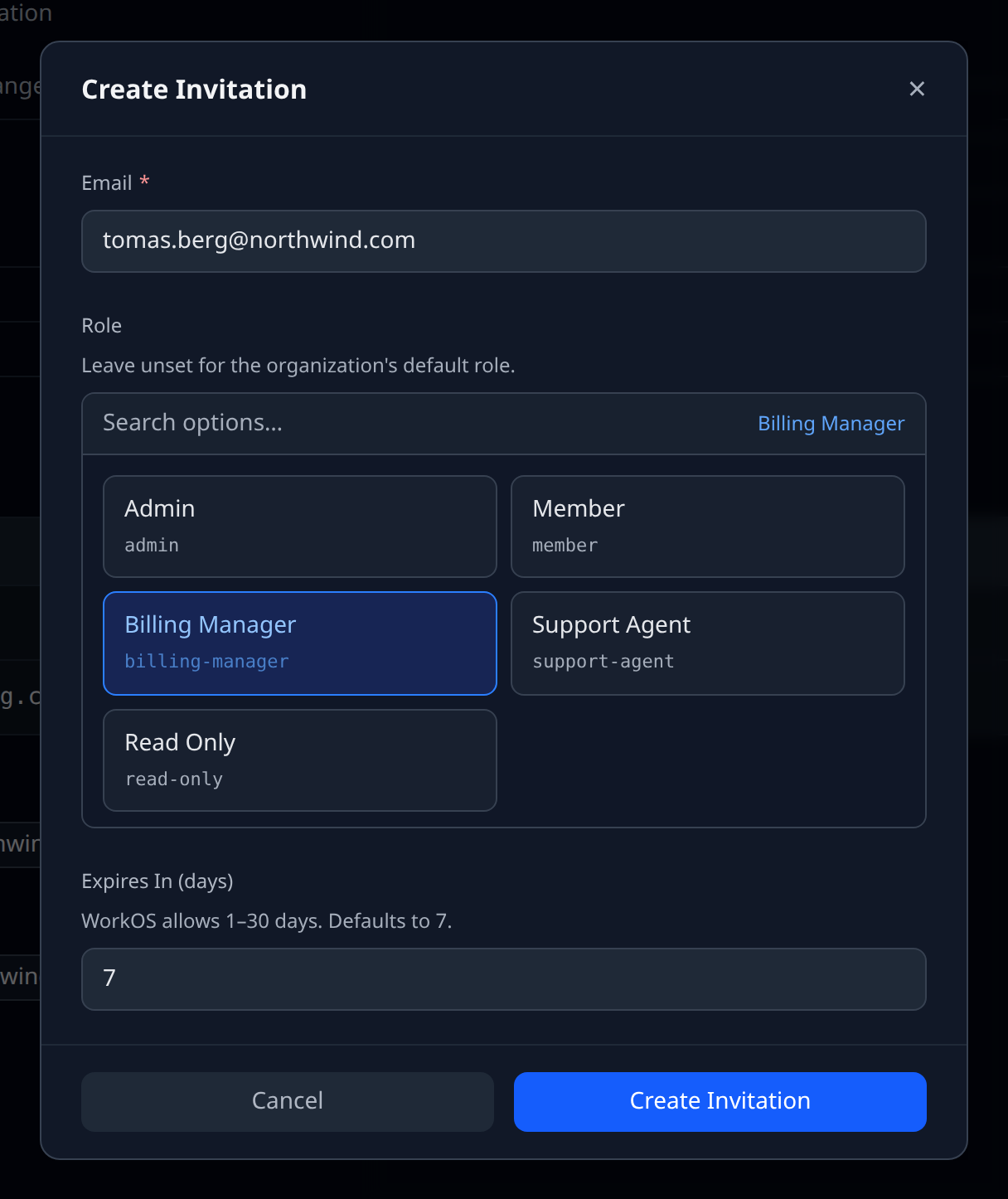
- Invitations — send one to an email address with a role and an expiry (1–30 days), resend or revoke it while pending. Expiries feed the cross-provider Expiry radar.
- SSO connections — Okta SAML, Entra/Azure SAML, Google OAuth, generic OIDC and the rest. Read-only plus delete: WorkOS configures connections through its dashboard or an Admin Portal session, not the API.
- Directories — Directory Sync links (SCIM, Google Workspace, Workday, …) with their synced directory users and directory groups underneath. The directory state (linked, validating, invalid credentials) drives the status dot.
- Roles — environment roles from the Authorization API, with their permission lists. Create and rename here; the API has no role delete, so removal stays in the WorkOS dashboard.
- Webhook endpoints — full CRUD. The signing secret is exposed as a sensitive
signingSecretoutput for verifying payload signatures.
Credentials
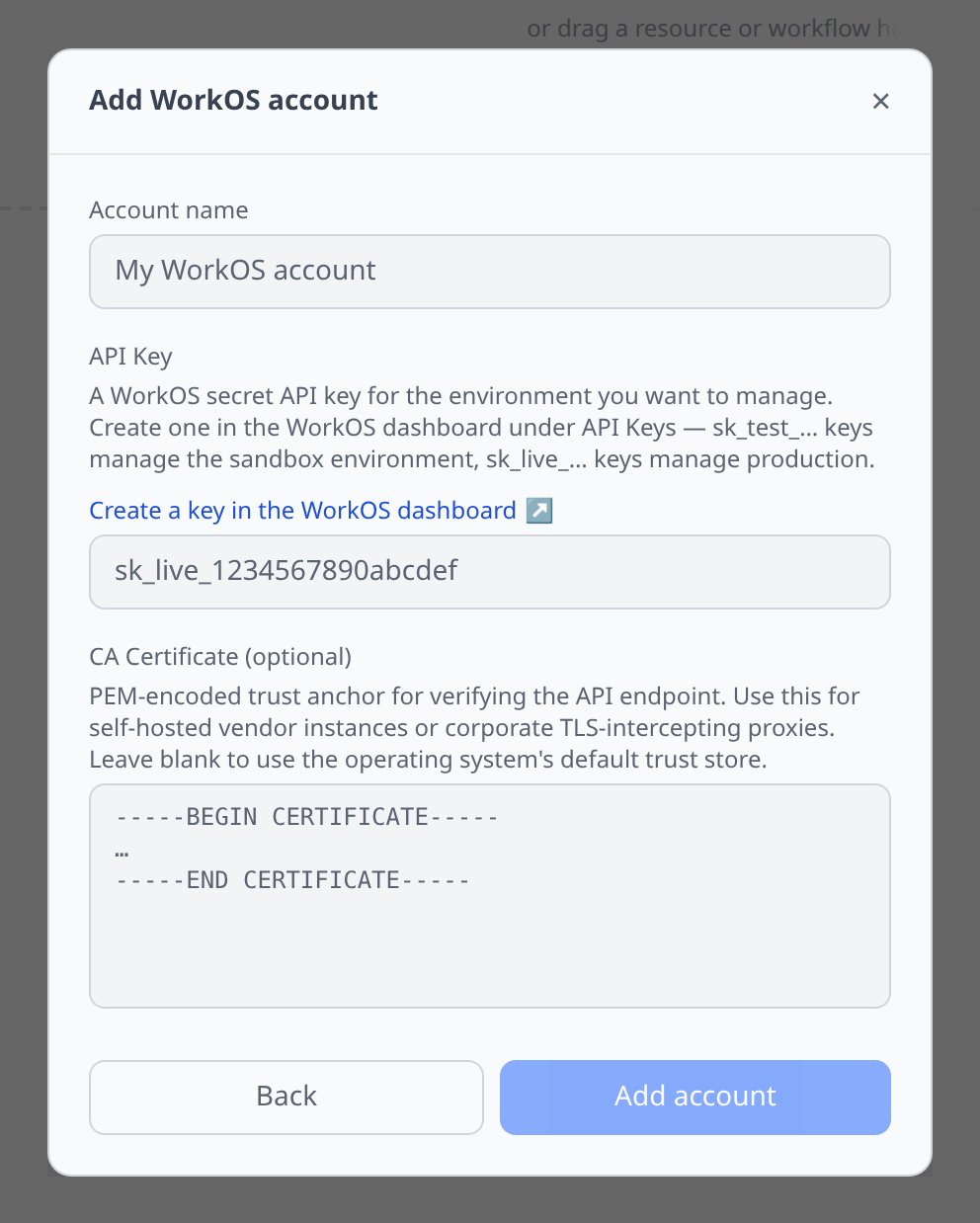
One field. WorkOS dashboard → API Keys.
sk_test_…keys manage the sandbox environment,sk_live_…keys manage production. An account maps to one environment — add two accounts to see both.- This is unrelated to the WorkOS credentials Infrawrench itself signs in with. The plugin manages your WorkOS environment with your key.
Pickers everywhere
You never type an org_… or user_… id:
- Membership and invitation creation offer an organization picker (skipped when you create from an organization’s page), a user picker over your synced users, and a role picker fed live from the Authorization API — org-scoped roles when the organization is known, environment roles otherwise.
- Leaving the role unset uses the organization’s default role.
Tips & limits
- Deleting an invitation revokes it. WorkOS has no invitation delete; revoke is the removal operation, and the accept link stops working immediately.
- Directory-managed memberships hide the deactivate/reactivate actions. Directory Sync owns those rows — a manual change would be overwritten on the next sync.
- Deactivating a membership keeps its role assignments, so reactivation restores the user exactly as they were.
- Organization domains created here start in
pendingstate. Verify them in the WorkOS dashboard; the organization page shows each domain’s state. - Connections and directories are read-only by design. The management API lists, inspects and deletes them; setup runs through the dashboard or an Admin Portal link.
- The webhook signing secret is shown as a sensitive output, not a field — resolve
signingSecretwhere you need it (secret exports, output references). - No metrics or billing API. WorkOS exposes neither usage time-series nor spend, so there is no Metrics tab and the plugin reports no costs.