Interface language
Switch the app's UI language per device — English, Spanish, French, German, Japanese or Chinese — from Settings → General.
The web and desktop apps can display their interface in English, Spanish, French, German, Japanese or Chinese. English is the source language; the others are being rolled out surface by surface, so anything not yet translated simply appears in English rather than breaking.
Translation covers provider content too: the resource type names, field labels and descriptions that each of the bundled provider plugins contributes are part of the same catalog, so a translated interface doesn’t switch back to English the moment it shows your inventory. Names you chose yourself — resources, accounts, dashboards — are of course never translated.
Changing the language
Open Settings → General and pick a language in the Language card. The choice applies immediately — the app reloads with every visible string re-resolved in the new locale.
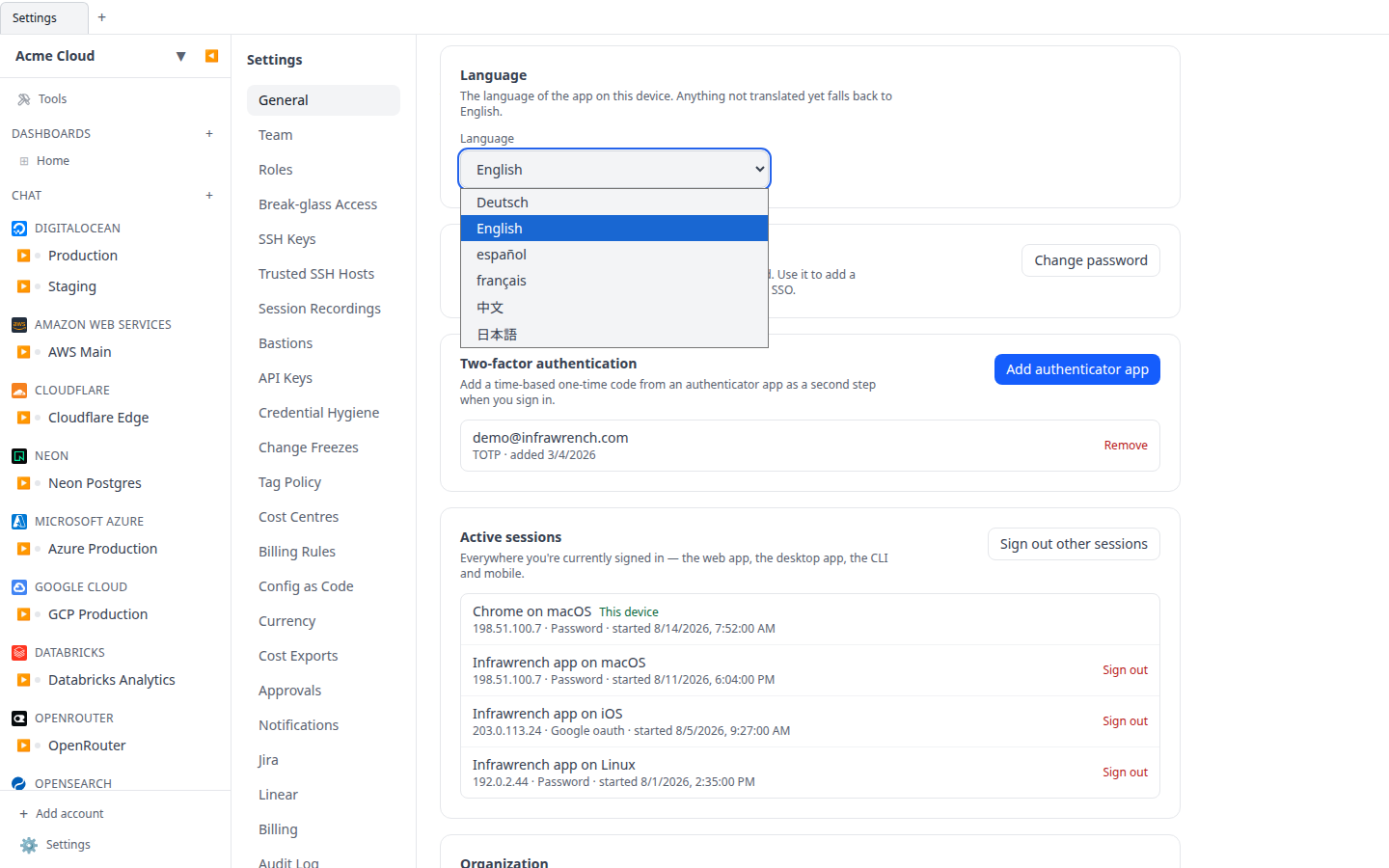
A few things to know:
- The setting is per device, not per account. Your browser at work and the desktop app at home can use different languages.
- If you have never picked a language, the app follows your browser or system language when it matches a supported one, and falls back to English otherwise.
- Dates, times and numbers keep following your operating system’s regional format settings, independent of the interface language.
The mobile app is not yet translated and currently displays English only.
For self-hosters and contributors
Translations are checked into the repository and built offline — no external service is contacted at runtime. Regenerating them after changing UI strings, and the optional live-translation development mode, are described in the repository’s KNOWLEDGE.md (UI translations section).